I Ran Five Local LLMs on a Base Mac Mini M4 Here Only Two Were Actually Usable
When ever Local LLM means people think a huge desktop, graphic card which costs more than the total machine combined which actually makes the whole setup so complex but with Mac Mini M4 it actually changes the total scenario.
Mac Mini M4 which is actually light weight compact system with no graphic card fans and its noise happening around it but it delivers same output or more than that what a system with huge graphic card around it does.
The question here is whether we can able to run a large language model well enough to replace our daily tasks in the Mac Mini M4.
Lets talk about the base configuation which costs $599 with 16 GB of RAM and 256 GB of Storage. just image everything is inside a tiny box. that box is a banger which is something a powerful system which does what actually a normal computer or laptop does. Just Imagine how Apple pulled this all the configuration under a tiny box which does all the work which a computer does it.
Lets dive more into the configuration how will this tiny box will be something which runs the AI in it. I mean it is more compatible to the every LLMS. Mac Mini actually are sophisticated machines which brought huge revoultion into the AI as it produces huge outputs and results compared to the other systems as it can be fused with everything.
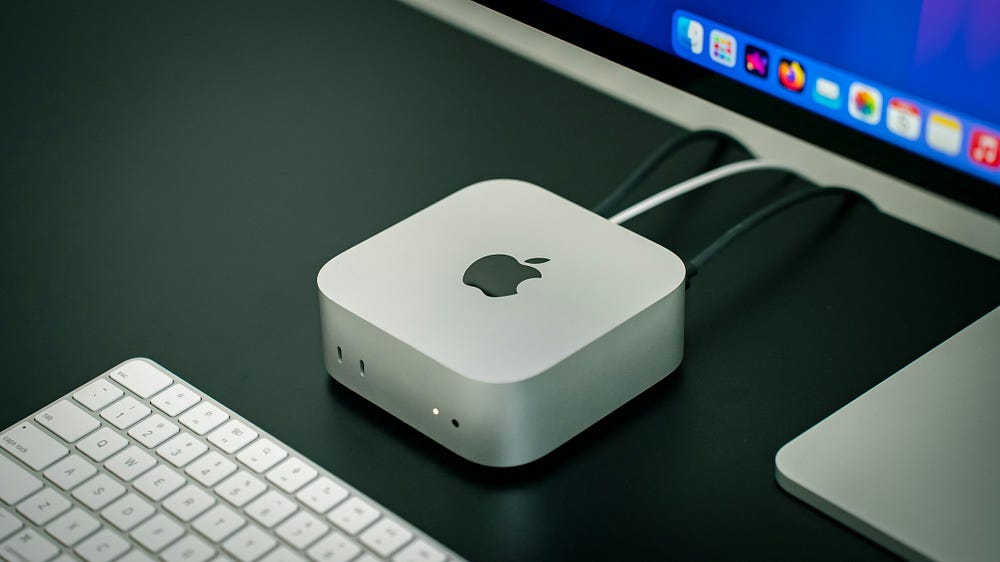
Whats Inside the Mac Mini M4 Model
Lets talk about the base model, as we discussing about the $599 configuration model here. it comes with pack of 10-core CPU and 10-core GPU with 16 GB of RAM running with 120GB/s of bandwith. see such a huge bandwith we all think GPU matters a lot but to power that GPU we need the bandwith as well to run the Local LLMS.
Chips with more bandwith pushes the GPU faster and thats basically what generating text is with repeatedly pulling billions of numbers out of memory.
RAM is the only thing which decides everything else in the article. it sounds more than a phone but mac itself uses 4GB to 6GB before running single model loads and leaves behind like 10GB — 12GB of computing space which more enough to run quantized 7B and 8B models with extra space. For to run 14B models then we required to switch to disk and pushing on SSD which makes it faster to run else it makes the simple chatbot to think longer and hard to answer.
Setting up the Ollama
we have chosen Ollama here as it remains easiest for local models setup on macos, mostly due to its quantitizing and its accelaration without manually doing any configuration from user. lets install it in terminal
brew install ollamaif brew isnt setup , you directly drag .dmg file from the ollam.com. its also done installing, pulling and running whole in one line command
ollama run llama3.1:7bThe downloads can be roughly 4.7GB for the Q4_K_M quantized version, which is the default version most people uses. as FP16 weights would need close to 16GB for running the model, which leaves no space for the OS to run on the machine. Q4_K_M plays huge here by reducing the file size to 4x times without reducing the quality as it is negligible which people can notice, and this is the version the base Mac mini is built to run.
if anyone wants to see the numbers instead of using chatwindow, ollama has a verbose command.
ollama run llama3.1:7b --verbosethis command once executed, it prints tokens per second, duration of loading, and prompt over all time after every response execution.
The Numbers
Here’s it gets specific like Running Llama 3.1 7B at Q4_K_M quantization on the base model M4 Mac mini, it generates speed which lands in the 28 to 32 tokens per second range in short-to-medium conversations, dropping toward the low 20s if the context window gets full past a few thousand tokens. Qwen2.5 7B, which a lot of people prefer for coding and structured output, ran slightly faster in the same setup, typically 32 to 35 tokens per second. For comparison, a normal human reading speed is somewhere between 4 to 5 words per second, so either the model is generating text well more than the speed anyone reads it. The real deal isn’t the chip, it’s you or us.
Switching from Ollama to Apple’s own MLX framework changed things more than expected. MLX is built specifically for Metal and Apple’s unified memory architecture, and on the same 7B-class models it ran noticeably faster in every test, sometimes by 30 to 40%. Running an MLX-converted version of Qwen2.5 7B through LM Studio instead of Ollama took generation speed from the low 30s into the 40s on a good run. Not every model ships an MLX build yet, so this only helps when one exists, but for the models that do have one, it’s not a small difference.
Time to first token, meaning how long the model sits there before it starts responding, stayed under a second for short prompts and grew predictably as prompt length grew. Nothing about that felt sluggish for a chat interface. It only became noticeable when feeding in longer documents for summarization, where prompt processing on a 3,000-word input added a few extra seconds before the model started actually writing.
Power draw during generation stayed in the 30 to 40 watt range, measured at the wall with a cheap plug meter, not Apple’s marketing number. Running it for a couple of hours during day, every day or for a year. It might comes out to something around $12 to $15 in electricity bill referencing US rate. While here a desktop with a RTX 4090 pulling around 350 to 450 watts using similar load costs near to $150 to $200 for a year to run the same way. The gap here alone changes the calculation for anyone who are planning to running model in backgrounf for all day.
Where It Actually Struggles
Now for the part most benchmark posts skip over. Trying to load Llama 3.1 14B at even Q4 quantization pushed memory pressure high enough that macOS started swapping, and generation speed fell off a cliff, down into single digits, sometimes below 5 tokens per second once a longer conversation built up. It technically ran. It is not usable for anything other than this. If your plan is to regularly running 13B to 14B models range, the 16GB base model is the wrong choice for you to invest, add extra few hundred dollars and go with 24GB M4 Pro model configuration which comes with everything and also overcomes the limitation of 16GB base model.
Context length was the other place things got messy. Push a conversation past 8,000 or so tokens on the base model while running an 8B model, and generation speed drops noticeably as the KV cache eats further into that already-tight memory budget. This matched what several other people running the same hardware have reported, and it’s the kind of limitation that doesn’t show up in a quick five-message demo but absolutely shows up during a real research or coding session that runs long.
One thing that stood out while testing this: switching between two loaded models (keeping one warm in memory while calling a second) is where the base model shows its ceiling fastest. Ollama removes a model from memory if its found inactive in timebeing, and it also takes several seconds to reload a 4 to 5GB model everytime. Anyone who is building a workflow that bounces of between a coding model and a general chat model needs to accept the memory cost.
Trying a Few More Models
Llama 3.1 8B and Qwen2.5 7B aren’t the only options worth testing, so a handful of others went through the same setup. Mistral 7B Instruct ran close to Qwen’s speed, somewhere around 30 to 33 tokens per second, and produced noticeably shorter, more direct answers by default, which some people will prefer and others will find clipped. DeepSeek-R1’s 7B distilled version was the interesting one. It “thinks” out loud before answering, wrapping its reasoning in visible tags, and that reasoning step adds real time before the actual answer shows up. A simple question that would take Llama 3.1 two seconds to answer took DeepSeek-R1 six or seven, because it was working through the problem first. The final answer was often better for anything involving actual logic, like a multi-step math problem or spotting a bug in a code snippet, but it’s a worse fit for quick back-and-forth chat.
Phi-3 Mini, at just 3.8B parameters, ran fast (comfortably past 45 tokens per second) and used a fraction of the memory, leaving enough headroom to keep a second small model loaded at the same time. Quality dropped as compared to the 7B and 8B models as it lacks real world knowledge, but for smaller or narrow tasks like reformatting , rearranging text or extracting components from document, it will do its job accurately and very fastly. Smaller isn’t always worse, it depends entirely on what’s being asked of it.
One gotcha worth flagging: not every GGUF file labeled Q4_K_M behaves the same. A couple of community quantizations pulled from Hugging Face produced garbled output on the first few tokens before settling down, which turned out to be a mismatched chat template rather than a broken model file. Switching to the official Ollama library version of the same model fixed it immediately. Worth remembering before assuming a model is bad when the problem is actually the template.
Quantization, in Plain Terms
Quantization is the setting that decides how much of the model’s precision gets thrown away to save memory, and it’s the single biggest lever for anyone on a 16GB machine. Q8 keeps close to full quality but eats nearly twice the memory and runs at roughly half the speed of Q4. Q4_K_M is the standard recommendation for a reason: it cuts memory use by close to 4x versus full FP16 weights while keeping quality loss small enough that most people can’t tell in a blind test. Going lower, to Q3 or Q2, frees up more memory for a bigger model or longer context, but the quality drop becomes obvious fast, especially on anything involving careful reasoning or code. For the base 16GB Mac mini, Q4_K_M on a 7B to 8B model is close to the sweet spot, and there isn’t much reason to stray from it unless memory is genuinely the bottleneck for a specific task.
Setup for Coding Assitant
Lets take the usecase where linking a local model to an editor as an code assisstant. dev is some thing an option for VS Code, as it points towards a locally running Ollama instance with a shorter config file:
{
  "models": [
    {
      "title": "Local Llama 3.1 7B",
      "provider": "ollama",
      "model": "llama3.1:7b",
      "apitestbase": "http://localhost:10101"
    }
  ]
}
Lets see the bigger picture, here we have No API Key or billing board or rate limit associated to it. It runs offline, which matters for anyone here as they can run locally without going to any third part source. the conflicts are real: an 7B local model is not going to match with GPT-4-class output on anything , like debugging a small concurrency issue or reasoning through unfamiliar framework internals as It’s good for autocomplete, checking syntax, and explaining code. It is not a replacement or something similar for a total frontier model on the hard problems, assume it replaces GPT is not ideal to think of.
Is the Base Model Worth It for This
For 7B to 8B class models, yes, comfortably. Generation speed in the high 20s to mid 30s tokens per second is fast enough for real conversational use, coding help, and document summarization without feeling like a compromise. Power draw is close to nothing, there’s no fan noise, and the whole setup runs cool enough to sit on a desk without a second thought about airflow.
For anything past that, the 16GB memory ceiling turns into the whole story. Regular use of 13B+ models, long research sessions with heavy context, or running multiple models side by side all point toward the 24GB M4 Pro instead, and paying the difference upfront beats fighting swap-induced slowdowns for the life of the machine. Buy the base model to run an 8B assistant well. Buy the Pro if 8B was always going to be the floor, not the ceiling, of what gets asked of it.
Apple’s next Mac mini refresh, expected sometime around the middle of this year with M5 silicon, will likely push these bandwidth numbers higher again. Until then, the base M4 remains a capable, genuinely cheap way to run a real language model without sending a single token to someone else’s server.