Most people buying hardware for local AI in 2026 make the same mistake. They look at VRAM numbers, benchmark scores, and tokens-per-second charts, then they buy a big GPU desktop because it wins every single one of those comparisons. Six months later they’re staring at a power bill that doesn’t make sense and wondering why they bought a machine loud enough to hear from the hallway.
The real question isn’t which setup is faster. It’s which setup is right for how you actually use it. Those are two completely different questions and the hardware industry doesn’t have any incentive to make that distinction for you.
There’s a version of this debate where a desktop with an RTX 5070 Ti is obviously the correct answer, and there’s a version where a Beelink SER8 sitting silently behind your monitor is obviously correct. The answer depends almost entirely on one thing most buyers never think about until it’s too late: whether that machine is going to be on 24 hours a day.
The Electricity Number Nobody Talks About
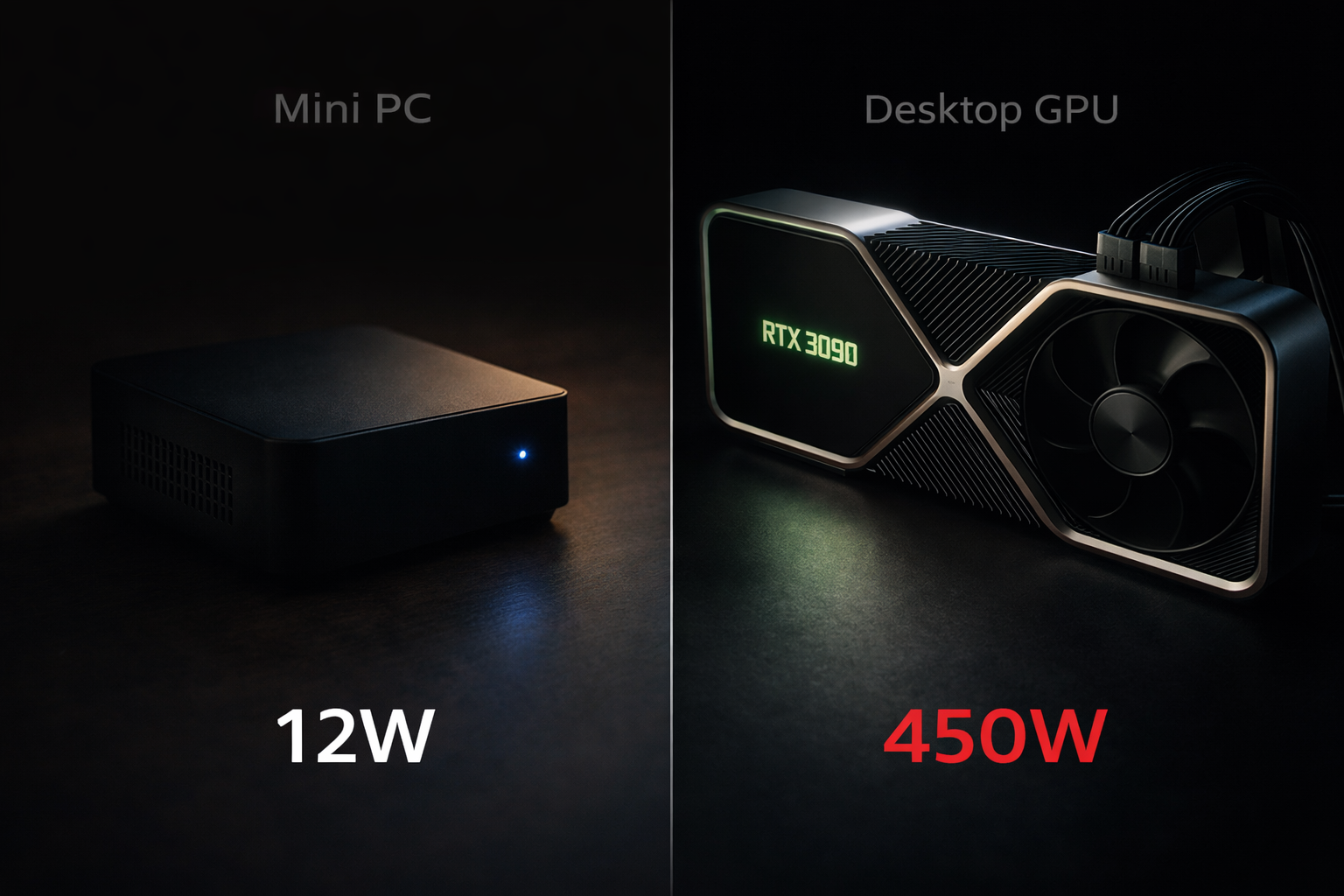
Here’s where the whole conversation should probably start. A mini PC like the Beelink SER8 or the Beelink GTR9 Pro idles at roughly 10 to 15 watts. A desktop running an RTX 3090 idles at 60 to 100 watts, even when it’s just sitting there doing nothing. Not running inference. Not doing anything. Just on.
At European electricity rates — which were hovering around €0.28 to €0.35 per kWh through 2026 (0.15–.45$ in US and 0.1–0.2$ in India) — that difference is not trivial. Run a mini PC always-on for a full year and you’re looking at roughly €36 to €46 in electricity. Run a GPU desktop the same way and you’re at €147 to €245. The gap is somewhere between €100 and €200 per year, every year, for the life of the machine.
Over 18 months, a dedicated GPU desktop running 24/7 costs more in electricity alone than a mid-range mini PC would have cost to buy outright. That is not a minor inconvenience in the math. That’s the whole ballgame for a lot of home setups.
The frustrating part is how rarely this shows up in hardware recommendation posts. People will spend 2,000 words comparing tokens per second between an RTX 3090 and an RTX 5070 Ti and dedicate exactly zero sentences to idle power draw. For someone building an always-on home AI server — the kind that runs Open WebUI or LM Studio in the background while they work — that omission is genuinely misleading.
The VRAM Ceiling Problem (And Where It Flips)
That said, raw GPU VRAM is real and it matters. A desktop with an RTX 3090 and its 24GB of GDDR6X absolutely demolishes any mini PC iGPU when you’re running models in the sub-30B parameter range. We’re talking 3x to 5x faster inference in many cases. If you’re mostly running Llama 3.1 8B, Mistral 7B, or Qwen 14B, a GPU desktop wins cleanly.
But here’s where it gets interesting. The Ryzen AI Max Plus 395 — the APU powering machines like the Minisforum MS-S1 Max and some configurations of the GTR9 Pro — ships with 128GB of unified RAM that the GPU can access directly. No consumer desktop GPU in 2026 gets anywhere near that. An RTX 5070 Ti tops out at 16GB. An RTX 3090 is 24GB. To run a 70B parameter model at full precision on a GPU, you need about 100+GB of VRAM. You simply cannot do that on any consumer desktop card. You’d need an NVIDIA H100, which starts at around $25,000 and draws 700 watts idle.
On a Ryzen AI Max mini PC, a quantised 70B model fits. It runs. Not blazingly fast, but it runs locally, privately, without sending anything to a cloud API. For a lot of people, that’s the whole point.
So the VRAM story is actually: desktop wins below 30B, mini PC wins above 30B, and there’s a mid-range where they’re genuinely comparable depending on quantisation level. Most guides skip this nuance entirely.
Memory Bandwidth Is the Real Performance Driver
Clock speed is what people obsess over. Bandwidth is what actually determines how fast tokens come out.
When a language model runs inference, the limiting step is almost always memory bandwidth — specifically, how fast the hardware can load the model weights from memory into the compute units. A Ryzen AI Max Plus 395 has around 256 GB/s of memory bandwidth because the GPU silicon and the memory are on the same die. A high-end CPU running a model in system RAM over a DDR5 memory controller gets roughly 89 GB/s on a good day.
The practical implication: a mini PC with a Ryzen AI Max APU will often beat a powerful desktop CPU running the same model in RAM, even though the desktop CPU has higher clock speeds and better IPC. The bottleneck isn’t compute. It’s the pipe between storage and processor.
The only way a desktop wins this specific comparison is by running the model on the discrete GPU itself, where GDDR6X bandwidth is 936 GB/s on an RTX 3090. That’s genuinely faster — but you’re back to the 24GB VRAM ceiling and all the power consumption that comes with it.
Sustained Load and the Thermal Reality
Here’s an honest observation that mini PC advocates sometimes bury in footnotes: these machines throttle.
Under a long inference session — think batch processing a hundred documents, running a coding assistant that’s evaluating several approaches in sequence, or processing a large context window — a mini PC’s thermal limits become visible. The chassis is physically small. There’s a limit to how much heat you can dissipate from a 35-watt APU in a box the size of a paperback book. Once the chip hits its thermal ceiling, it backs off clock speed to protect itself.
A desktop with proper airflow — a mid-tower case, two or three 120mm fans, and a decent CPU cooler — doesn’t have this problem. It can sustain peak performance indefinitely because it has the thermal headroom to do it. For anyone doing batch inference, long document analysis, or running a coding assistant that needs consistent throughput over 20-minute sessions, this matters.
The mini PC still wins on idle power and noise. But the performance advantage of a desktop is actually understated in short-burst benchmarks, because those benchmarks don’t run long enough to trigger throttling on the mini PC. Real-world sustained throughput on a desktop is often further ahead than the benchmarks suggest.
The OCuLink Wild Card
There’s a third category that most people don’t know exists yet. Some mini PCs ship with an OCuLink port — a connection standard that offers near-PCIe Gen 4 x4 bandwidth to an external device. The Minisforum MS-S1 Max is the clearest example of this in 2026.
With OCuLink, you can attach an external GPU enclosure to a mini PC and get performance that sits roughly halfway between a pure mini PC and a full desktop. You lose maybe 15 to 20 percent of GPU throughput compared to a native PCIe slot, but you keep the mini PC’s small footprint and — crucially — you can disconnect the eGPU when you don’t need it, running the machine at 12 watts idle instead of 80.
It’s an unusual setup and the ecosystem is still niche enough that you’ll be solving your own problems when something doesn’t work. But for someone who wants sustained 30B model performance most of the time and occasional 70B capability on a tight budget, an OCuLink mini PC with a secondhand RTX 3090 in an external enclosure is genuinely interesting. It’s not the recommendation for everyone, but it’s worth knowing the option exists.
The Upgrade Path Question
Desktops win this one without argument. You can swap the GPU in a desktop. You can add RAM. You can drop in a new CPU when the socket generation allows it. A desktop you build around an RTX 3090 today can run an RTX 5080 in two years when the prices come down.
A mini PC is permanently limited by its APU. The Ryzen AI Max Plus 395 that’s fast today will still be the Ryzen AI Max Plus 395 in 2028. You can add more RAM (some models allow it) and swap the SSD. That’s the entire upgrade path. The silicon is soldered.
This is the right argument for a desktop if you’re thinking in multi-year horizons. The LLM space is moving fast enough that the hardware ceiling you care about today might look quaint in 24 months. A desktop gives you optionality. A mini PC doesn’t.
To be fair, though, the APU generations are also moving fast. The Ryzen AI Max Plus 395 is a significant leap over what was available two years ago. If mini PC APUs keep advancing at this rate, the machine you buy in 2028 will probably make the upgrade path argument feel less important — because you’ll want to replace the whole unit anyway, not just the GPU.
Noise
This is not a minor quality-of-life issue. It’s a genuine differentiator and people seriously underweight it.
A desktop running an RTX 3090 or RTX 5070 Ti under inference load sounds like a server room. The GPU fans spin up, the case fans respond, and the whole thing becomes a consistent mid-frequency noise that you will hear from across a room. In a dedicated server closet this is irrelevant. In a home office where you’re trying to think, or in a living room where you’ve set up a home media server that also runs local AI, it’s genuinely unpleasant after the first ten minutes.
A Minisforum MS-S1 Max or Beelink GTR9 Pro under the same inference load is audible if you put your ear next to it. From a meter away, you’ll hear nothing. That’s a real difference. For anyone using local AI as part of a daily work setup rather than as a dedicated workstation task, the noise floor matters.
Three Use Cases, Three Direct Answers
The always-on home AI server. You want Open WebUI running 24/7, you’re mostly using it for personal queries, document summarisation, and small coding tasks. Buy a mini PC. The Beelink SER8 runs the models you need, costs €600 to €700, and will cost you maybe €40 a year in electricity. A desktop with a GPU doing the same job will cost you €300 a year in electricity and three times as much hardware. This is not close.
The developer iterating on 70B models. You’re fine-tuning, running evals, or building pipelines that need to process 70B parameter models quickly. You need batch throughput, not just single-query latency. Buy a desktop with the best GPU you can afford — an RTX 5070 Ti if the budget allows, an RTX 3090 secondhand if it doesn’t. Pair it with an Intel Core Ultra 9 or a recent Ryzen for the CPU. Accept the power bill. You’ll feel it, but the throughput difference for this specific workflow is worth it.
The budget buyer under €800. You don’t want to build a desktop, you want something that works out of the box, and you want to run Llama 3 70B at least occasionally. A Ryzen AI Max mini PC sits just above this budget new, but slightly used examples or the next-generation equivalent will land here within the year. At this price point a GPU desktop with meaningful VRAM costs more and does less for general home use. The mini PC wins.
The Mistake Most People Make
They buy a powerful desktop for local AI because the benchmarks look impressive. Then, because it’s their main PC, they never turn it off. The machine that was going to save them from cloud API costs ends up running 24 hours a day, drawing 80 watts at idle, and adding €150 to €200 to their annual electricity costs.
Eighteen months in, when they add up what they’ve spent on power versus what they’d have paid for API calls, it often doesn’t look as good as the original plan. The hardware was genuinely fast. The economics didn’t make sense.
The fix isn’t complicated. If your AI machine is going to run continuously, optimise for idle power draw first and inference speed second. A mini PC purpose-built for always-on AI inference is a fundamentally different tool than a gaming desktop that also runs LLMs.
Buying the right tool for the actual use case sounds obvious. Most people still get it wrong.