You don’t need a tower that sounds like a jet engine running Llama 3.
Here is exactly how to build a silent, low-power AI inference node for under $500 that will handle everything from code completion to document summarisation without leaving your desk in a cloud of heat and noise.
The Shift Nobody Noticed: Mini PCs Got Smart
For years, mini PCs lived in the shadows of the CPU versus GPU holy war. Cloud vendors insisted you needed their GPUs. GPU enthusiasts built rigs costing $2,000 minimum. But something changed in late 2024 and accelerated into 2025: AMD’s Ryzen 8000 series (Hawk Point) APUs brought integrated graphics so capable that iGPU inference became genuinely viable. More importantly, they brought unified memory architecture, where your system RAM becomes video RAM with zero transfer overhead.
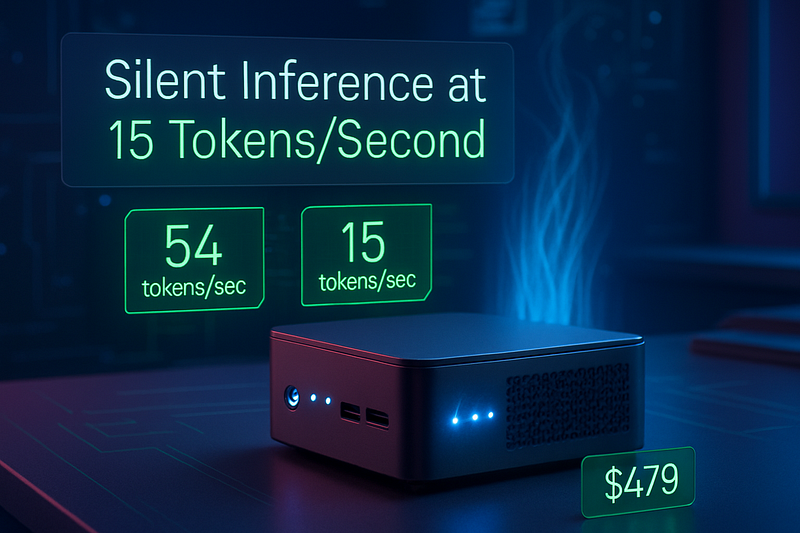
This created a financial inflexion point. A Minisforum UM890 Pro mini PC costs $479 today. Add 32GB DDR5 RAM and a fast NVMe SSD, and you have not a second GPU but an entirely functional local AI node that stays silent and sips power while running 8B parameter models at 10–15 tokens per second.
* I mean, let's just ignore the current RAM and SSD hikes; this used to be a good build before the prices started skyrocketing.
The catch nobody talks about: this only works if you understand the bottleneck. And the bottleneck is memory bandwidth, not raw compute.
Why Your RAM Speed Matters More Than You Think
Let’s be direct. LLM inference is not CPU-bound or GPU-bound. It is memory-bandwidth-bound. Every token your model generates requires pulling gigabytes of model weights from RAM into registers. If your RAM is slow, your tokens slow down. If your RAM is fast, inference screams.
This is why DDR4 mini PCs will make you miserable for local AI, but DDR5 mini PCs feel almost snappy.
DDR5 running at base 4800 MT/s delivers approximately 614 GB per second of bandwidth. DDR4 tops out around 410 GB per second. That is 1.87 times faster. In real Micron benchmarks testing BERT natural language processing, the DDR5 system achieved 4.9 times improvement over DDR4. The average memory bandwidth hit 200 per cent higher on DDR5 systems running DLRM inference models.
Concretely, if you have Llama 3 8B quantised to 4-bit (Q4 format, roughly 4 GB of weights), dual-channel DDR5–5600 SODIMM gives you about 50 GB per second of memory bandwidth. That translates to roughly 12 tokens per second. Real users on Reddit running 32 GB of DDR5–5600 report 11 tokens per second on Llama 3 8B. It matches the math.
DDR4 at the same capacity gives you about 30 per cent less bandwidth. You are looking at 7–8 tokens per second. Still viable for productivity, but noticeably slower for interactive use.
Do not settle for DDR4 on a mini PC.
The Hardware Trinity: CPU, iGPU, and NPU
Modern Ryzen 8000 mini PCs are not single-core machines anymore. They pack three compute engines into one chip.
The CPU cores handle general system tasks, thread control, and tensor operations that need precision. The integrated RDNA3 GPU (iGPU) handles parallel matrix operations — the core of LLM inference. The Ryzen AI NPU (neural processing unit) accelerates specific AI workloads, particularly the prefill phase, where your model reads your prompt and prepares to generate tokens.
On paper, the NPU on a Ryzen 7 8845HS delivers 16 TOPS (tera operations per second). Sounds impressive. In practice, it is specialised and requires software that knows how to use it. Most inference frameworks (Ollama, LM Studio, vLLM) still focus on iGPU execution for flexibility. The NPU is an optimization layer, not the main engine.
Here is what matters: the combination of CPU, iGPU, and memory bandwidth lets you distribute workloads intelligently. The NPU handles prefill (preparing to generate), the iGPU handles decode (actually generating tokens), and DDR5 keeps both fed with weights at maximum speed. AMD calls this hybrid execution mode, and it is the most efficient way to run Llama 3 on a $500 machine(Might be 750–900$ in current RAM prices).
Three Mini PC Recommendations Under $500
Considering a dedicated AI build and not focusing on other things like gaming or editing, etc. Als,o Prices may vary due to spikes in RAM and SSD prices.
The AMD Powerhouse: Mini forum UM890 Pro
Price: $479 (sale price, regular $599)
Specs: Ryzen 9 8945HS, DDR5–5600 support up to 96GB, dual USB4, OCuLink
This is the no-compromise pick if you have $500 to spend and want local Llama 3 inference today.
The Ryzen 9 8945HS is the top-tier Hawk Point APU. It has 8 cores that run up to 5.1 GHz. The RDNA3 iGPU has 12 compute units. Most importantly, Minisforum binned this chipset with higher thermal envelope support, allowing up to 70 watts of TDP boost. That means sustained performance without thermal throttling.
Real community benchmarks show this unit running Llama 3 20B quantised models at 54 tokens per second and Llama 3 120B at 46 tokens per second with 128 GB of LPDDR5X memory. Those are workstation-adjacent speeds. For Llama 3 8B, you should expect 15–20 tokens per second comfortably.
The dual USB4 ports mean you can plug in an external GPU dock today (for your future upgrade path) or just use the pure iGPU performance for years. The barebones variant at $479 is the deal.
Do not buy a pre-configured version unless the RAM and SSD match what you want. Buy barebones, add 32 GB DDR5–5600 SO-DIMM (about $60, well 200–250$ in current situation), and a fast NVMe SSD (about $30–50). You will spend roughly $570–600 total and own a fully customizable system.
The Intel Alternative: Beelink Core Ultra Series or similar
Price: $400–550 (varies by config)
Specs: Intel Core Ultra processors, DDR5 support, Intel Arc iGPU, NPU with AI Boost
If your secondary use case is a Plex server, media transcoding, or QuickSync acceleration, Intel Core Ultra processors are genuinely competitive. The NPU on Intel’s newest chips delivers useful AI acceleration, and QuickSync handles video encoding without consuming CPU or iGPU bandwidth.
Intel Arc iGPU is not quite as memory-efficient as RDNA3 for pure LLM inference, but it is not far behind. Expect roughly 10–12 tokens per second on Llama 3 8B with 32 GB DDR5, slightly behind the Ryzen equivalent but not dramatically so.
The real advantage is software maturity. Intel’s OneAPI ecosystem is more stable for mixed workloads. If you are running both AI inference and video transcoding on the same box, Intel makes your life easier.
The downside: fewer mini PC models ship with Intel Core Ultra processors in the sub-$500 segment right now. By early 2026, that will change. For now, AMD dominates the affordable AI mini PC category.
The Budget Hack: Refurbished Enterprise Tiny or Wo-We P5
Price: $140–250 (350–400$ in current price scenario)
Specs: Older i7–10700T or Ryzen 5 3500U, DDR4 or early DDR5, 16 GB RAM
If you are running only tiny models (Phi 3, small Qwen variants), or just need a web UI frontend for a cloud-hosted LLM, refurbished enterprise micros are genuinely cheap. A Lenovo ThinkCentre Tiny or Dell OptiPlex Micro from the 2018–2020 era costs $150–200 on Amazon.
Realistic expectations: Llama 3 8B runs at 6–8 tokens per second on DDR4 with an older iGPU. Phi 3 Mini runs perfectly fine. For background document summarisation or running a retrieval-augmented generation (RAG) pipeline where latency is not critical, these are valid. They also consume 15–20 watts at full load, making them excellent persistent home lab nodes.
The Wo-We P5 specifically is a curiosity: it uses a Ryzen 5 3500U from 2019 (DDR4, Radeon Vega 8 graphics) and costs under $140. It will not beat a new Ryzen 9 8945HS, but it is genuinely surprising how well older Ryzen APUs still perform for local AI in 2025. It is a legitimate entry point if you want to test the waters before spending $500.
The Secret Weapon: USB4 and OCuLink Expansion
Here is the move nobody discusses enough: buy a mini PC today for pure iGPU inference, and upgrade it tomorrow with an external GPU.
USB4 and OCuLink are 40 Gbps interfaces that can push data fast enough for external GPU expansion. A high-end external GPU dock costs $300–400 and connects via USB4 or Thunderbolt 4. Suddenly, your $500 silent mini PC becomes a $800–900 hybrid system that can run 70B parameter models at 20+ tokens per second.
The best Minisforum and Beelink models support this. The Minisforum UM890 Pro has two USB4 ports. That means you could theoretically attach an eGPU dock to one port while maintaining another for display or network. The bandwidth is PCIe x4 over USB4 (not full x16, but still substantial), which means a real GPU attached via USB4 performs at roughly 75–85 percent of its native speed. That is a real performance hit, but it is still a GPU.
For users who want flexibility, this is the path. Build your silent $500 node now. Next year, plug in a GPU and handle production-scale inference. Your mini PC hardware stays useful the entire time.
What You Can Actually Run: Honest Expectations
Let me be extremely clear about what different mini PC tiers can realistically run.
Llama 3 8B (7.8 billion parameters): This runs great on any Ryzen 8000 mini PC with DDR5. Expect 10–15 tokens per second in quantised (Q4 or Q5) format. This is the sweet spot for chat, coding assistance, and real-time interaction. It is fast enough to feel responsive. I would bet on 8B models being the “daily driver” model size for home labbers in 2025.
Llama 3 13B (13 billion parameters): Doable, but noticeably slower. Figure 5–8 tokens per second on the same setup. Acceptable for less time-critical tasks. If you are running document analysis or batched summarization, 13B is viable. If you are chatting interactively, the pause between tokens starts to feel heavy.
Llama 3 70B and beyond: Not for chat on a mini PC iGPU. Period. However, overnight batch inference? Yes. If you queue up a job to summarise 100 documents or fine-tune a small adapter layer, your mini PC will chew through that work fine while you sleep. Expect 2–4 tokens per second on 70B, which is slow for humans but acceptable for machines. A 10,000-token summary might take 30–50 minutes. Still useful.
Vision models and small embeddings: Excellent. Small vision transformers, embedding models for RAG, and lightweight multimodal models all run fast on mini PC iGPUs. This is where mini PCs genuinely shine: local document processing, semantic search, and context preparation for LLMs.
The hardware limit is memory. A 32 GB system can load Llama 3 13B with room to spare. A 64 GB system handles Llama 3 70B with quantization. A 96 GB system (supported by the Minisforum UM890 Pro with dual 48 GB SO-DIMMs) handles even larger models or multiple models in parallel. Beyond that, the bandwidth bottleneck limits performance hard.
The Total Cost of Ownership
Your $500 mini PC is not the whole story. Here is the real math.
Barebones UM890 Pro: $479
32 GB DDR5–5600 SO-DIMM: $60 (*200–250$)
1 TB NVMe SSD (PCIe 4.0): $50 (*100–150$)
Power supply and cables: included
Total: ~$589
Add $200 if you want to expand to 64 GB RAM. Add $300 if you want to add an external GPU dock and a mid-range GPU next year.
This is not a $500 investment. It is a foundation you build on. The mini PC hardware itself is the investment. The RAM and SSD are the consumables you upgrade as you evolve your workload.
For a dedicated AI machine (not a general-purpose desktop), a $600 mini PC with 32 GB DDR5 is the entry price. For serious work with room to scale (64 GB + future GPU), budget $700–800. That remains dramatically cheaper than a tower GPU build.
The MAC Build: Is it worth the cost?
Mac users will ask about the Mac mini M4 at $599. The base model with 16GB memory runs Llama 3 8B with 6.85-second latency before the first token. For chat, this is too slow. It excels on tiny models like Phi 3 Mini at 77 tokens per second, but anything larger becomes frustrating. To match the Minisforum UM890 Pro’s real-world feel (under 1 second first token), you need a $999+ Mac variant. If pure 8B model inference under $500 is your goal, buy the Linux mini PC.
Mac mini M4 is beautifully engineered and silent. That does not matter if you wait seven seconds for the first token. The Minisforum will never win design awards, but it actually feels responsive in real use. Optimise for what you need to do, not ecosystem loyalty.
Buy the Mac if upgrading your desktop anyway. Buy the Linux mini PC if your goal is affordable local AI that works smoothly.
The Noise Question: Why Silent Matters
Thermal management on mini PCs is underrated. The Minisforum UM890 Pro uses dual high-capacity silent fans, a full-surface vapor chamber, and a bottom-to-top airflow design. Under sustained load, it stays around 32 dB. For reference, a quiet library is 40 dB. Your refrigerator is 40 dB.
This matters if your mini PC lives on your desk. A gaming tower running at full load hits 80+ dB. A mini PC with proper thermal design stays nearly silent. If you are doing LLM inference for 8 hours a day, the noise difference affects your actual quality of life.
This is not a feature. It is a requirement for home-based AI work.
The Real Limitation: Bandwidth Over Cores
The biggest mistake people make when buying mini PCs for AI is prioritising raw CPU specs instead of memory subsystem quality. An extra CPU core does not help LLM inference. Faster RAM absolutely does.
If you are comparing two mini PC models and one has a slightly older CPU but newer DDR5 memory, choose the DDR5.
If you are comparing DDR4 and DDR5, DDR5 wins by a massive margin. If you are choosing between 32 GB and 64 GB, 64 GB is worth it not because you need the extra capacity right now, but because DDR5–5600 supports 96 GB on dual-channel designs.
More RAM in the system means more memory bandwidth available to your GPU, even if you are not using all the RAM. This is a quirk of how dual-channel memory works, and it is critical.
The rule: buy the mini PC with the fastest, widest memory subsystem, not the flashiest CPU.
Where to Actually Buy and What to Avoid
Minisforum sells directly from its website and through Amazon. Direct purchase gives you international warranty support and access to their full product line. Amazon adds convenience and faster returns.
Beelink sells through Amazon primarily. Watch for seasonal sales (Black Friday, Lunar New Year).
Refurbished units come from Amazon Renewed, certified refurbisher sites like Nayajaisa, or eBay. Stick to items with explicit 30-day return policies. Thermal paste on refurbished systems has often dried out, so budget $15 for a replacement application if you buy used.
Avoid generic brand mini PCs from unknown sellers. Beelink, Minisforum, GEEKOM, and ASUS (ROG NUC) are the reliable manufacturers. Off-brand systems often cut corners on power delivery or RAM controller quality.
Tomorrow Is Expansion; Today Is Foundation
The most important insight: mini PCs are no longer just secondary machines. A $500 mini PC with DDR5 memory is a foundation for local AI work that can scale. You start with iGPU inference. Next year, you add an external GPU if you need more performance.
The year after, you might plug it into a server cluster via the dual 2.5 Gbps Ethernet ports that come standard.
This is the opposite of the tower build mentality, where you max out specs on day one and regret it in two years.
Mini PCs force you to think modularly. Start small. Add what you need when you need it. Stay silent and efficient the whole time.
Run Llama 3 locally on $500 of hardware. It works. It is actually impressive. And it stays so quiet you forget it is running.