There’s a particular kind of Apple update that never gets the spotlight it deserves. Not a full OS launch. Not a security-only patch. Just a .4 point release that quietly lands one Tuesday afternoon and turns out to be genuinely, unexpectedly packed. iOS 26.4, released on March 24, 2026, is exactly that kind of update. And if you care even slightly about music, you’re going to want this one installed today.
That said, it’s not all good news. There’s an elephant in the room — or rather, an AI assistant conspicuously absent from the party. Siri’s promised intelligence overhaul, the one Apple has been teasing since iOS 26 launched last year, is still nowhere to be found. That absence is real and worth talking about honestly. But what IS in this update is surprisingly substantial, and it deserves a proper look rather than getting buried under frustration about what’s still missing.
So let’s get into it — properly, from top to bottom.

Playlist Playground: Apple’s Answer to Spotify Finally Arrives
If you open Apple Music after installing iOS 26.4, something unusual happens before you even start exploring: a new splash screen appears, flagging the additions. Apple rarely breaks out the welcome mat for minor tweaks. It means they’re genuinely confident about what’s new.
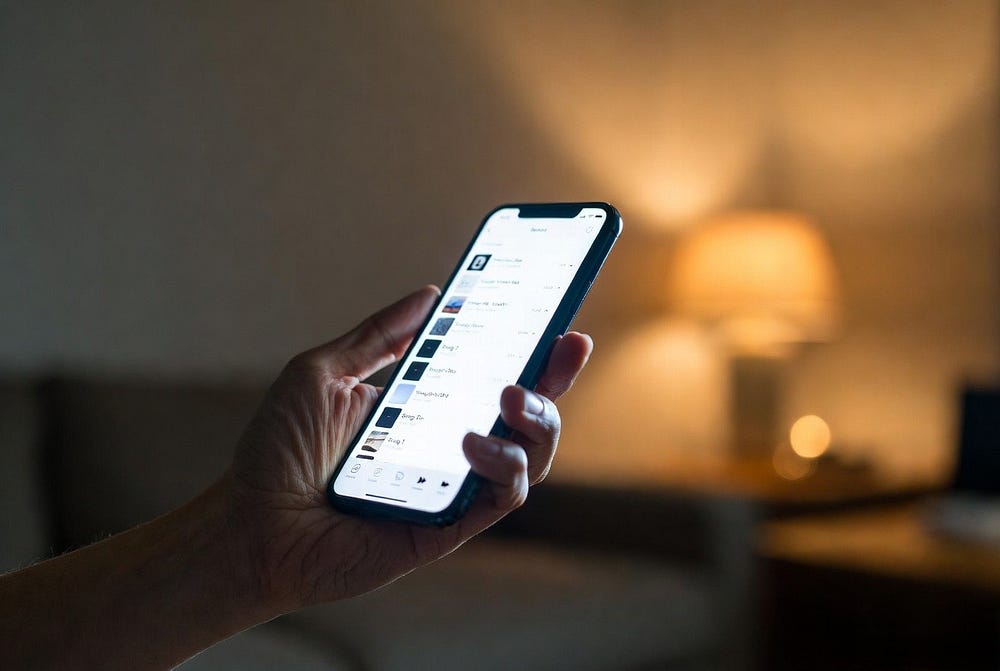
The centerpiece is Playlist Playground. Currently labeled as a beta, it lets you type any description — a mood, an occasion, an activity, a feeling, something specific or entirely abstract — and Apple Music generates a full playlist from it. Twenty-five songs, a custom title, a tracklist description, the whole package. You might type “rainy Sunday afternoon with coffee and mild existential dread” and end up with something genuinely resonant. Or maybe not. It’s AI-assisted curation, so results will vary depending on the specificity of your prompt and how well Apple’s model interprets you. But the idea is solid and the execution, from early hands-on reports, is smooth enough to be part of daily life.
You access it from the Library page by tapping the playlist icon in the top right corner of the screen. Once inside, you can describe what you want, let the AI generate the list, and then refine it with follow-up prompts. The feature can also edit existing playlists — so if you have a running playlist that’s gone stale, you can describe the vibe you’re after and let Playlist Playground reshape it rather than starting from scratch. That’s a genuinely useful edge case.
What’s particularly worth knowing is that Playlist Playground works on any iPhone running iOS 26.4, not just the Apple Intelligence-capable models. That’s a meaningful detail Apple buried in the fine print. You don’t need an iPhone 15 Pro or newer to use it. You just need the update and a US Apple Music subscription. For anyone who felt sidelined from Apple’s AI ambitions because they’re still on an older device, this is a small but real win.
The Spotify comparison is inevitable, and fair. Spotify launched its AI playlist feature for Premium users back in 2024, giving Apple roughly two years to observe, iterate, and ship something competitive. Whether Playlist Playground is actually better right now is genuinely hard to say — Spotify has a head start in terms of how well the model handles edge-case prompts. But native integration means no app-switching, no separate subscription tier, and a consistent experience that should improve with each update. Apple has a long track record of shipping features late and then quietly outgrowing the originator. Give it time.
Concerts Near You: Finally Knowing When Your Favorite Artist Is in Town
The second major Apple Music addition is Concerts, and it might actually be the more practical one for a lot of users.
Through a deep Bandsintown integration, Apple Music now surfaces upcoming shows in your area directly inside the app. It pulls from your listening history — the artists you’ve played most, the ones you’ve favorited, the ones that appear in your Replay playlists — and flags when any of them have tour dates nearby. Beyond your existing favorites, it also recommends newer acts worth catching live based on how your taste trends. The idea is that you discover someone while they’re still playing 500-seat venues rather than missing them until they’re selling out arenas.
There’s also a push notification component: when one of your top artists announces a tour, you’ll get an alert rather than finding out three days after tickets sold out. That detail alone has real value for anyone who’s ever typed an artist’s name into a ticketing site only to find the show was three weeks ago.
To be fair: the quality of this feature will vary significantly by location. Bandsintown’s data coverage is excellent in major US metros and considerably patchier in smaller markets. If you’re in a mid-sized city, or outside the US entirely, temper your expectations for now. Apple and Bandsintown will presumably expand coverage, but at launch, expect it to be most useful in high-density concert markets.
Offline Music Recognition: The Feature No One Asked For That Everyone Will Use
This one barely made it into the top ten features lists on most tech coverage, which undersells it considerably.
Offline Music Recognition in iOS 26.4 means your iPhone can identify a song even without an internet connection. The recognition runs locally on-device, stores the result, and delivers it to you the moment you’re back online. Practically: you’re in the subway, a song plays over the station PA, you tap the recognition button in Control Center, and it works. No signal needed. No coming back later to remember what that song was.
For a feature this seemingly niche, consider how often you actually want to identify a song somewhere with bad reception — underground, at a concert, driving through a dead zone. The answer, for most music lovers, is often enough that this matters. Apple’s implementation is cleaner than Shazam’s existing offline mode, and since it lives directly in Control Center, there’s nothing extra to open. It just works.
Eight New Emoji — Including One That’s Been Over 30 Years in the Making
Let’s be honest: for a meaningful slice of iPhone users, the emoji announcement is the entire update. And the eight new characters in iOS 26.4 are a genuinely odd, entertaining batch.
The headliner is the “Hairy Creature” — that’s the official Unicode name for what is obviously Bigfoot. The cryptid has arrived on your keyboard. Alongside it is the “fight cloud,” that cartoonish puff of chaos from vintage slapstick cartoons — the kind you’d see when two characters collide off-screen and only the dust cloud is visible, complete with floating stars and exclamation marks. It’s expressive, chaotic, and going to be used constantly.
The remaining six: a trombone, a treasure chest, a distorted face (already destined for ironic deployment), an apple core, an orca, ballet dancers, and a landslide. The orca in particular looks sharp in implementation, and the ballet dancer brings a level of cultural specificity the emoji set has been lacking.
Here’s the strategy angle worth knowing: Apple held all eight of these back deliberately. Unicode finalized these characters in September 2025. Apple could have shipped them in iOS 26.1 or 26.2. They saved them for the .4 release. Emoji are one of the most reliable drivers of voluntary upgrades across the iOS install base, and Apple has learned to time them precisely. You want the Bigfoot emoji. You need to update to get it. Suddenly that 16 GB download feels justified.
The Liquid Glass Problem: Better, But Not Solved
When iOS 26 launched last year, it introduced the most polarizing visual overhaul Apple has shipped in recent memory: Liquid Glass. The idea was to give the interface a frosted, translucent depth that made the entire OS feel more dimensional and alive. For some users, it’s genuinely striking. For a meaningful group of others — particularly those with light sensitivity or motion sensitivity — it’s been somewhere between unpleasant and physically problematic.
Complaints stacked up through iOS 26.1, 26.2, and 26.3. Each update made incremental adjustments. None of them addressed the core brightness issue directly or credibly.
iOS 26.4 makes the most targeted attempt yet. A new “Reduce Bright Effects” toggle specifically cuts down the intense brightness bursts that occur when you tap certain interactive elements — buttons, controls, menu items. This is distinct from the existing Reduce Motion setting, which has also been updated to more reliably suppress Liquid Glass animations for users who need it. The distinction between motion sensitivity and brightness sensitivity is the right one to make, and addressing them separately is overdue.
What’s still true: Liquid Glass isn’t going anywhere. These are mitigation options, not reversals. Apple’s design direction is set. If you fundamentally dislike the translucency aesthetic, there’s no toggle that removes it entirely. But you can now make it substantially quieter — and for the users who’ve been suffering through it since last year, that’s not nothing.
That Keyboard Bug Is Finally Fixed
This one needs its own section. The bug has been an ongoing source of community frustration since iOS 26 launched, and the complaints have been consistent and legitimate.
At speed — and most people type faster on their phone than they realize — iOS 26 had a recurring issue where characters would occasionally fail to register mid-word. The emoji key would sometimes trigger the number layout instead of opening the emoji picker. Autocorrect would behave unpredictably when the tapping rhythm was fast. It’s the kind of regression that doesn’t surface in controlled testing but becomes obvious the moment you’re typing a long message at a normal pace.
Apple describes the iOS 26.4 fix as “improved keyboard accuracy when typing quickly.” Corporate understatement, but the fix is real and noticeable. TechRadar’s hands-on testing flagged that some residual inconsistency with the emoji keyboard might still appear under specific conditions, suggesting a follow-up patch could be warranted. But the core regression — dropped characters and misfiring keys — is resolved.
The fact that this took until the .4 update, roughly six to eight months after iOS 26’s launch, is a fair criticism. Keyboard accuracy isn’t a feature. It’s a baseline expectation. But the fix is here, and day-to-day typing on iOS 26.4 is demonstrably better.
Stolen Device Protection Is Now On By Default
This is the most consequential security change in iOS 26.4 and it’s not getting anywhere near the attention it deserves.
Stolen Device Protection was introduced in iOS 17.3 at the start of 2024, as a direct response to a documented wave of iPhone thefts where criminals had observed victims entering passcodes before stealing the device. The feature adds a biometric requirement on top of the passcode for high-risk actions: accessing stored passwords, turning off Lost Mode, changing Apple ID credentials. It also enforces a one-hour security delay for sensitive changes even after Face ID passes — meaning a thief can’t just stay nearby and wait the delay out immediately.
The problem was always adoption. The feature was opt-in, buried multiple levels deep in Settings, and most users simply had no idea it existed. Security protections that require users to discover and activate them are partially effective at best.
iOS 26.4 fixes this. Stolen Device Protection now activates automatically on installation for any user with two-factor authentication enabled. If 2FA is off, the feature stays off too — maintaining logical consistency across Apple’s security layers. But for the vast majority of iPhone users with 2FA active, this protection simply turns on. No action required.
Turning this on by default was obviously the right call. It should have happened two years ago.
Family Sharing Gets a Long-Overdue Grown-Up Fix
The Family Sharing change is subtle in the release notes but genuinely meaningful for how modern families and households actually use shared Apple plans.
Before iOS 26.4, the Family Sharing system was built around the assumption of one financial anchor — the “organizer” — whose payment method every other member’s purchases ran through. For households where one parent manages all finances, that’s fine. For the reality of how most adults actually use Family Sharing — adult couples splitting costs for Apple TV+ and iCloud, adult siblings who share a family plan for the Arcade tier, friends pooling subscriptions — it’s been a persistent source of friction and awkward conversations.
iOS 26.4 gives adult members of a Family Sharing group the option to use their own payment method when making purchases. The organizer no longer needs to approve individual transactions or have their card charged for someone else’s app. Adults can spend their own money independently. This sounds like a small thing right up until you’ve had to text your partner asking them to approve a $3.99 one-time purchase, at which point it sounds like a long-overdue fix.
Apple Podcasts Gets a Streaming Video Overhaul
This one flew below the radar in the initial coverage wave, but for anyone who regularly watches video podcasts — which have become a dominant format since roughly 2024 — iOS 26.4’s Podcasts update is a meaningful change.
Previously, video podcasts in Apple Podcasts were essentially treated as large file downloads. The app would pull the full video to your device before playback, which meant gigabytes of storage consumed before a single frame. Slow to start, storage-hungry, and awkward to manage.
iOS 26.4 introduces HTTP Live Streaming technology to Podcasts, completely changing how video episodes work. They stream like YouTube now — tap, and watch. Adaptive bitrate adjusts video quality to your connection automatically. You can switch between the audio and video version of a podcast mid-episode with a single tap, which is genuinely useful for long-form shows where you want to watch during a commute but switch to audio-only when you’re at the gym. Downloads for offline listening still work, but the compressed streaming format makes them far more storage-friendly than the old full-video downloads were.
For the Podcasts app, this is the most meaningful update in at least two years.
Freeform, Reminders, and the Ambient Music Widget
The remaining additions are narrower in scope but practical for the users they’re aimed at.
Freeform gains advanced image creation and editing tools in iOS 26.4 through the Creator Studio subscription. The Content Hub, accessible directly within Freeform, provides a royalty-free library of professional photos, illustrations, and design assets. If you use Freeform seriously for collaborative creative work or project visualization, this is a substantive upgrade. If you’ve never opened the app, this won’t be the reason you start.
Reminders gets two targeted improvements that power users have been requesting for a while. You can now mark any task as urgent directly from the Quick Toolbar or with a long press, bypassing the task detail view entirely. Smart Lists can be filtered to show only urgent reminders, giving you a fast triage mode when your list is long and your time is short. These are small changes with daily impact.
The Ambient Music home screen widget is one of the update’s quieter highlights. Apple’s built-in background sound collections — Sleep, Chill, Productivity, Wellbeing — are now a single tap away from your home screen, without opening any app. It’s a small convenience that becomes a habit quickly. Compact, unobtrusive, and genuinely useful at 1 AM when you need sleep sounds and don’t want to navigate through three screens to find them.
Apple Music’s visual layer also gets a welcome refresh. Album and playlist pages now support full-screen artwork backgrounds, making listening feel more immersive. You can add a single track to multiple playlists simultaneously — which is one of those “how was this not already possible” features that shouldn’t require an OS update but somehow did, every time.
What’s Still Missing: The Siri Problem
It wouldn’t be an honest writeup without addressing the gap that’s getting harder to ignore.
Apple has been promising a rebuilt, genuinely context-aware Siri since the first iOS 26 announcements. The pitch was compelling: an assistant that acts within any app on your behalf, understands what’s on your screen, holds persistent conversations, and operates more like a capable digital collaborator than a voice search box. That Siri was supposed to be central to iOS 26. Then it was coming in a point update. Then another. Now four feature updates have shipped and the rebuilt assistant still hasn’t appeared.
Community discussion on MacRumors forums and elsewhere has increasingly settled on a theory: Apple is saving the rebuilt Siri for iPhone 18 and iOS 27, using it as the central marketing argument for the fall 2026 hardware launch. Whether that turns out to be true, we’ll know soon — WWDC 2026 is expected in June, and Apple typically previews iOS 27 there.
If the theory is correct, it means iOS 26 users will have waited more than a year for the feature that was billed as the defining capability of the platform. That’s a real gap between promise and delivery. Playlist Playground is a nice feature. It’s not what was promised.
Should You Update?
Judge iOS 26.4 against what iOS 26 was supposed to be by this point, and the picture is uneven. No rebuilt Siri. Liquid Glass is still the default. The headline feature is a playlist generator still wearing a beta badge.
Judge it on its own terms — which is the fairer test — and it’s a solid, worthwhile update. One of the better .4 releases in recent memory. The keyboard fix alone makes daily life on your iPhone meaningfully better. Stolen Device Protection defaulting to on protects millions of users who would never have found the setting on their own. Family Sharing finally works the way adults in real households need it to. Playlist Playground is genuinely fun, it works on older devices, and it will improve steadily over time.
And there’s a Bigfoot emoji now.
Get on Wi-Fi first — the download runs around 16 GB on an iPhone 17, which is large even by iOS standards. Let it install overnight. By morning you’ll have a cleaner keyboard, smarter security, a new way to find live shows, and one very good Hairy Creature to send to your group chat.