“The best product updates are the ones that make you forget the problem ever existed.”
The Frustration You Did Not Know Had a Name
You know this feeling intimately, even if you have never put words to it.
Someone sends you a long message. Maybe it is a travel plan your colleague forwarded. Maybe it is a set of delivery instructions crammed into a single block of text. Maybe it is a parent group message — one of those epic, multi-topic paragraphs that covers school timings, event reminders, and a potluck assignment all in one breath — and somewhere buried in the middle of all of that is one date, one address, one six-digit OTP that you actually need.
You long-press the message. You tap Copy. You switch to your Notes app. You paste the entire wall of text. You squint at the screen. You manually scroll until you find the piece you needed. You highlight it. You copy it again. You switch back to wherever you were going.
That round trip — copy everything, paste somewhere else, extract what you need, copy again — takes anywhere from fifteen to forty-five seconds depending on how long the message is and how tired your eyes are.
Fifteen to forty-five seconds. Multiplied by every time you do it in a day. Multiplied by every day of the year.
That is not a minor inconvenience. That is a slow, invisible drain on your time and attention, charged over and over again by an app that simply did not offer a better option.
For years, Google Messages — the default messaging app on hundreds of millions of Android devices globally — made every user pay that cost. Not because the problem was technically hard. Not because a solution was unavailable. Simply because it was never made a priority.
Until now.
What Just Changed — And Why the Timing Matters
In March 2026, Google began rolling out a feature inside the beta version of Messages — specifically build v20260306 — that finally, after years of user requests and mounting frustration, allows users to select a specific portion of a text message before copying it.
The mechanic is disarmingly simple.
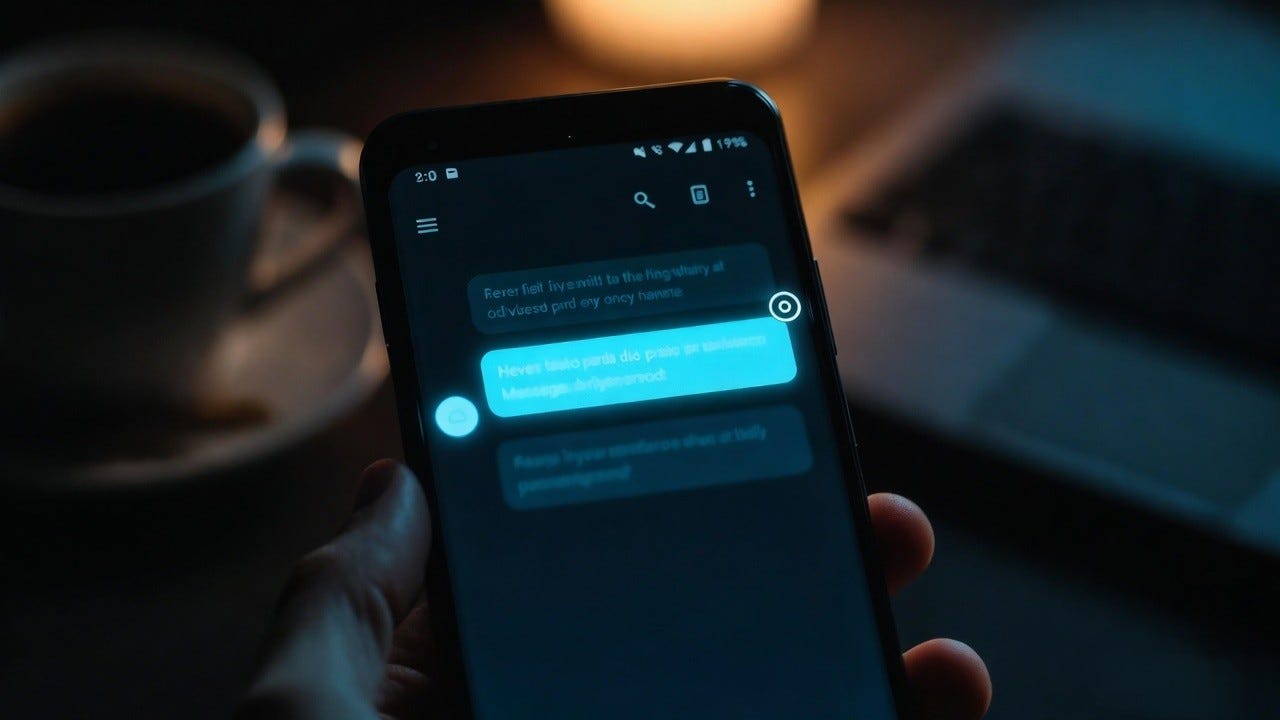
You long-press a message. Instead of the app immediately grabbing the entire block of text, you can now drag your finger slowly across the message bubble to highlight exactly the portion you want. One word. One phone number. One sentence. One link buried inside a long paragraph.
Selection handles appear — the same familiar markers you see when highlighting text in a browser or a document editor. You adjust the handles if needed. You tap Copy. Precisely what you wanted is now in your clipboard. Nothing else.
This is called selective text copy, and while it sounds like a minor patch note, it eliminates one of the most repetitive friction points in daily smartphone use.
Consider who this affects in real, practical terms:
- The student who receives a long forwarded message from their university and needs only the exam hall room number buried in paragraph three
- The professional on a Monday morning who needs to paste a Zoom meeting link from a message thread into their browser without dragging along the entire message around it
- The parent trying to fish a school gate code from a forty-word parent group message while their child waits beside them
- The delivery recipient watching a six-digit OTP tick toward expiry while they fumble through the copy-paste dance
- The traveler who needs one gate number from a long automated message from an airline
This update is not for power users. It is not for enthusiasts who follow Android betas. It is for everyone who sends and receives text messages on Android — which, by any measurement, is an enormous number of people.
The Companion Fix Nobody Is Talking About Enough
Selective text is not the only friction point Google has been quietly addressing.
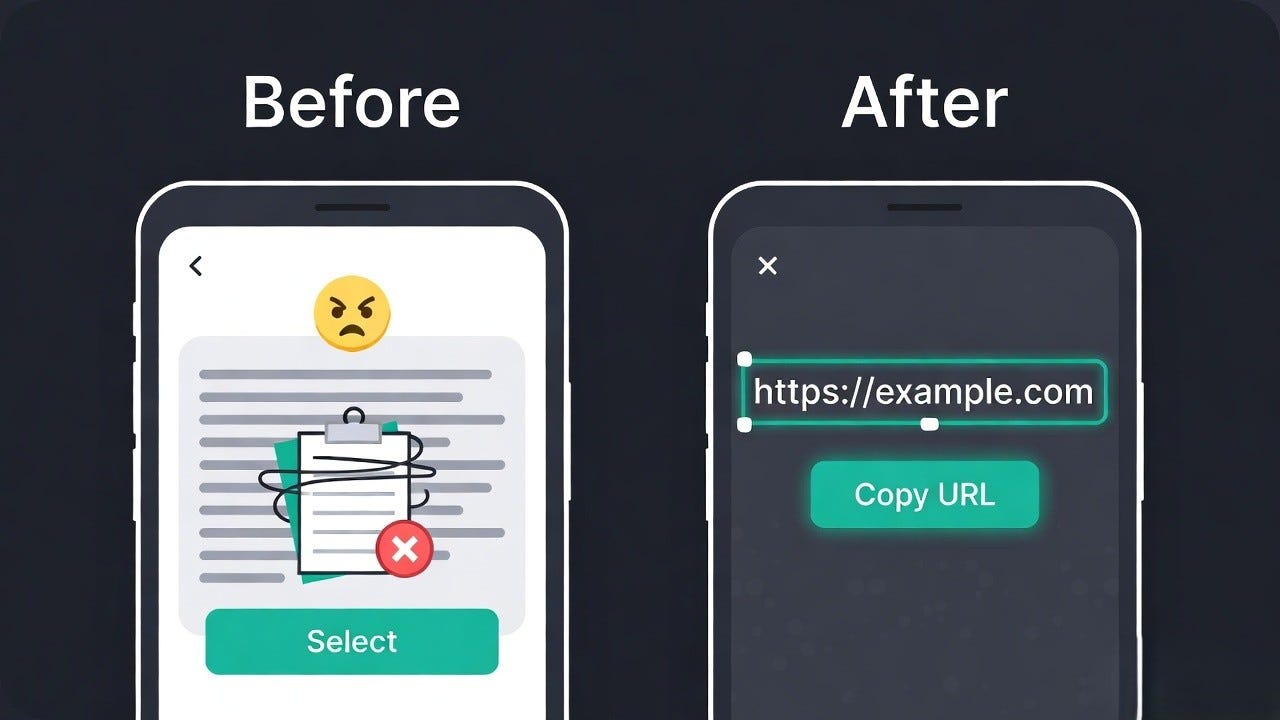
Around the same time, Android Authority’s deep dive into Messages beta build v20260113 revealed a second change heading to the app — a dedicated “Copy URL” button that appears in the long-press context menu when a message contains a link.
Here is the exact scenario it solves.
Someone sends you a message with a URL — a product listing, a news article, a YouTube video, a Google Maps location. You want that link. Previously, your only clean options were:
- Copy the entire message text, paste it somewhere, manually isolate the URL, and copy it again
- Tap the link, wait for it to open in Chrome or your default browser, then copy the URL from the address bar
Option one is messy. Option two requires opening a browser, which means waiting for a page to load, finding the address bar, tapping it, and copying — a process that involves at least four or five interactions for something that should take one.
With the new update, you long-press any message containing a URL and a clean “Copy URL” button appears directly in the action menu above the standard options. One tap. The link is clean in your clipboard. You never left the Messages app.
The simplest solution often takes the longest to arrive.
The current limitation worth knowing: the Copy URL button only appears when a message contains a single URL. If multiple links appear in the same message, the dedicated button does not show up. That edge case will likely be addressed in a future release, but for the clear majority of everyday link-sharing situations — someone sends you one link and you want to save or forward it — the fix works and it works well.
Why Did This Take So Long — A Genuine Question
This is the question sitting at the back of every Android user’s mind right now, and it deserves a direct answer.
Selective text copy is not a new or complicated idea. Apple’s iMessage has supported it for years. WhatsApp has supported it for years. Telegram has supported it. Even the most basic mobile browsers have allowed tap-and-drag text selection since the early smartphone era. The gesture — press, drag, highlight, copy — is so fundamental to how touchscreens work that its absence in a major messaging app is genuinely puzzling.
Google Messages is built by one of the best-resourced engineering organizations in the world. The company builds operating systems, AI models, cloud infrastructure, and global search engines. Implementing text selection inside message bubbles is, relatively speaking, not a difficult engineering challenge.
So why the wait?
The honest answer, the one that holds up to scrutiny, is that large products move slowly on small problems. A missing text selection feature is frustrating — genuinely, daily frustrating — but it does not break the app. It does not cause crashes. It does not create security vulnerabilities. It does not generate the kind of visible, measurable harm that pushes a fix to the top of an engineering queue.
It sits, instead, in the category of tolerable inconvenience. The kind of friction that users notice, complain about in forums, and then quietly build workarounds for. The kind of gap that gets documented in issue trackers, acknowledged in passing, and then continually deprioritized in favor of features with bigger surface area.
And here is what makes it worse: users adapt so completely that they stop seeing the problem. The copy-everything, paste-elsewhere, extract-what-you-need workflow becomes automatic. The extra steps become invisible. The frustration dissolves into background habit.
Forum threads on Reddit’s r/Android accumulated thousands of upvotes over the years requesting this feature. Google’s own issue tracker carried user feedback on it stretching back a long time. Android Authority covered it. Tech writers called it out. The signal was never ambiguous.
The fix was never impossible. It was simply never urgent enough — until, apparently, now.
A Brief and Honest History of Google Messages
To fully appreciate why this update lands the way it does, it helps to know where Google Messages has been.
Not long ago, Google Messages was genuinely underwhelming. Feature-challenged would be a charitable description. It was, at its heart, a basic SMS client — functional in the way a folding chair is functional. It kept you off the floor, but you would not choose it if you had options.
The competition was already miles ahead. WhatsApp had rich media sharing, voice notes, group features, and end-to-end encryption. iMessage had seamless integration across Apple devices, beautiful media rendering, and a feature depth that Android users quietly envied. Telegram had self-destructing messages, bots, channels, and a level of customization that made Google Messages look like a prototype.
Google’s response was a long, gradual, sometimes frustrating campaign of improvement. Over several years, the app gained:
- RCS (Rich Communication Services) — enabling high-resolution photo and video sharing, typing indicators, read receipts, and group chat features that work over data rather than SMS
- End-to-end encryption for RCS conversations between Google Messages users
- Google AI features — smart reply suggestions, message summarization, and spam detection powered by on-device machine learning
- Link previews, GIF search, emoji reactions, and a steadily modernized interface
- Improved cross-platform experience as Google pushed to make RCS the universal standard replacing SMS
Each addition moved Messages meaningfully forward. Each one closed a gap with competitors. But throughout all of it, the basic ability to select a portion of a message text was missing. It was a constant, low-level reminder that the app was still catching up in places that mattered.
The arrival of selective text copy in 2026 is not dramatic. But it is symbolic. It represents Google attending to the foundational, unglamorous layer of the app — the layer that determines whether daily use actually feels good rather than just functional.
The Staged Rollout — What It Means and What to Expect
Both features are currently arriving through a staged rollout in the beta channel, and it is worth understanding what that actually means for your experience over the coming weeks.
Staged rollout is Google’s standard method for releasing changes carefully. Rather than flipping a switch and updating every device at once, the company pushes the feature to a controlled percentage of users, monitors closely for unexpected behavior or bugs, and gradually widens the rollout as confidence builds. It is a sensible, conservative approach to software distribution at scale.
But it creates a genuinely strange short-term reality: two people running the identical version of Google Messages on comparable devices can have completely different experiences. One will see the new text selection behavior. The other will not. Neither is doing anything wrong.
Android Authority confirmed the selective text copy feature working on a OnePlus 13R running the beta build v20260306. On other devices running the same version, the feature was absent. That discrepancy is not a bug. That is the staged rollout functioning exactly as designed.
What this means practically:
- If you are already on Google Messages beta — long-press any text message and attempt to drag across part of it. If selection handles appear, you are inside the rollout. If not, your device has not been included yet.
- If you are on the stable version of Messages — the feature will arrive. Based on Google’s typical release cadence for Messages updates, expect the stable rollout to follow within several weeks to a couple of months after the beta rollout completes.
- If you want access now — the beta enrollment path is open to anyone.
The important thing to know is that this feature is not experimental or at risk of being pulled. It is real, it is working on real devices, and it is expanding. The wait now is a matter of weeks, not years.
How to Get It Right Now — A Clear, Step-by-Step Guide
You do not have to wait passively. Here is exactly how to access both features before the stable release reaches you:
Step 1 — Enroll in Google Messages Beta
Open the Google Play Store on your Android device. Search for “Google Messages.” Tap the app. Scroll to the very bottom of the app’s Play Store listing page. You will find a section labeled “Join the beta.” Tap it and confirm your enrollment. Your account is now registered for beta access.
Step 2 — Update to the Beta Build
Return to the Google Messages page in the Play Store. If a beta update is available, it will appear as a pending update. Install it. The beta build will now replace your stable version on the device.
Step 3 — Test Selective Text Copy
Open any conversation thread. Find a message with a reasonable amount of text — ideally a longer one. Long-press the message and then, while maintaining pressure, drag your finger slowly across the words. If the feature is live on your device, blue selection handles will appear around the highlighted text. Adjust them as needed, then tap Copy.
Step 4 — Test Copy URL
Find any message that contains exactly one URL — a news link, a product page, anything with a web address. Long-press that message. In the action menu that appears, look for a “Copy URL” button sitting above the standard Copy option. If it appears, tap it. The URL will be copied cleanly to your clipboard.
If neither feature activates on your device after enrolling in beta and updating, your device has not yet been included in the staged rollout for these specific changes. This is normal. Check back after several days — the rollout expands continuously.
What the Competition Has Been Doing While Google Catches Up
It is worth pausing here to look at the competitive landscape honestly, because it provides important context for why this update matters beyond its surface features.
iMessage remains the gold standard for messaging within the Apple ecosystem. Text selection inside bubbles has been available for years. Rich link previews, seamless media, reactions, location sharing, collaborative features — Apple has invested heavily in making Messages feel deeply native to its platform. For users who have switched from iPhone to Android, the feature gap in Google Messages has historically been one of the more jarring adjustments.
WhatsApp, with its multi-billion user base, has long offered partial text selection. It also added disappearing messages, voice note transcription, screen sharing in calls, and view-once media — features that place it firmly in the modern messaging tier. WhatsApp’s dominance in markets like India, Brazil, Europe, and Southeast Asia means Google Messages has to earn its place, not assume it.
Telegram has gone further than almost any other messaging app in terms of raw feature depth. Channels, bots, inline search, unlimited cloud storage for media, custom themes, scheduled messages, and a level of user control that makes most other apps look conservative. Telegram users who also use Google Messages experience a jarring step down.
Against that backdrop, Google Messages has been slowly, deliberately rebuilding its credibility. And the removal of basic friction points — like the inability to select partial text — is not optional if the app wants to compete for genuine preference rather than just default status.
The Psychology of Tiny Fixes and Why They Matter More Than You Think
There is something worth sitting with here, separate from the product analysis and competitive context.
We all adapt to broken tools. Not by conscious choice — but through the quiet, gradual process of accommodation. The workaround becomes the default. The habit forms. The irritation dulls. Eventually, you cannot even identify the friction anymore because you have integrated it so completely into how you move through the app.
This is one of the more insidious ways that poorly designed software costs us something real. Not in dramatic failures. Not in lost data or broken features. But in accumulated micro-friction — small extra steps, repeated across dozens of daily interactions, that slowly convert the experience of using technology from something effortless into something that requires constant minor management.
When the fix finally arrives, the relief is disproportionate to the apparent size of the change. You do not just save fifteen seconds. You recover a small but genuine sense of clarity — the feeling that the tool is working with you, that it understands what you are trying to do, that it does not require you to build workarounds around its limitations.
That feeling is not trivial. It is what separates tools that people tolerate from tools that people trust. And trust, built incrementally through exactly these kinds of small fixes, is what determines long-term preference.
Google Messages is earning trust slowly. And selective text copy is one more brick in that structure.
The Broader Signal — What 2026 Looks Like for Android Messaging
Zooming out from this specific feature, what does the broader picture look like for Android messaging heading through 2026?
Google’s messaging strategy is increasingly centered on RCS as the universal standard — the protocol it wants to replace SMS globally and, eventually, bridge the gap between Android and iPhone communication. Apple began supporting RCS on iMessage in late 2024, a significant milestone that validated Google’s long-standing push for the standard.
With RCS now supported on both major mobile platforms, the foundation for genuinely universal rich messaging is in place. The next phase is about experience quality — making sure that the app through which most Android users access RCS (Google Messages) is polished, reliable, and competitive enough that users actively choose it rather than defaulting to it.
That requires exactly the kind of sustained attention to detail represented by selective text copy and Copy URL. Not headline features. Not AI experiments. The boring, foundational, unglamorous work of making sure every basic interaction in the app works the way a reasonable person would expect it to work.
If Google maintains this pace of steady, user-focused improvement through 2026, the gap between Google Messages and its competitors — a gap that has defined Android messaging for years — may finally, genuinely close.
The Android Community Reacts — Honestly
The community response to this rollout has been a characteristically honest mix of relief and exasperation.
Relief because the feature is here. Exasperation because it took this long. The comments across Android forums, Reddit threads, and tech news comment sections have been direct in a way that only users who have been frustrated for years can manage.
“Only took them forever.”
“iOS had this since before my current phone existed.”
“Better late than never, I suppose.”
There is a very specific emotional register in those responses — not rage, not dismissal, but the weary, dry humor of someone who asked for something obvious, waited longer than was reasonable, and is now receiving it with a mixture of genuine gratitude and mild disbelief.
That feeling is earned. Users who spend real time in Google Messages every day know this friction intimately. They built workarounds so automatic they barely register them anymore. The new feature will not arrive as a revolution. It will arrive quietly, the way a good fix always does — and one day soon, someone who could previously recite every step of the copy-paste workaround will simply forget that the workaround ever existed.
That forgetting is the goal. That is what good software does.

Final Thought — Small Things Are the Whole Point
Here is the truth at the center of all of this.
Technology is not only measured by its most ambitious moments. The AI breakthroughs, the hardware leaps, the paradigm shifts — those are the chapters that get written about, studied, and celebrated. They deserve the attention they receive.
But the actual lived experience of using technology happens entirely in the small moments. The long-press. The copy. The tap that either works immediately or sends you on a detour. The message you can select precisely or must copy in full. The link you can grab cleanly or must chase through a browser.
When those moments work effortlessly, you do not notice them. That invisibility is the goal. It means the tool is doing its job — staying out of your way so you can do yours.
Google Messages just took one more deliberate step toward that invisibility. Selective text copy. Copy URL. Two features. Not keynote material. Not a revolution.
But for the millions of people who will use them every single day — beginning soon, without fanfare, without even consciously registering that the old frustration has quietly disappeared — they are exactly the kind of small thing that makes everything feel a little more right.
And sometimes, that is the whole point.