Do you guys know Chromebook right?. A cheap Acer one from like 2019. It did the job mostly. But I always had this feeling It was a half-finished product. Like Google started building something and then got distracted. No Android apps that worked properly, no way to do real work on it, and every time I tried to install something normal, it would just… not work. I gave it to my younger cousin eventually.
So when Google announced Googlebooks on May 12, 2026 at their Android Show pre-show event, I paid attention. This is basically Google saying: yeah, Chromebook was a good idea but we can do this better. A lot better.

Here’s what Googlebook actually is, what it can do, and whether it’s worth getting excited about or whether this is just another Google thing that sounds good and then quietly disappears in two years.
What Even Is a Googlebook?
So first, the name. It’s one word: Googlebook. Not “Google Book” or “Google Notebook.” Just Googlebook, like Chromebook. Google is clearly trying to make it feel like its own category, the way “Chromebook” became a word people actually used.
And that’s basically what this is a new category of premium laptops. Not a single device made by Google itself, but a standard that other companies will build to. The first brands confirmed are Acer, ASUS, Dell, HP, and Lenovo. Samsung is missing from that list, which surprised people, though some leaks suggest Samsung is coming later.
The key thing that makes a Googlebook different from a Chromebook is what’s running under the hood. Chromebooks run ChromeOS, which always felt like a browser with extra steps. Googlebooks run what Google internally calls Aluminium OS a new operating system that merges ChromeOS and Android into one thing. Google has been working on this for years. Sameer Samat, a Google exec, basically confirmed it was coming back in July 2025 when he told TechRadar they were “combining ChromeOS and Android into a single platform.” People had been guessing this for a decade. It’s finally real.
So think of it this way: a Googlebook is what you get when someone takes the best parts of your Android phone and puts them into a full laptop. Android apps, Android features, Android ecosystem but on a bigger screen with a keyboard.
The Gemini Part Is the Whole Point
Look, you can’t talk about Googlebooks without talking about Gemini. This is Google’s AI, and they’ve basically built the entire Googlebook experience around it. Every major feature announcement was an AI feature.
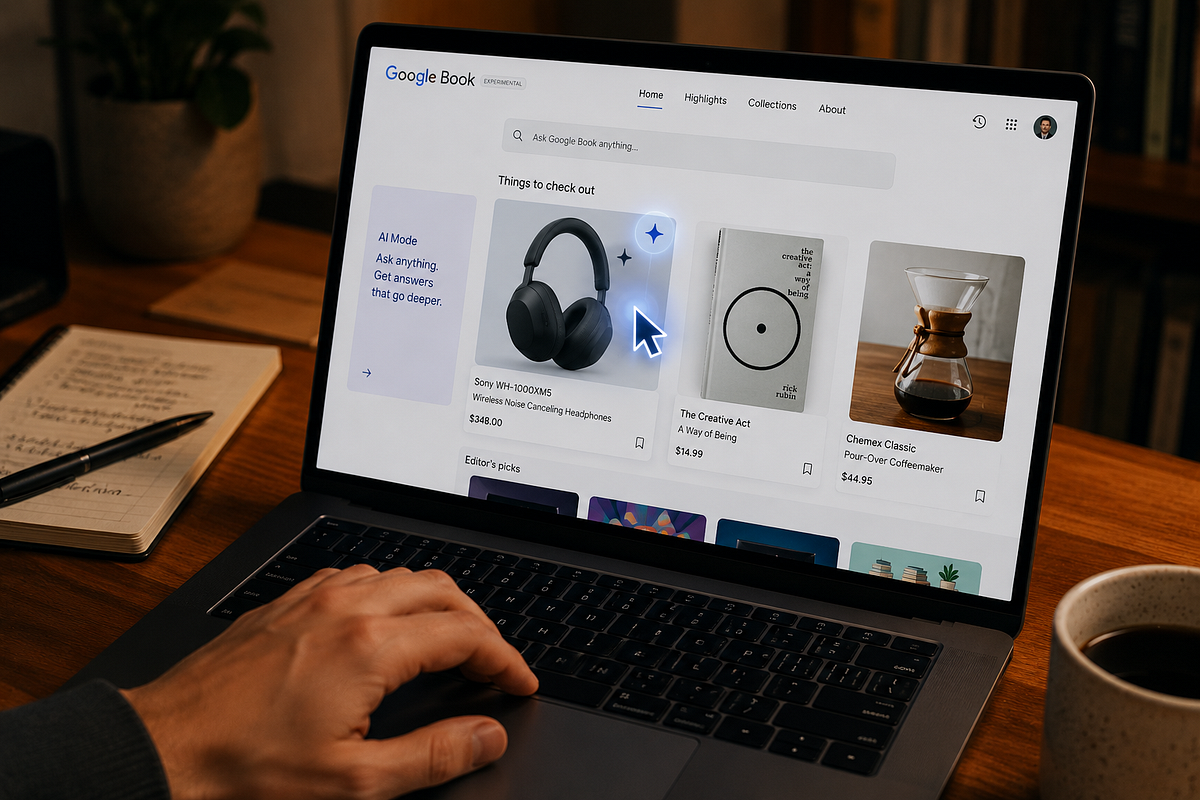
The most interesting one is called Magic Pointer. It sounds gimmicky, honestly I thought it would be, reading the description. But what it actually does is make your mouse cursor aware of what you’re hovering over. Wiggle your cursor on screen and Gemini kicks in with contextual suggestions based on what it sees. So if you hover over a date in an email, it can offer to set up a calendar event. If you point at two images, it can visually combine them. Google showed an example where someone pointed at a photo of their living room and a couch they were considering buying, and Gemini just… showed them what the couch would look like in that room. That’s actually useful. I can see myself doing that.
There’s also Create My Widget. This lets you describe what you want on your home screen in plain language something like “show me my next three meetings and today’s weather in one card” and Gemini builds it. It can pull from your Gmail, Calendar, and other Google apps to make something personalised. This feature was announced for Pixel phones and Samsung devices too, but it’s coming to Googlebooks as well.
And then there’s the stuff I’m less sure about. Gemini is supposed to be deeply woven into everything searching, browsing, writing, whatever. Which sounds good on paper. In practice, I’ve seen enough “AI assistant” features that half-work and then you just stop using them. The jury is still out on whether this Gemini integration actually makes your day better or just adds a layer of stuff you have to dismiss.
Your Phone and Your Laptop, Finally Playing Nice
This is the part I find most genuinely useful. The reason I always preferred a Windows laptop over a Chromebook was that I could actually connect it to my phone properly. Side-load an APK, move files around, whatever. Chromebooks were always weirdly isolated.
Googlebooks fix this with two features. First, Cast My Apps which Google themselves compared to iPhone Mirroring on Macs. If you have an Android 17 phone, you can one-click stream any of your phone apps directly onto your Googlebook screen, no downloading needed. So if you use some regional app that doesn’t have a web version or a proper desktop version, you just cast it. Done.
Second is Quick Access, which is basically shared file browsing across your phone and laptop. You can open your phone’s files from your Googlebook’s file manager, download things, search across both devices. This doesn’t sound flashy but it’s the kind of thing that removes actual friction. Anyone who has ever tried to move a file from their phone to their laptop and ended up emailing it to themselves knows what I mean.
What About Chromebooks?
The obvious question what happens to all the Chromebooks people already own? Or the ones schools bought in bulk?
Google has said they’ll keep supporting existing Chromebooks through their 10-year support window. So if you have a Chromebook that’s supported until 2029 or 2030, it still gets updates. What they didn’t confirm is whether they’ll actually make new Chromebooks going forward. The answer is probably no, but they’re being careful about saying that out loud.
To be fair, this is exactly how Google handled the Pixel transition away from Nexus. They didn’t kill Nexus dramatically. They just stopped making new ones and let the brand quietly fade. I expect the same thing here. Chromebook as a category will exist until support runs out on existing devices. Googlebook is the future.
The Things Nobody Is Talking About Yet
A few things I keep thinking about that aren’t getting enough attention.
Samsung is not in the launch partner list. Samsung makes Galaxy Books, their own Windows laptops, and they are a massive Google hardware partner for Android phones. The fact that they’re absent from the initial Googlebook rollout is odd. The leak that suggests they’re coming later might be right, but it also might just be Samsung playing hardball over something. We’ll see.
Also no hardware details at all. We know what the software can do. We do not know what chips will be inside, how long the battery will last, what the screen will be like, or what these will actually cost. Google said “premium materials” and “various shapes and sizes” and showed a feature called Glowbar a LED strip on the laptop that’s supposed to be both functional and stylish. That tells us nothing about whether a Googlebook will cost 500$ or 1000$.
And here’s the actual problem: ASUS and Lenovo are already selling AI laptops with Qualcomm Snapdragon X chips. Those are out now, today, in stores. By the time Googlebooks actually ship this fall, buyers won’t be choosing between a Googlebook and nothing. They’ll be comparing it to Windows AI PCs that have been in people’s hands for months. Google needs to come out with something that’s clearly better, not just different.
I’ll be honest the “fall 2026” launch window makes me nervous. That’s a vague timeline and Google has a history of announcing things and then… you know. Remember Google Stadia? Anyway.
Should You Wait for a Googlebook?
If you’re thinking about buying a Chromebook right now, my honest advice is to wait. Not because Chromebooks are bad they’ve gotten better but because you’d be buying something that’s clearly on the way out. The ecosystem is about to shift.
If you’re a Windows user thinking about switching, this might be worth watching. The Gemini features look genuinely useful, and the Android integration is something Windows has never pulled off well. But wait until you can actually read reviews with real battery life numbers and real-world performance tests before spending money.
Apples new macbook neo also comes in this price range I guess so. That would also be a good choice, considering the build quality of macbooks than chromebooks.
And if you’re an Android phone user who has always wished your laptop and phone talked to each other properly Googlebook might actually be the thing that makes that real. The Cast My Apps feature alone would have saved me a lot of frustration over the years.
The Aluminium OS idea, merging Android and ChromeOS, is something Google fans have been asking for since at least 2015. It’s finally here, sort of. The software vision looks solid.
The hardware is still a promise. Come fall 2026, we’ll find out whether Google actually followed through this time.