There is a certain kind of technology story that never gets the attention it deserves. It does not come with a keynote. No one counts down to it on YouTube. No influencer is paid to unbox it. It arrives the way most genuinely important things do — quietly, inconveniently, on a Tuesday morning when you were hoping to get through your emails before noon.
On March 4, 2026, Apple pushed iOS 26.3.1 to millions of iPhones worldwide. The official release notes contained exactly one sentence describing what changed. One sentence. For a company that has spent decades perfecting the art of making people feel excited about a rectangle of glass, this was aggressively understated.
And yet… the more you look at what this update actually does — and more importantly, what it signals — the more it starts to feel like one of those moments you will reference later when explaining how the smartphone became something else entirely.
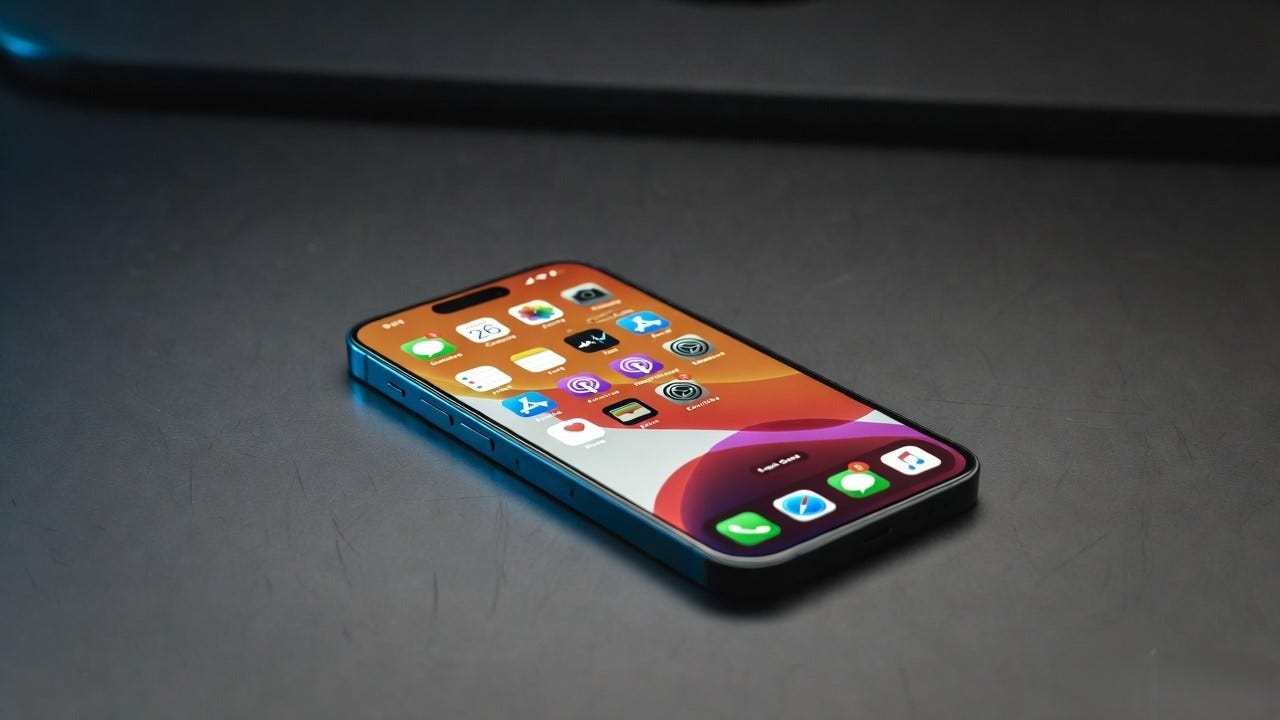
The Update Apple Did Not Feel Like Bragging About
Let us start with the basics. iOS 26.3.1 is what Apple calls a point release, the software equivalent of a maintenance crew arriving after a big event to fix what got broken. It arrived three weeks after iOS 26.3, which itself arrived roughly six weeks after iOS 26.2. The cadence has been relentless in 2026, reflecting just how much ground Apple has had to cover since the massive iOS 26 launch last September.
The official release notes from Apple read as follows: “This update expands external display support to include Studio Display (2026) and Studio Display XDR on supported iPhones along with bug fixes.”
That is genuinely all Apple said publicly. No press release. No blog post. No tweet from a VP of engineering. Just a notification on your lock screen and a download size measured in megabytes.
To understand why that single sentence matters, you need to understand two things. First, what the Studio Display XDR actually is. Second, why connecting an iPhone to it is not the mundane compatibility tweak Apple’s tone would suggest.
A $1,599 Monitor and the Phone in Your Pocket
Apple announced the Studio Display XDR the same week as iOS 26.3.1 dropped, alongside a lineup of refreshed hardware that included the MacBook Neo, updated MacBook Pro, MacBook Air, and iPad Air. The week was essentially a hardware showcase, with the Studio Display XDR as its crown jewel for professionals.
The Studio Display XDR is a 27-inch 5K mini-LED display. It supports Thunderbolt 5 connectivity, delivers up to 2,000 nits of peak brightness, and runs at 120Hz. The design includes an adjustable stand and a built-in speaker system that, by most accounts, embarrasses what you would expect from a monitor. This is a serious piece of professional equipment, aimed at photographers, video editors, developers, and designers who treat their display as the centerpiece of their workflow.
Now here is the part that should make you pause.
iOS 26.3.1 lets you plug a USB-C iPhone directly into that display. Screen mirroring. External display. Your phone, projected onto 27 inches of 5K glass. Not a Mac. Not an iPad. The device currently sitting in your pocket.
Think about what that actually means in practice. You arrive at a desk. You plug in a single cable. Your iPhone interface expands onto a monitor that professionals spend thousands of dollars on. Your apps, your files, your messages, your work… all of it, on a screen that makes everything look extraordinary.
Apple has been laying the groundwork for this for years. Stage Manager arrived in iPadOS 16. USB-C replaced Lightning on the iPhone 15. External display support has been expanding incrementally. Each of those decisions, individually, looked like an isolated product choice. Together, they look like deliberate steps toward something much larger: a world where the computer you carry in your pocket can become whatever computer you need, whenever you plug it in.

What Is Actually Inside iOS 26.3.1
Beyond the Studio Display headline, the update addresses a set of issues that have been following iOS 26 since its September 2025 launch. Apple has not published a detailed bug list, which is standard practice for point releases, but the pattern of what users have reported as improved tells its own story.
System stability improvements appear to be genuine. Reports suggest the update has reduced background memory usage, improved app switching responsiveness, and addressed some of the thermal behavior issues that had been noticeable on older compatible devices running the Liquid Glass interface at full intensity.
Keyboard responsiveness has improved for a subset of users who were experiencing subtle but maddening input delays. This is the kind of bug that sounds minor in a press release and feels catastrophic in daily use. When the keyboard lags by 40 or 50 milliseconds on a device you type on hundreds of times per day, it does not just slow you down. It erodes trust in the device itself.
Compatibility has also been confirmed for the broader hardware wave Apple launched this week. The update ensures clean integration with the iPhone 17e, the new iPad Air, and the MacBook Neo — all of which arrived simultaneously. When Apple ships new hardware, it typically coordinates a software release to ensure users do not spend their first hours fighting driver issues or display quirks.
The update carries build number 23D8133 and is available for every iPhone from the iPhone 11 onward, continuing Apple’s commitment to broad software support across its installed base.
The Bugs That Survived
This is where honesty matters more than marketing.
Not everything that was broken is now fixed. User communities on Reddit’s r/iOS forum were notably unimpressed with the release, and their complaints carry weight because they are specific. “Alarms and timers still do not work,” one user noted. The predictive text keyboard, another commenter argued, had somehow gotten worse rather than better. A third complained about battery charge time displays behaving erratically.
The alarm complaint deserves to be taken seriously. A smartphone that cannot reliably wake you up in the morning has failed at one of its most fundamental jobs. This is not a power user issue. This is not something that only affects people running exotic third-party configurations. This is the alarm clock. People have been relying on alarm clocks on mobile phones since the early 2000s. Getting this wrong in 2026 reflects something about the pace at which Apple has been shipping changes.
The Liquid Glass interface, which represents the biggest visual redesign of iOS since iOS 7 launched in 2013, shipped last September with genuine roughness. Some of the wallpaper desaturation bugs from the initial release have still not been resolved in 26.3.1. The translucent elements that define the Liquid Glass aesthetic can, under certain conditions, render text difficult to read — a problem that has frustrated accessibility-conscious users since launch.
Apple’s approach to bug fixing has always been deliberate rather than reactive. The company tends to bundle fixes into structured point releases rather than pushing emergency patches. That discipline produces a predictable update cadence, but it also means users living with broken functionality wait longer than they might on other platforms. For most bugs, that tradeoff is acceptable. For broken alarms, it is harder to defend.
What iOS 26 Actually Was Before Any of This
To understand why 26.3.1 exists and why it matters, you have to go back to September 2025 and understand what iOS 26 attempted to do.
Apple announced at WWDC 2025 that iOS 26 would introduce what they called Liquid Glass — a new visual design language described as the first fundamental redesign of the iPhone’s software in over a decade. The comparison to iOS 7 was not accidental. iOS 7, which launched in 2013, threw out everything that had defined Apple’s visual design up to that point and replaced skeuomorphic textures and realistic shadows with flat, clean, minimal interfaces. It was jarring. It was controversial. And it became the aesthetic foundation of the next twelve years of iPhone software.
iOS 26’s Liquid Glass follows a similar ambition. The new material system makes interface elements translucent and reflective. Controls, navigation bars, app icons, widgets — all of them now appear to float above content, catching light and color from whatever lies behind them. When you scroll through a photo library, the tab bar at the bottom of your screen takes on the colors of the photos beneath it. When you open a music app, the controls seem to exist in a layer between you and the content, glass-like and responsive.
The effect, when it works, is genuinely beautiful. Apple’s designers described it as bringing “a new level of vitality across controls, navigation, app icons, widgets, and more.” The design extends across iOS 26, iPadOS 26, macOS Tahoe 26, watchOS 26, and tvOS 26, creating a unified visual identity across every screen in Apple’s ecosystem — the first time the company has attempted true cross-platform design harmony at this scale.
The philosophy, according to Apple’s VP of Human Interface Design, is rooted in a belief that hardware and software should feel inseparable. Liquid Glass is the visual argument that an iPhone is not just a computer running software, but a coherent physical-digital object whose interface should feel as intentional as its aluminum and ceramic casing.
Whether it succeeded is genuinely contested. The initial reception was mixed in ways Apple probably did not anticipate. Reviewers praised the ambition and the aesthetic, then spent the next paragraphs cataloguing performance issues, accessibility concerns about contrast ratios, and the disorienting experience of finding familiar features in unfamiliar visual clothing. Wikipedia’s iOS 26 page notes that the release was “widely received with mixed critical and user reception, with reviewers and users criticizing its controversial Liquid Glass interface, performance issues, slow adoption rates, and widespread complaints about battery life and usability.”
That is a long list for a company with Apple’s track record of polished launches.
Point releases like 26.3.1 are where Apple does the unglamorous work of making the ambition match the reality. The updates do not generate press. They do not trend. But they are how a controversial launch becomes a beloved platform.
The AI Promise Apple Has Not Kept Yet
Embedded inside the iOS 26 story is a subplot that deserves its own honest examination.
When iOS 26 launched, it carried Apple Intelligence features — the company’s branded AI system — including expanded ChatGPT integration in Visual Intelligence, live translation in Messages and FaceTime, and the ability for third-party apps to integrate Apple’s on-device AI framework. These are real capabilities, and for users with compatible hardware (iPhone 15 Pro or newer for the full feature set), they represent genuinely useful additions to daily life.
But they are not Siri. And the distinction matters enormously.
The Siri overhaul that Apple promised — the version of the assistant that would understand context, remember conversations, take action across apps, and genuinely compete with what Google and OpenAI have shipped — has been delayed repeatedly. iOS 26.4, which is currently in developer beta testing as of early March 2026, was long-rumored to be the moment Siri finally became the assistant Apple had been promising since 2024. Recent reports now suggest that the most significant AI features may have been delayed to iOS 26.5 or even iOS 27.
There is something both relatable and frustrating about Apple’s AI journey. Relatable, because the company is clearly trying to ship AI that works reliably rather than AI that works impressively in demos and fails embarrassingly in practice. The hallucination problem that derailed many of Apple’s planned features in iOS 18’s intelligence suite was a genuine engineering challenge, not corporate negligence. Frustrating, because the gap between what Apple has promised and what it has delivered has been widening for two years.
iOS 26.5 is anticipated to introduce Gemini-powered Siri enhancements, using Google’s models to improve the voice assistant’s core functionality. That sentence is worth sitting with for a moment. Apple — the company that built its reputation on privacy, on-device processing, and the idea that your data never leaves your device — is routing Siri queries through a third-party AI model. First OpenAI’s ChatGPT integration. Now Gemini.
This is not a failure. It is an acknowledgment. The on-device AI that Apple’s privacy principles demand is genuinely harder to build than the cloud-based AI its competitors rely on. That difficulty deserves respect. The communication of timelines, however, has been less honest than it should be.
The MacBook Neo and What It Means for Everything
The same week iOS 26.3.1 arrived, Apple announced the MacBook Neo at $599. This is significant for reasons that extend far beyond its price point.
The MacBook Neo runs the A18 Pro chip — the same chip that powered the iPhone 16 Pro models when they launched in 2024. This is the first Mac to be powered by a chip that began its life inside a smartphone. Apple says the MacBook Neo is up to 50 percent faster for everyday tasks than comparable Intel-based laptops, and up to three times faster for on-device AI workloads.
Benchmarks surfaced shortly after the announcement and confirmed something the spec sheet implied: CPU performance is almost identical to the iPhone 16 Pro. The chip Apple put in a phone two years ago can now, with appropriate memory and thermal headroom, run a laptop.
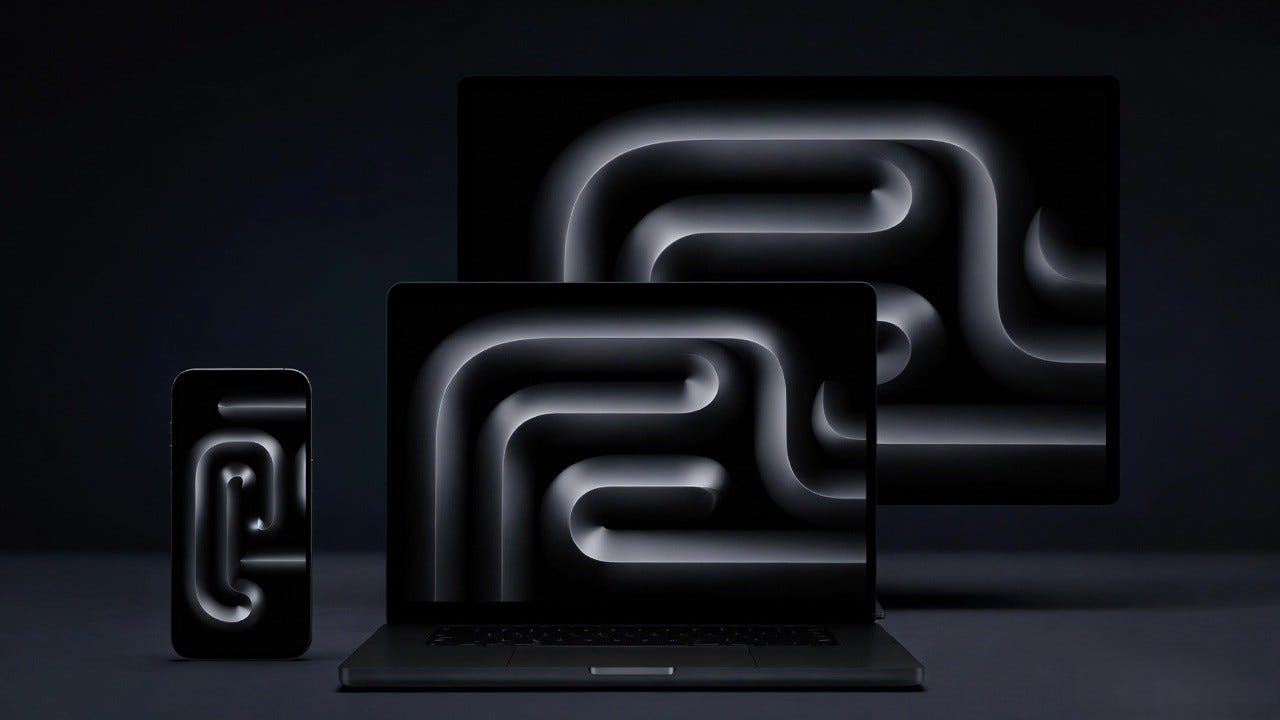
Combine that fact with iOS 26.3.1’s Studio Display XDR compatibility. You have a phone chip running a laptop. You have a phone connecting to a professional monitor. You have Apple Intelligence running on-device across all of these form factors. The boundaries between “mobile device” and “desktop computer” are not blurring. They are being deliberately dismantled.
Apple’s industrial design chief was quoted saying the MacBook Neo was created to “bring the Mac into a much lower price tier without sacrificing the materials and design language associated with Apple laptops.” That is a product statement. The deeper strategy statement is that Apple now believes the same silicon can power a phone, a laptop, and — with appropriate display and peripheral support — a desktop workstation. The form factor is increasingly becoming a choice rather than a constraint.
The Detail Most Coverage Skipped Entirely
Buried beneath the Studio Display compatibility news and the MacBook Neo announcements was a release that deserves more attention than it received.
Apple shipped iOS 18.7.6 the same week as iOS 26.3.1. This update is specifically for older devices — the iPhone XS, XS Max, and XR — that cannot run iOS 26 at all. These are phones from 2018. They are no longer Apple’s newest or most capable devices. They are not featured in any keynote. Their owners are not the demographic Apple’s marketing department is thinking about.
The iOS 18.7.6 update addresses a single issue: it ensures iPhones in Australia are able to connect to emergency services. Emergency call functionality, fixed for six-year-old hardware, in a country where network changes had potentially disrupted that connection.
Apple spent engineering time on this. A team had to identify the issue, develop a fix, test it, and ship it. Not for a launch. Not for a product announcement. Not for anything that would ever appear in a promotional video. For the possibility that someone, somewhere, with an old phone, might need to call for help and have their call connect.
That is the kind of decision that tells you something real about a company’s actual values, separate from its marketing. It is easy to care about users when caring about them is profitable. It is harder — and more revealing — to care about them when it involves invisible engineering work for an audience of no consequence to quarterly earnings.
Should You Update Right Now?
The practical answer is yes, with three meaningful caveats worth understanding.
First, if you own a Studio Display (2026) or Studio Display XDR and want to connect your iPhone to it, this update is mandatory. The compatibility was specifically coordinated with the hardware launch. Attempting the connection before installing 26.3.1 will likely result in a frustrating non-event.
Second, if you have been living with keyboard lag or general system sluggishness since the iOS 26 launch, 26.3.1 appears to have addressed at least some of those issues. Multiple users across technical forums have reported genuine improvement. The improvements are not universal, and your experience will depend on your specific device model and how you use it, but the direction is positive.
Third, if you are waiting for a meaningful AI feature or a significant capability addition, this is not the update you are waiting for. iOS 26.4 is currently in developer beta and is expected in late March or early April. That release may include some refinements to Visual Intelligence and performance improvements to Apple Intelligence processing. The deeper Siri overhaul likely lives in iOS 26.5 or beyond.
The update is available for all iPhones from the iPhone 11 onward. It can be installed by opening Settings, navigating to General, and selecting Software Update. If you have automatic updates enabled, it may have already installed while you slept.
What the Next Six Months Look Like
Apple’s roadmap for the first half of 2026 is more interesting than it has been in recent years, partly because the company has so much to prove and partly because the hardware it is now shipping creates genuine new possibilities.
iOS 26.4 is expected in late March or April. The developer beta has been running since early March, and early combs through the build have surfaced translation improvements and some refinements to the Liquid Glass interface. Nothing yet that suggests the major Siri breakthrough Apple’s users have been waiting for.
iOS 26.5, expected later in spring, is increasingly looking like the substantive AI release. The Gemini-powered Siri enhancements reportedly in development would represent Apple’s most aggressive AI partnership to date and its most honest acknowledgment that on-device AI alone cannot yet compete with what cloud-based systems are capable of.
iOS 27, likely previewed at WWDC 2026 in June and released in September, is already being shaped by something significant: Apple is expected to launch its foldable iPhone in 2026, and iOS 27 is reportedly being designed with that form factor in mind. The software implications of a folding phone with a dramatically different display geometry are substantial.
Against that backdrop, iOS 26.3.1 is both modest and foundational. It sands the rough edges. It adds compatibility. It demonstrates, quietly, that Apple is still moving in a consistent direction even when the direction is not obvious from the release notes.
The Quiet Update That Tells You Everything
There is a reason that press releases get written about the announcements and not the follow-throughs. Announcements are designed to generate attention. Follow-through is just the work.
iOS 26.3.1 is follow-through. It is Apple’s engineering teams making the ambitious launch of iOS 26 a little more real, a little more stable, a little more capable. It is the Studio Display XDR getting full phone support on the same day it ships. It is a 2018 iPhone in Australia staying connected to emergency services. It is a keyboard that responds a fraction of a second faster, a hundred times a day, for millions of people who will never know the fix was deployed.
The broader story being written through this update cycle is one of convergence. The phone chip is now in the laptop. The phone screen now connects to the professional monitor. The same design language runs across every screen in Apple’s ecosystem. The same AI frameworks run on devices that cost $599 and devices that cost ten times more.
Apple is building toward something. iOS 26.3.1 is not a statement of arrival. It is a maintenance stop on a journey that is still very much in progress.
But the next time a Tuesday morning notification appears on your lock screen asking if you want to install a software update… maybe take a moment before dismissing it. Somewhere inside that download, someone decided that doing the invisible work mattered.
That decision compounds.