Why Remote Work Moved the Battlefield Into Your Living Room
There is a moment every remote worker knows. You are settled into a coffee shop, headphones in, working through a Slack thread that needed your attention an hour ago. The Wi-Fi connected without a password prompt. The coffee is warm. Nobody is watching.
That feeling of ease? That invisible exhale of comfort?
That is exactly what attackers count on.
The shift to remote and hybrid work did not simply change where people sit. It quietly dismantled the security architecture that organizations spent decades building. Firewalls, monitored network traffic, controlled hardware, security cameras in the hallway — all of it assumed employees would be inside a building. Once they were not, the walls came down, and a very different kind of threat walked straight through.
What followed was not a slow, gradual erosion. It was a flood.

The Numbers Nobody Wants to Read Aloud
Let us start with money, because that is usually when attention sharpens.
When remote work is a factor in a data breach, the average cost climbs by $173,074 compared to fully office-based environments. That is not a rounding error. That is a significant premium sitting on top of an already brutal global average of $4.44 million per breach in 2025. For U.S. companies specifically, the average breach cost reached $10.22 million — an all-time high for any region on record.
Pause on that for a second. Ten million dollars. For one breach. In one company.
Security breaches in 2024 were up 75% year-over-year, with organizations facing an average of 1,876 attacks per quarter. That works out to roughly 20 attacks every single day, per organization. Some will bounce off. Some will not.
And here is the part that stings the most: 88% of cybersecurity breaches are caused by human error. Not nation-state hackers with unlimited resources. Not zero-day exploits in classified government code. People. Clicking things they should not. Reusing passwords across accounts. Connecting to unsecured networks without a second thought. Trusting an email that looked almost right.
The threat landscape has not just grown. It has relocated — into living rooms, kitchen tables, and coffee shops around the world. And most organizations are only beginning to reckon with what that means.
What Cyber Hygiene Actually Means (And Why the Name Puts People Off)
“Cyber hygiene” sounds like something a compliance officer invented to make a boring report feel urgent. The name does the concept no favors.
But strip the jargon away and the idea is almost uncomfortably simple. Cyber hygiene is the collection of daily habits that keep your digital environment clean, predictable, and resistant to intrusion. Think of it exactly the way you think about physical hygiene — not one dramatic act, but a consistent series of small behaviors that prevent problems from compounding into something you cannot reverse.
Washing your hands does not feel heroic. Neither does using a password manager. But both of them prevent the kind of cascading failures that are deeply expensive and embarrassing to clean up afterward.
For remote teams, the challenge is that these habits have to operate without the ambient reinforcement of an office environment. There is no IT desk twenty feet away. There is no colleague who notices when something looks wrong on your screen. There is no physical context that signals “this is a professional space.” The individual worker becomes, in every practical sense, their own first line of defense.
That is an enormous amount of responsibility to quietly transfer onto people who were hired to do something entirely different.
The Home Router Problem That Almost Nobody Talks About
Here is something that deserves far more attention than it gets in the average security conversation.
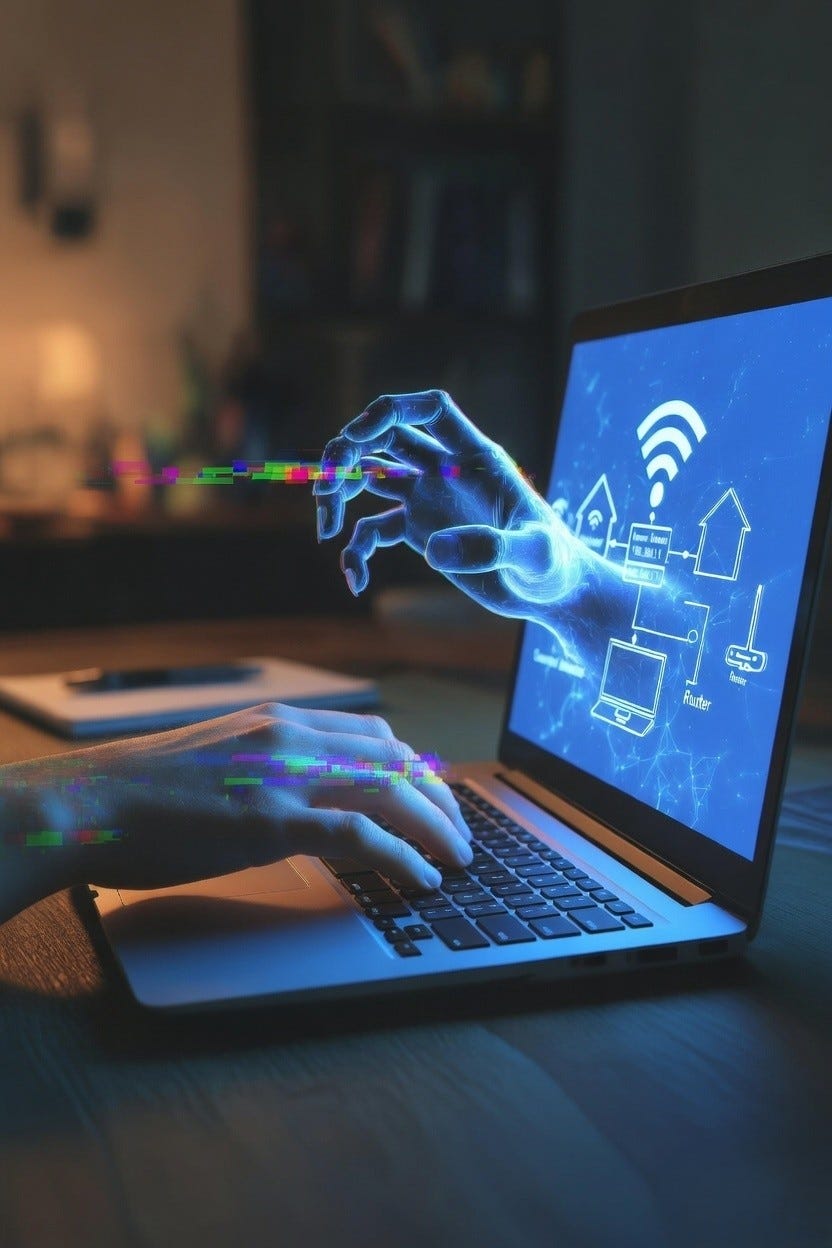
When an employee connects to a corporate VPN from home, that VPN secures the tunnel between their device and the company’s network. Clean, encrypted, relatively safe. But it does not secure their home router. It does not protect the smart TV, the gaming console, the baby monitor, or the old tablet still connected to the guest network that has not received a firmware update since 2021.
In 2025, attacks on network edge devices — including firewalls and VPN concentrators — increased eightfold after multiple critical vulnerabilities were discovered. Attackers figured out something security teams already knew but struggled to communicate: the home network is the soft underbelly of the distributed workforce.
Corporate defenses have hardened. Home networks have not.
A compromised home router can intercept traffic before it ever reaches the VPN tunnel. It can redirect DNS queries, inject malicious content into unencrypted connections, and sit silently for months while someone works, shops, banks, and communicates through it — completely unaware. Roughly 30% of machines found in credential breach logs are enterprise-licensed devices, while 46% are unmanaged personal devices that mix work and personal data in ways that create exploitable seams.
The fix is not complicated. Change the default router login credentials — most people never do this, and attackers know the factory defaults for every major router brand by heart. Enable WPA3 encryption where supported. Keep the router firmware updated. Create a separate network segment for work devices so the laptop handling sensitive company data is not sharing bandwidth with a cheap smart speaker running two-year-old software.
None of this requires an engineering degree. It requires fifteen minutes and the knowledge that it matters. That second part is what most organizations fail to communicate.
Passwords Are Still the Weakest Link — Somehow, Still, in 2025
This should not be a surprise anymore. And yet here we are, still talking about it, because the behavior has not changed enough.
45% of employees admit to reusing passwords across work and personal accounts while working remotely. The logic is understandable. Human beings are not built to memorize forty unique, complex strings of characters. So they reuse. They modify slightly. They write things on sticky notes. They use a pet’s name with a number at the end because that is what the password field required back in 2017 and the habit never changed.
What this creates is a chain of vulnerability with no natural stopping point.
One breach on a low-stakes personal website — a recipe forum, an old shopping account, a loyalty rewards program — exposes the same credentials used for a corporate email account or a cloud storage platform. The attacker does not need to hack the company directly. They need to breach whatever service the employee used with the same password, which is far easier and often already done.
Nearly 94 billion cookies were leaked on underground markets in 2025, up 74% year over year, with approximately 20% still active. These are not just passwords. These are active session tokens, remembered devices, stored login states — the digital equivalent of leaving a working copy of your front door key in a location you have forgotten about.
62% of breaches not involving error or physical action involved stolen credentials, brute force, or phishing. The attackers did not have to be creative. The door was already open.
Password managers solve this problem almost entirely. They generate unique credentials for every service. They store everything encrypted. They autofill without visual exposure. The technology works, it is affordable, and the barrier to adoption is not technical — it is organizational commitment to making it the default rather than the exception. Every reused password is a door left unlocked.
Multi-Factor Authentication Is Not a Feature. It Is a Floor.
If passwords are the first lock, multi-factor authentication is the deadbolt. And at this point, operating without it is like removing the deadbolt because it adds three seconds to your morning routine.
Even when an attacker obtains valid credentials — through a breach, a phishing email, or brute force — MFA requires a second form of verification that the attacker almost certainly does not possess. A code sent to a mobile device. A biometric scan. A hardware security key. An authentication app generating a rotating six-digit number every thirty seconds. Each barrier requires physical access to something the legitimate user holds, and that stops the overwhelming majority of automated credential attacks cold.
Organizations implementing a zero-trust approach — which centrally includes strong MFA — saw average breach costs $1.76 million lower than organizations without. That is not a marginal improvement. That is a structural shift in financial exposure driven by one category of decision.
The direction of travel is clear. The industry is moving toward passkeys, biometric authentication, and device-bound credentials — systems where the traditional password becomes largely vestigial. For most remote teams right now, MFA on every critical system is the immediate, achievable, non-negotiable baseline. Email. Cloud storage. Financial platforms. HR systems. Any access point that, if compromised, would cause meaningful damage.
The three-second inconvenience of entering an MFA code is not a burden. It is a return on investment with clear and quantifiable value.
Phishing Has Gotten Smarter, and the Bait Looks Nothing Like It Used To
The phishing email of 2015 was obvious. Broken grammar. Urgent language designed to cause panic. Sender addresses that, if you looked closely, had extra letters or wrong domains. People learned to spot them. Awareness grew.
Attackers noticed. And they adapted.
The phishing email of 2025 is personalized, contextually accurate, and sometimes indistinguishable from legitimate communications. AI tools allow attackers to generate convincing prose at scale, customize messages with information scraped from LinkedIn profiles, company websites, and press releases — and simulate the writing style of colleagues or executives with genuinely unnerving accuracy.
Phishing simulations show that victims click malicious links within an average of 21 seconds and enter credentials within 28 seconds. Less than a minute from delivery to compromise. Among data breaches involving AI-assisted attacks in 2025, 37% used phishing and 35% used deepfake attacks. The deepfake component deserves particular attention.
Voice cloning technology has reached a point where a brief audio sample — pulled from a public presentation, a podcast, a company all-hands recording — can generate a convincing phone call from a “CFO” asking a finance employee to authorize a wire transfer. This is not a theoretical future threat. It is happening now, regularly.
Remote workers face compounded risk. They are physically isolated from colleagues who might instinctively validate a suspicious request in a hallway conversation. They rely entirely on email, messaging platforms, and video calls — mediums where identity is relatively easy to fake and context is easy to manufacture. The informal human cues that help detect deception face to face simply do not translate through a screen.
Regular phishing simulations and awareness training do not make employees paranoid. They make employees calibrated. The difference between an employee who falls for a spear-phishing attempt and one who pauses and reports it is almost always prior exposure — not intelligence, not seniority, not technical background. Exposure and a culture where “does this seem right?” is a normal question to ask out loud.
Zero Trust: The Architecture Built for a World Without Walls
The security model that governed corporate environments for decades operated on implicit trust. Once credentials were verified and you were inside the network, you were largely free to move around. The assumption was that the wall kept bad actors out. Remote work destroyed that assumption completely.
Zero Trust flips the entire architecture. No user, device, or connection is trusted by default — ever. Not even connections originating from what was once considered secure internal infrastructure. Every access request is verified against current context: who is asking, from which device, from which location, at what time, and whether the device meets current health requirements. Every session is treated as potentially compromised until continuously proven otherwise.
The financial case is made. Organizations implementing zero-trust security saw breach costs $1.76 million lower on average, and the principle is increasingly recognized as the only architecture that genuinely fits a workforce with no fixed perimeter.
Practical implementation does not require rebuilding everything overnight. The starting point is least-privilege access control — every user and system gets access only to what they specifically need for their role, nothing more. Combine this with MFA, device health checks before access is granted, and continuous behavioral monitoring, and the foundation is structurally sound. Sophistication scales from there based on what is being protected.
For remote teams, this is not optional security theater. It is the operating model that fits the reality of how work actually happens.
What Real Security Culture Looks Like
Security policies that live in a PDF nobody opens are not security culture. They are documentation. The difference between those two things determines how an organization responds when something actually goes wrong — and how quickly.
Real security culture is an environment where someone can say — openly, without hesitation, without embarrassment — “I almost clicked something suspicious, let me check with IT before doing anything.” It is leadership that treats security awareness as a core operational function rather than an annual compliance checkbox. It is a team where reporting a near-miss is met with gratitude rather than blame or eye-rolls.
Cyber fatigue — organizational apathy toward defending against attacks — now affects 46% of companies in 2025. Nearly half of all organizations have essentially accepted that constant attack is normal and allowed that acceptance to slide into disengagement. Fatigue is exactly when vigilance fails.
Building genuine security culture in a remote environment requires deliberate, sustained effort. It means regular communication about real threats in plain language — not policy memos written by legal. It means training that is actually engaging rather than 45-minute slide decks narrated by someone who sounds mildly disappointed in the audience. It means security becoming a topic that surfaces naturally in team conversations, not something that appears only in the aftermath of something expensive.
The organizations that handle incidents well are almost never the ones with the most sophisticated tools. They are the ones whose people noticed something, said something, and trusted that saying something was the right call.
The Practical Habits That Actually Protect You
Not every organization needs a full security audit to become meaningfully safer. The fundamentals, applied consistently, close the vast majority of common attack vectors. This is not glamorous. That is precisely why it works.
Use a password manager. Not just for work accounts — for everything, so that a personal breach does not become a professional one. Make it organizational policy and communicate why it matters in human terms.
Enable MFA everywhere it is available. Start with email, cloud storage, and any system with access to financial or personnel data. Work outward from there. Any system without MFA is an open vulnerability with a countdown.
Keep everything updated. Operating systems, browsers, applications, router firmware. Breaches resolved in less than 200 days cost an average of $3.87 million; those lasting more than 200 days climbed to $5.01 million. The gap between fast and slow containment often comes down to whether known vulnerabilities were patched or left open for months.
Use a verified VPN on any public or shared network. The coffee shop Wi-Fi is convenient and potentially monitored by anyone else in the building.
Be deliberate about what is visible in video calls. Background details, documents on your desk, screen content during a share, reflections in glasses — all of it is potentially visible and potentially sensitive information.
Know the incident reporting process before something happens. When a suspicious email arrives, the cognitive load of figuring out who to tell and how is exactly the delay attackers count on. Clarity in advance means speed when it matters.
The Stakes Are Real, and the Timeline Is Now
Cybercrime is projected to cost businesses $10.5 trillion in 2025, with estimates reaching $15.63 trillion by 2029. If that figure were a country’s GDP, it would rank third globally — behind only the United States and China. The scale of this problem has grown faster than most organizations’ ability to understand it.
Organizations without AI or automation paid the highest average breach cost at $5.52 million. Those using security AI extensively reduced costs to $3.62 million — nearly a two-million-dollar gap driven by how quickly threats were identified and contained. Speed matters in ways that compound.
The aggregate of small, consistent decisions is what security actually looks like when it works: invisible, unremarkable, and effective. One person updating their router credentials does not make headlines. Ten thousand people doing it shifts the risk profile of an entire organization in ways that show up in breach statistics — or in the absence of them.
The Quiet Truth Most Organizations Avoid
The conversation about cyber hygiene tends to happen in one of two contexts. Either it is the onboarding module new employees click through in twenty minutes while simultaneously making coffee, or it is the emergency briefing that follows a breach that cost the company several million dollars and several months of trust to recover.
Neither is the right context.
The right context is ongoing, normalized, and woven into how a team actually operates.
The average time to identify a breach is 181 days — nearly six months of an attacker operating inside a network, moving laterally, establishing persistence, extracting data, while the organization carries on without knowing. That six-month window exists almost entirely because small signals went unnoticed, unreported, or unacted upon by people who were never given the language or permission to act on them.
The front door to your organization is no longer in a lobby with a security guard and a badge scanner. It is on every laptop, every phone, every home router that connects to a work system. Knowing that does not require fear. It requires awareness, habit, and the organizational honesty to stop treating security as someone else’s responsibility.
Most of the time, the key is already in the lock.
The only question is who notices it first.