The company that once called touch laptops a terrible idea just admitted the world moved on without them.
That is how long Apple held the line. While every major Windows laptop manufacturer piled touchscreens onto their machines, Apple stood at the back of the room with its arms crossed. The trackpad is better. Touch causes fatigue. We know what users want before they know they want it.
And now… Apple is putting a touchscreen on the MacBook Pro.
A recent report confirms it. The 14-inch and 16-inch MacBook Pro models expected to arrive in late 2026 will feature OLED touchscreen displays and Dynamic Island — the same animated interface chip Apple introduced on the iPhone 14 Pro in 2022. This is not a rumor anymore. This is happening. And depending on how you feel about Apple, your reaction is probably somewhere between finally and I will believe it when I see it.
Both reactions are completely valid.

The Rule Apple Just Broke
Back in 2010, Steve Jobs stood on stage and explained, with the kind of calm certainty only he could deliver, that touch on a laptop was ergonomically wrong. You reach up, your arm tires, you go back to the trackpad. He called it “gorilla arm.” Apple engineers nodded. The world accepted it as gospel.
For a while, they were not wrong. Touch technology in 2010 was resistive, imprecise, and layered on top of interfaces designed entirely for a mouse cursor. Tapping a tiny menu item with your finger felt like trying to thread a needle wearing oven mitts. The screens had latency. The precision was not there. And the software had no concept of finger-sized targets.
But Jobs was also speaking from a specific moment in time. And moments change.
Capacitive multitouch became precise enough to feel like an extension of thought. Processors got fast enough that gesture detection became instant. And then Apple spent fifteen years teaching a billion people exactly how touch interfaces should feel — through the iPhone, through the iPad, through every pinch and swipe and long-press that became second nature to an entire generation.
Those same people now sit down at their MacBook and instinctively reach for the screen. They catch themselves mid-reach, remember it will not work, and pull their hand back. Every single time, a tiny subconscious frustration lands somewhere in the back of the mind.
Apple watched all of this happen. They designed the device that trained the behavior. And they waited until they could respond to it properly.
That patience either reads as strategic brilliance or infuriating arrogance, depending on your relationship with the brand. Probably a little of both.
What Is Actually Coming
Here is what the report describes, and it is worth reading slowly because the details matter.
The new MacBook Pro will have an OLED display with full touch support. Dynamic Island — that black pill-shaped cutout on the iPhone that expands and contracts to show live activity — will appear on the MacBook for the first time, centered around a hole-punch camera cutout. It will display timers, alerts, active tasks, and system status, just like it does on your phone.
The interface will be adaptive. When you touch the screen, menus expand to finger-friendly sizes. A contextual ring of touch controls appears around your contact point. Pinch-to-zoom works. Fast scrolling works. And when you go back to the trackpad, everything snaps back to the precise, pointer-optimized layout you are used to.
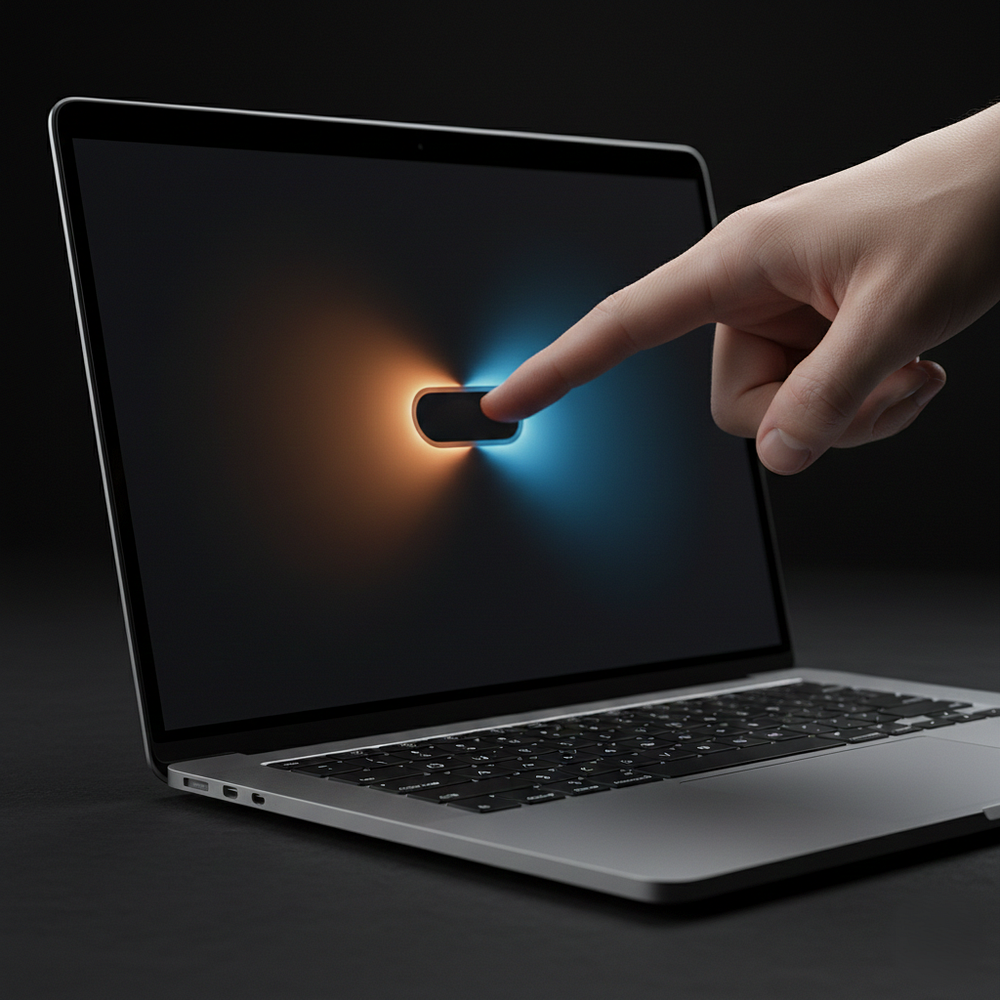
Think about what that actually means in practice. You are reading a long document and you want to quickly scroll to the bottom. You reach up and swipe. Done. You are editing a photo and want to zoom into a specific corner. Pinch. Natural. You are giving a presentation and want to advance slides without fumbling for the keyboard. Tap. The machine meets you where your instinct already lives.
The keyboard and trackpad are staying. This is not an iPad wearing a MacBook costume. This is a MacBook that learned a new language while keeping its original fluency intact.
What is not coming yet — and this is the detail that stings a little — is Face ID. The camera cutout is reportedly too small to house the infrared dot projector and sensor array Apple uses for facial authentication. You will still unlock with Touch ID embedded in the power button. Which works fine. But Face ID on a laptop feels inevitable at this point, and the fact that it is missing from what should be Apple’s most advanced portable machine raises a quiet eyebrow. The technology has existed on iPhones since 2017. On iPads since 2020. The Mac has been the holdout for reasons Apple has never fully explained.
Maybe next generation. It usually is.
Why Every Other Touchscreen Laptop Failed
This part matters. Because the obvious counterpoint to all of this excitement is that Windows laptops have had touchscreens for years. Dell makes them. Lenovo makes them. Microsoft built the entire Surface lineup around touch and pen input. Why did none of that move the needle?
The answer, plainly, is software.
Every touchscreen Windows laptop shipped with an operating system designed at its foundation for a mouse cursor. The touch layer was applied on top like a coat of paint over cracked plaster. Buttons stayed the same small size. Menus did not adapt. The operating system had no meaningful awareness of whether input was coming from a finger or a pointer, and it treated both with the same structural indifference.
The result was a feature that technically existed but never felt intentional. People tried it once during setup, tapped a few things, went back to the trackpad, and proceeded to never think about the touchscreen again. It became a checkbox on a spec sheet.
Some people did genuinely find value in it. Artists with styluses on Surface devices built real workflows. But for the average laptop user — the person writing documents, browsing, doing creative work — touch on Windows felt like a spare tire. Nice to know it is there. Never actually used.
Apple is describing something architecturally different. The interface does not just tolerate touch input. It detects your input method and physically changes its geometry in response. Menus grow. Controls relocate. The system knows you are using your finger and adjusts the entire environment accordingly. Then it adjusts back when you stop.
That is not a touchscreen bolted onto macOS. That is macOS learning to read the room.
Whether Apple executes this cleanly at launch is a legitimate question. First-generation implementations of new input paradigms are rarely perfect. But the ambition here is the right ambition. And crucially, Apple has the vertical advantage to pull it off in a way no Windows manufacturer can match — they design the silicon, the display hardware, the operating system, and the gesture language all under one roof. There is no seam between the hardware team and the software team where things fall apart.
That integration is the whole game.
The OLED Upgrade Nobody Is Talking About Enough
Everyone is focused on the touchscreen. Understandably. But the display technology underneath it deserves its own full conversation, because for a significant portion of MacBook Pro users, the OLED upgrade alone might be the reason to buy.
OLED — Organic Light Emitting Diode — works fundamentally differently from the LCD panels that have been inside MacBooks for years. In an LCD display, a backlight shines constantly behind the entire panel. Liquid crystals act as filters, blocking or allowing that light through to produce the image you see. The problem is that the backlight never truly shuts off. When you need black on screen, the crystals block as much light as possible, but some always bleeds through. Black on an LCD screen is never truly black. It is a very dark grey.
OLED removes the backlight entirely. Every single pixel generates its own light independently. When a pixel needs to be black, it simply turns off. The result is true black — not dark grey, but an actual absence of light. The contrast ratio between the brightest whites and the deepest blacks becomes essentially immeasurable. Colors feel more saturated without becoming artificial or garish. The screen has a visual depth that no LCD panel can replicate, regardless of local dimming zones or brightness specs.
Apple already uses OLED on every iPhone in its current lineup. The iPad Pro moved to OLED in 2024. The MacBook Pro has been the conspicuous holdout — the one device in the entire Apple ecosystem where professionals do their most demanding and color-critical visual work, still running on LCD while less expensive devices around it offered a fundamentally superior screen technology.
For photographers who spend hours checking color accuracy and shadow detail, the difference between an LCD and OLED reference is not subtle. It affects real decisions about whether an image is ready to export. For video editors grading footage where the difference between a crushed shadow and a lifted one determines whether a scene reads as day or night, true black is not a luxury. It is a working condition. For designers checking how a dark-mode interface will actually render for users in a dark environment, the gap between what LCD shows and what OLED delivers is real and consequential.
The inconsistency between the iPad Pro’s OLED display and the MacBook Pro’s LCD display sitting side by side on the same desk has been quietly frustrating for years. That ends in 2026.
There is also a practical structural benefit. Because OLED panels do not require a separate backlight assembly, they are physically thinner than LCD displays. Earlier supply chain reports suggested the new MacBook Pro would have a noticeably slimmer and lighter chassis than the current generation. The display technology supports that expectation directly. Lighter body, thinner profile, dramatically better image quality, now with full touch capability on top. Taken together, this is a genuine generational upgrade — not an incremental spec refresh.
The Ghost of the Touch Bar
Here is where the critic in me needs to speak plainly, because Apple has earned some skepticism specifically on this topic.
The Touch Bar launched in 2016 as Apple’s first serious attempt to bring touch input to the MacBook. It was a thin OLED strip above the keyboard that replaced the physical function keys. The pitch was genuinely interesting — context-sensitive controls that changed dynamically based on whatever application you were using. A timeline scrubber appearing in video editing software. Emoji shortcuts surfacing in Messages. Custom shortcuts that adapted themselves to your workflow automatically.
It shipped with significant marketing fanfare. Developers were actively encouraged to build Touch Bar support into their apps.
And then, over the next several years, almost nothing happened with it.
Most major third-party developers either ignored Touch Bar support entirely or shipped a minimal implementation and never updated it. The incentive to design a custom Touch Bar interface for every app was high in engineering cost and low in visible return. The user base with Touch Bar machines was a subset of an already niche professional market. And users either never discovered what their Touch Bar could do, or discovered it once, used it twice, and went back to remembering the function key shortcuts they had known for years.
Six years after the Touch Bar launched, Apple removed it from the MacBook Pro without ceremony. The redesigned machine came back with physical function keys and a collective exhale from the developer community.
The Touch Bar failed not because the technology was wrong, but because the position was wrong and the ecosystem never formed around it. It lived in a strip far enough below your natural sightline that using it required a conscious decision to look away from your screen and down at your fingers. The feedback loop between touching a control and seeing the result in your application was broken by physical distance. You touched something down there and something changed up there, and the disconnection was subtle but constant.
A full touchscreen solves the isolation problem completely and directly. You are touching the content you are working on. The response is immediate and visible at the exact point of contact. There is no distance to bridge, no eye movement to manage, no disconnect between action and result.
But the developer ecosystem question still sits unresolved, and it would be dishonest to pretend otherwise. Touch on macOS only works well as a platform feature if developers choose to invest in supporting it. If the adaptive interface Apple is building exists only within system UI and first-party Apple apps, the experience will fracture the moment you open anything else. Your creative tool might not recognize a two-finger pinch gesture. Your browser might not expand tap targets for touch. The seams between supported and unsupported apps will be immediately visible and consistently annoying.
Apple needs developers to build for this, and building developer buy-in requires making the cost of touch support low enough that ignoring it becomes the harder choice. If adding touch awareness to a macOS app requires rebuilding the interface architecture from scratch, most studios and solo developers will pass without a second thought. If it requires registering a handler for touch events that the OS already understands and routes automatically, most developers will add it in an afternoon and ship it in the next update.
The technical decisions Apple makes in how they expose touch to developers matters as much as anything visible in the hardware. We will not know how they handled it until the SDK documentation arrives.
What This Does to the Rest of the Mac
The MacBook Air is the Mac that most people actually live with day to day. It outsells the Pro consistently year over year. It sits at a lower price point and serves the enormous middle market of students, writers, everyday professionals, and casual creatives. If the MacBook Pro is Apple’s statement of intent, the Air is the product that built Apple’s actual laptop dominance.
If the Pro gets OLED and full touch capability, the Air’s identity in the lineup becomes more genuinely complicated to define and market. The current separation is relatively clean — the Air is thin and light and fast enough for most things, the Pro is for sustained workloads and professionals who need the display quality and thermal headroom. Touch capability collapses part of that distinction into something harder to communicate on a comparison chart.
Apple will almost certainly bring touch to the Air eventually. The technology cascades down the lineup over time — ProMotion displays, Face ID, the latest Apple Silicon generation — they all debut on Pro and eventually reach Air. But the timing creates a window where two distinct Mac experiences exist under the same brand name. During that window, developers writing touch-aware macOS apps cannot assume the person running their software can tap the screen. That fragmentation is exactly the kind of thing Apple historically works hard to avoid.
There is also the longer platform convergence question that has been quietly escalating for years. Apple Silicon made the exact same chip architecture run macOS and iPadOS simultaneously. Universal apps allow the same compiled binary to run across iPhone, iPad, and Mac without modification. Stage Manager brought windowed multitasking to the iPad. Now the MacBook Pro gets touch input. At some point these steps stop looking like individual decisions and start looking like a road that leads somewhere specific.
The touchscreen MacBook does not make the iPad and MacBook the same product. But it makes the software question louder — what is the actual difference between these platforms when they share chips, display technology, input methods, and increasingly the same apps?
Apple will need to answer that question eventually with something more substantive than price tiers.
Who This Is Actually For
A fair criticism of the touchscreen MacBook Pro is that most people will not use it in their daily workflow. If you are a writer, you live on the keyboard. If you are writing code, same. If you are in spreadsheets all day, the trackpad handles everything you need with precision a finger cannot match. Touch adds nothing to those workflows that existing inputs do not already handle better.
But that framing misunderstands who the MacBook Pro is actually designed and sold for.
The MacBook Pro’s core market is creative professionals. Photographers doing post-processing. Video editors cutting and grading footage. Musicians using the machine as a DAW controller. Graphic designers working across large canvases. Motion artists. UI designers building the mobile interfaces that run on the very touch devices Apple also makes. For all of these users, direct manipulation — touching the content rather than navigating to it through a cursor intermediary — is meaningfully faster and more instinctive in specific moments.
A video editor scrubbing directly through a timeline by dragging a finger across the footage. A photographer pinching to zoom into the corner of a raw file rather than scrolling a zoom percentage slider. A designer dragging a layer into precise position on a large canvas with a finger instead of a trackpad. These are not hypothetical edge cases invented to justify the feature. They are the specific moments in real creative workflows where the layer of abstraction that a cursor represents actually slows things down.
Beyond creative professionals, Apple Silicon has made the MacBook the machine of choice for iOS and iPadOS developers who need battery life and performance running together without compromise. A developer building an iPhone app and wanting to test touch interactions can now test directly on their development machine rather than reaching sideways for a physical device every few minutes. That is a quiet but genuinely useful workflow improvement for an audience Apple cares about deeply.
Touch will not transform every MacBook Pro workflow. The writers will keep writing. The coders will keep coding. But for the people this machine was actually built for, touch input removes friction in the right places — and that friction adds up across a full working day in ways that compound.
The Honest Verdict
Apple was not wrong about touch laptops in 2010. It was right about the specific technology that existed in 2010. Imprecise screens, interfaces architected entirely for cursors, no software intelligence to distinguish input types, no established design language for finger-sized targets in a desktop context. None of that worked then. The hardware existed but the experience was broken.
What changed was not just technology catching up. It was the cultural context shifting around the technology. A full generation of users learned computing through glass — through iPhones and iPads — before they ever used a physical mouse. For them, reaching up to touch a screen is not an awkward workaround. It is the first instinct. The MacBook is the device that feels wrong by comparison.
Apple created that instinct. They shipped the devices that built the muscle memory. And now, after sixteen years of watching users catch themselves mid-reach at MacBook screens, they are building the machine that meets the instinct they cultivated in the first place.
The OLED display raises the visual standard to where it should have been years ago. Dynamic Island brings a new layer of ambient awareness to macOS that will take time to feel essential but almost certainly will. The adaptive interface, if Apple executes it with the care the concept deserves, could quietly become the thing people miss most when they pick up any other laptop.
Whether everything ships perfectly at launch is genuinely unknown. First-generation implementations of fundamentally new input paradigms carry real risk. The developer ecosystem question is unresolved. Face ID is still absent. There will be reviews in late 2026 that find legitimate things to criticize, and some of those criticisms will land.
But the foundation is stronger than anything any Windows manufacturer had available when they shipped their touchscreen laptops a decade ago. Apple Silicon, years of OLED production expertise, an entire design language built on touch, and a software team that writes the OS and the hardware drivers at the same time. If anyone can make a touchscreen laptop that actually feels right, it is the company that spent fifteen years making touch feel right everywhere else.
For the first time in sixteen years, the answer to “why does the MacBook not have a touchscreen” is no longer because Apple said so.
That is not nothing.
That… is the whole story.
Is Apple finally getting touch right, or is the ghost of the Touch Bar still haunting this announcement? What would actually change in your workflow if the MacBook could feel your finger? Drop your honest take in the comments — this one is worth the argument.
Not interested in touch screen, but I'm waiting for a lighter pro version. Weight is all that matters, don't care about touch. Really want a MacBook pro that 8 can carry around easily.
ReplyDelete