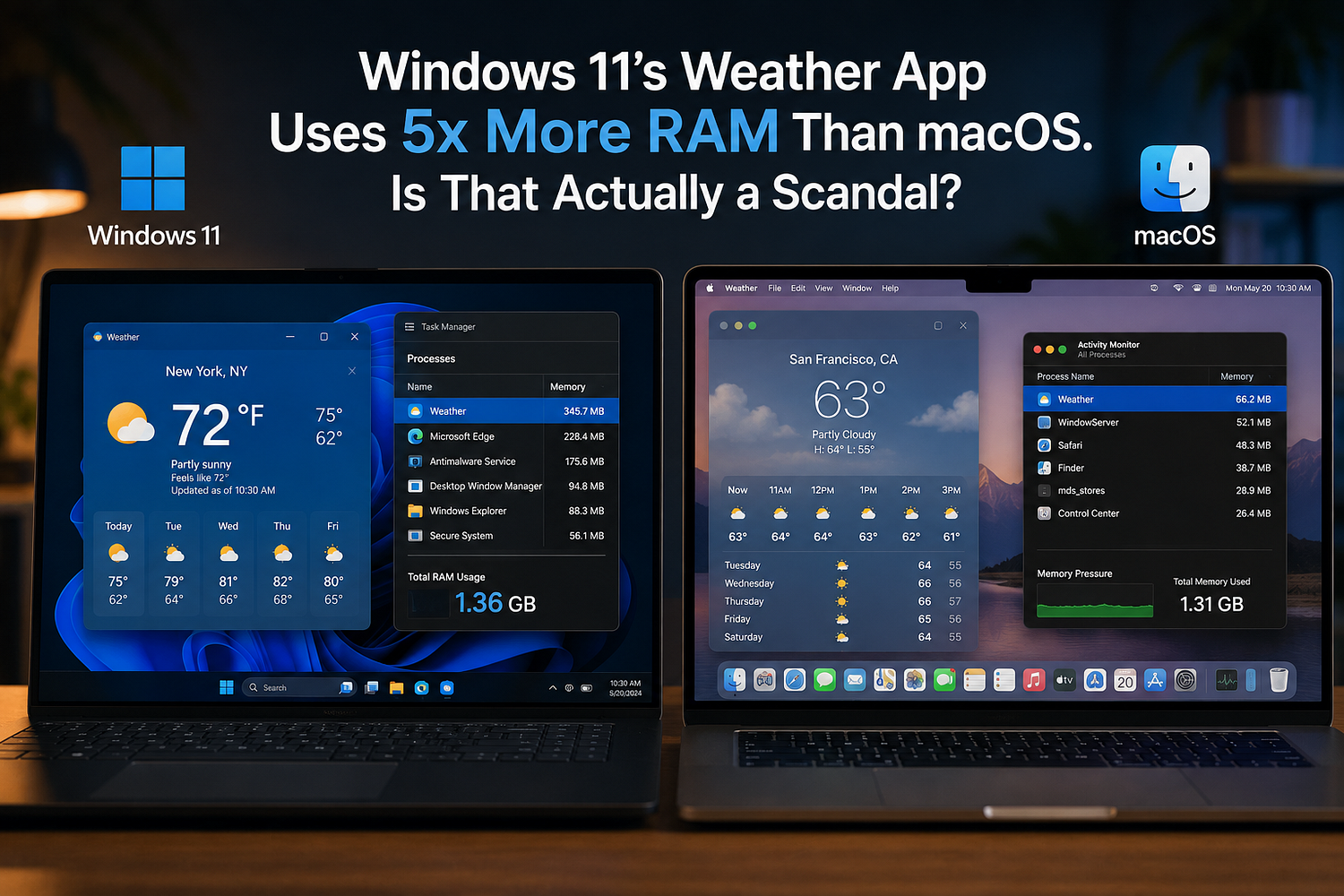
Open the Weather app on a Windows 11 PC, do nothing else, and Task Manager will report something startling: over 1.2GB of RAM consumed by a program whose entire job is to show a temperature and a five-day forecast. That figure, first reported by Windows Latest on August 9, 2026, is roughly five times what Apple’s native Weather app uses on macOS, which sits at around 246MB. PCWorld picked up the story the next day, and within 48 hours it had spread across Tom’s Hardware, TechRadar, Club386, Gadget Review, and half a dozen other outlets, each adding its own measurement, its own screenshot, and its own dose of outrage.
The number is real. Multiple publications independently reproduced it, with figures ranging from 600MB to 1.6GB depending on the machine and how long the app had been open. But the more interesting question isn’t whether the number is accurate. It’s whether it means what everyone is claiming it means, and whether Microsoft deserves the pile-on it’s currently getting.
What’s Actually Running Under the Hood
The Windows 11 Weather app isn’t really an app in the traditional sense. According to Windows Latest’s teardown, opening it and expanding the process tree in Task Manager reveals nine separate Chromium subprocesses, including a dedicated GPU process and a renderer, all running under the Weather banner. That’s because the app is built on WebView2, Microsoft’s embedded browser engine, which essentially loads a version of the MSN Weather website and skins it to look native.
Apple’s approach is the opposite. macOS Weather runs as a single native process. There’s no browser engine, no renderer, no separate GPU handoff, just one compiled binary talking directly to the OS. That architectural gap, web wrapper versus native code, is the entire explanation for the RAM difference. It has nothing to do with weather data being more complex on one platform than the other.
This is where the “Windows is bloated” framing starts to wobble a little, honestly. A Chromium instance uses more memory than a native app almost by definition. Anyone who has ever had eight browser tabs open knows this. The debate worth having isn’t “why does a web wrapper use more RAM than native code,” because that answer is obvious. It’s “why did Microsoft choose to ship a web wrapper as a default, pre-installed system app” in the first place.
The numbers also aren’t perfectly consistent across testers, which matters for how seriously to take the “5x” framing. Windows Latest’s original measurement put the app at 1.2GB at idle. PCWorld’s own test on a separate machine landed closer to that same range. Club386 measured between 600MB and just over 1GB depending on conditions, and TechRadar reported a peak closer to 1GB with a resting level nearer 800MB. Gadget Review, citing Wccftech and NotebookCheck alongside its own testing, put the range as wide as 900MB to 1.6GB during actual scrolling and interaction rather than idle. The macOS comparison point is more stable, consistently landing between 240MB and 250MB across every outlet that measured it. So the exact multiplier moves depending on who’s testing and how, somewhere between four times and six times, but every single measurement agrees on the direction and the rough scale, which is why the story held up under scrutiny instead of falling apart the way a lot of viral tech claims do once other outlets try to reproduce them.
The Ads Make This Worse, Not the RAM
Buried in most of the coverage is a detail that matters more than the memory number: the Windows 11 Weather app displays third-party advertisements, for things like shoes and insurance, wedged between your hourly forecast tiles. Gadget Review’s testing found similar ad placements going back to Windows 10’s Weather app too, so this isn’t new behavior. It’s just newly annoying, because now people are watching it eat a gigabyte of RAM while it does it.
That’s really the crux of why this story caught fire. Nobody would care much if a free, ad-free, lightweight utility used a bit more memory than expected. What triggered actual anger, based on how the story spread across forums and social media, is paying for a Windows license (directly or through hardware cost) and still getting served ads inside a first-party system app. TechRadar’s headline called it out directly, quoting a reader who said it’s ridiculous to pay for an OS and still get advertised to. That’s a fair complaint. Whether it’s a RAM complaint is a separate question people keep conflating.
Why 1.2GB Actually Matters on Cheaper Hardware
For someone running a workstation with 32GB or 64GB of memory, 1.2GB disappearing into a background weather widget is a rounding error, mildly annoying but functionally irrelevant. The story changes completely on budget hardware.
Club386’s analysis pointed out that on an 8GB laptop, which is becoming more common again thanks to ongoing memory shortages driving up RAM prices, the Weather app alone can eat roughly 15% of total system memory before the user has opened a single browser tab or document. Push that toward the higher end of the reported range, 1.6GB, and it’s closer to 20%. On a machine that’s already straining to run Windows itself alongside whatever the user actually opened it for, that’s not a rounding error. That’s the difference between smooth multitasking and the system quietly swapping to disk.
And this lands at an awkward moment for Microsoft. In July, the company deleted its own documentation that had recommended 32GB of RAM as the “ideal” amount for a Windows 11 PC, a quiet walk-back that only makes sense if Microsoft knows the messaging was hurting sales on cheaper hardware. Weeks later, Pavan Davuluri, President of Windows and Devices, publicly named memory optimization for 8GB and above as one of four priority areas for the rest of 2026, admitting Windows itself, not just third-party software, was contributing to the slowdown. The Weather app is basically a live demonstration of the exact problem Microsoft says it’s trying to fix.
Microsoft Already Admitted the Problem, Which Complicates the Outrage
Here’s the part most of the reaction pieces skip past. Microsoft isn’t denying any of this. Chris Anderson, a developer on the Windows UI team, said at Build 2026 that the company has “invested heavily in really improving memory usage” and is shifting toward a system compositor for better performance. The broader plan is to move more built-in apps off frameworks like WebView2 and React Native and onto WinUI 3, the native UI toolkit Microsoft is also using to eventually rebuild File Explorer and the Start menu.
So the criticism landing on the Weather app right now is, in a sense, criticism of a problem Microsoft has already acknowledged and is mid-fix on. That doesn’t make the current 1.2GB figure okay. It’s still an absurd amount of memory for a forecast widget, and Microsoft shipped it that way for years before saying anything. But it does complicate the “Microsoft doesn’t care” narrative that’s floating around online right now. The more accurate read is that Microsoft under-invested in its inbox apps for a long time, got caught by rising RAM prices and a wave of cheap 8GB laptops making the problem visible, and is now scrambling to retrofit fixes across a decade of accumulated shortcuts.
Whether that’s forgivable or just corporate damage control dressed up as a roadmap is genuinely debatable, and reasonable people land on different sides of it. What’s not debatable is the timeline: Microsoft’s public memory commitments came in July 2026, the Weather app benchmarks went viral in August 2026, and no fix for Weather specifically has shipped yet. Anderson’s own comments admit there’s no hard number yet for how much any given app’s memory use will actually drop once WinUI 3 changes land, which means nobody, including Microsoft, currently knows if this gets meaningfully better before 2027. That kind of open-ended timeline is exactly what makes people skeptical of corporate promises in general, and Microsoft has made similar commitments before without a clear before-and-after benchmark to hold it accountable to.
This Isn’t an Isolated Incident, It’s a Pattern
Zoom out a bit and the Weather app stops looking like a one-off embarrassment and starts looking like the latest entry in a running list. In June 2026, users discovered a bug where a hidden system file, CapabilityAccessManager.db-wal, was silently consuming up to 500GB of storage on some machines, a problem Microsoft didn’t publicly acknowledge until a fix shipped quietly in an optional update weeks later. In July, an HP executive stated that roughly 30% of PCs in active use still run Windows 10, months after Microsoft ended free support for it, a number that says a lot about how much friction and distrust surrounds upgrading. And that same month, Microsoft deleted its own “ideal” 32GB RAM guidance rather than defend it publicly.
None of these stories are about the Weather app specifically. But together they paint a picture of an operating system that keeps generating its own bad press faster than it can fix the underlying causes. Windows 11’s next big update, version 26H2, is scheduled to arrive in October 2026, and PCWorld’s own coverage of that release frames it as carrying meaningful performance work rather than just new features, which suggests Microsoft itself sees this as urgent enough to prioritize over flashier additions. Whether the Weather app specifically gets rebuilt in that window, or waits for a later WinUI 3 pass, hasn’t been confirmed.
Is This Actually About Windows, or About Web Wrappers in General
There’s a version of this story that isn’t about Windows 11 specifically at all. Electron apps, WebView2 apps, and other browser-in-a-box tools are everywhere now, Slack, Discord, Teams, Spotify’s desktop client, and plenty of them post RAM numbers that would look just as embarrassing next to a native equivalent. Developers reach for these frameworks because they’re faster to build and easier to maintain across platforms, not because they’re trying to punish users’ RAM sticks. A small team can ship one JavaScript codebase across Windows, macOS, and Linux in the time it would take to write and maintain three separate native versions, and for a lot of software that tradeoff is genuinely reasonable.
Where that logic breaks down is scale and expectation. A niche productivity tool built by a five-person startup gets a pass for using Electron, because the alternative might be no app at all. A trillion-dollar company’s default, pre-installed weather widget doesn’t get the same pass, because Microsoft has the engineering resources to build a native app and, going by Apple’s own weather app, so does a competitor with a fraction of Microsoft’s headcount on Windows specifically.
The difference with the Weather app is that it’s not a third-party choice somebody installed. It’s pre-loaded on every fresh Windows 11 install, running with the implicit endorsement of the OS vendor, on hardware where the OS vendor also controls the minimum RAM requirements. That’s a meaningfully different situation than a user choosing to install Discord and accepting its memory footprint as a tradeoff for the features. Nobody chose the Weather app. It’s just there, running MSN’s website in disguise, whether anyone opens it or not.
What Users Can Actually Do About It
For anyone who wants the forecast without volunteering a gigabyte of memory to get it, the fixes are blunt but effective, and none of them require waiting on Microsoft’s roadmap. Uninstalling the Weather app entirely through Settings removes both the RAM hit and the ads, at the cost of losing the taskbar weather widget. Third-party weather apps built natively, rather than as web wrappers, are available on the Microsoft Store and generally use a fraction of the memory, often under 100MB. And for anyone just checking conditions occasionally, a browser bookmark to a weather site accomplishes the same thing without a persistent background process running in the background the entire time the PC is on.
PCWorld’s own separate guide on trimming Windows 11’s memory use points to several other settings worth checking too, disabling background apps system-wide, turning off visual effects, and auditing startup programs, since the Weather app is a visible symptom of a broader pattern rather than an isolated case.
None of that fixes the underlying issue, which is architectural, not user error. But it does mean nobody has to wait for Microsoft’s 2026 roadmap to stop losing a gigabyte of RAM to a forecast icon.
So Who’s Actually Right Here
Strip away the outrage headlines and there are really two separate arguments tangled together in this story, and they deserve different verdicts. The first argument is that a 1.2GB memory footprint for a forecast widget is objectively bad engineering, regardless of platform, regardless of excuses. That argument is hard to dispute. A Chromium-based wrapper doing the job a native app could do in a fraction of the memory is a choice, not a law of physics, and Apple’s 246MB counterexample proves it’s solvable.
The second argument, the one doing most of the emotional work in the coverage, is that this proves Windows 11 is fundamentally worse than macOS at resource management. That one is shakier. Apple’s advantage here comes from controlling a small, tightly integrated hardware and software stack, and from choosing not to monetize a stock utility app with ads. Microsoft operates across an enormous, fragmented range of hardware from dozens of manufacturers and has leaned on cross-platform web frameworks for years to move faster with a smaller team. Neither approach is inherently virtuous. One just happens to produce a smaller number in Task Manager, and a number that small is easy to turn into a headline.
What tips this from “annoying software choice” into “legitimate scandal” is the ad placement, and that framing shift is worth sitting with for a second before moving on. If Windows 11’s Weather app were 1.2GB and ad-free, this would be a performance story people forget about in a week. Adding ads to a pre-installed system app on a machine people already paid for is what gives the story teeth, and it’s also the part Microsoft has been quietest about fixing. The RAM issue has a public roadmap. The ads don’t, at least not yet.
For now, the most honest summary is this: the 5x number is real, the architecture explains it completely, Microsoft has already admitted the broader memory problem exists, and none of that changes the fact that a weather forecast should not need a browser engine to display a temperature. Both things are true at once, and picking only one side of that misses what actually happened here. The fair conclusion sits somewhere between “Microsoft is uniquely incompetent” and “this is nothing to see,” closer to the second than most headlines suggested this week.