Nvidia finally did it. They put a data center GPU on your desk. Not a watered-down consumer version of one. The actual Blackwell architecture, the same family that runs in the massive H100 clusters big AI labs spend millions of dollars on. And they shoved it into a box about the size of a Mac mini.
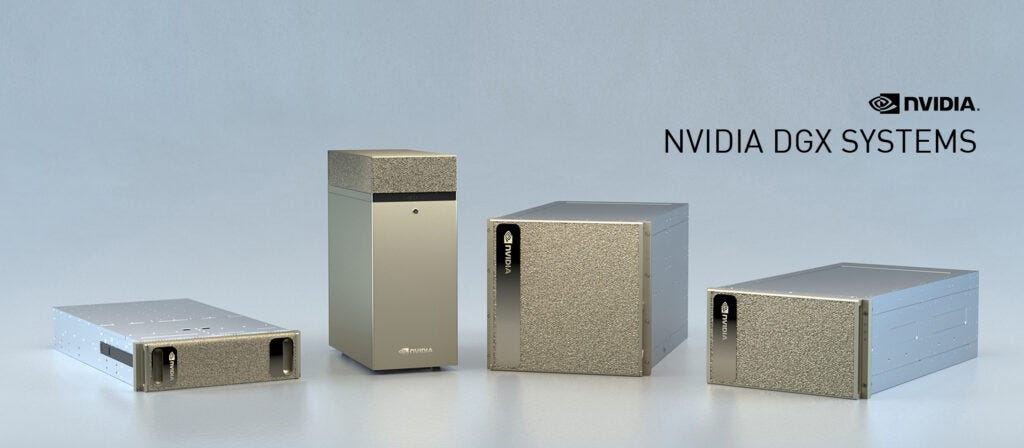
They called it “Project DIGITS” at CES 2025 in January, made it sound like a revolution. Then they renamed it to theDGX Spark at GTC in March. The Founder’s Edition launched in October 2025 at $3,999. And then in February 2026, Nvidia quietly raised the price to $4,699 because of memory supply problems. So if you reserved one back when they were promising $2,999, well, you got a good deal. Everyone else is paying more now.
Is it worth it? Depends a lot on who you are and what you actually want to do with it. I’m going to try to break that down properly.
What Is It, Exactly
At the core of the DGX Spark is the GB10 Grace Blackwell Superchip. That is one chip that combines a 20-core ARM CPU with a Blackwell GPU, and they share the same pool of 128GB of LPDDR5X memory. Nvidia calls this NVLink-C2C. The memory bandwidth is 273 GB/s. The whole thing fits in a 150mm x 150mm box, weighs 1.2kg, and runs Ubuntu 24.04 (they call it DGX OS).
On paper: 1 petaFLOP of AI compute at FP4 precision, meaning it can handle models with up to 200 billion parameters locally, if you are okay with FP4 quantization.
The CPU itself has 10 high-performance Cortex-X925 cores and 10 efficiency Cortex-A725 cores. Pretty respectable for an ARM chip. In single-threaded work it apparently trades blows with Apple’s M4. The storage on the Founder’s Edition is 4TB NVMe SSD. It has HDMI 2.1a, three USB-C ports at 20Gbps with DisplayPort support, a 10Gb Ethernet port, and two QSFP ports running at up to 200 Gbps for the ConnectX-7 NIC. That last part is unusual. QSFP ports are stuff you see on rack servers, not desktop computers.
The QSFP ports exist so you can link two DGX Spark units together. When you do that, you get a combined 256GB memory pool, which lets you run models up to 405 billion parameters. Yes, that setup costs over $9,400 before cables. But the fact you can do it at all on a desktop is kind of wild.
The Pricing Story Is a Mess
Let me just list this out because it is ridiculous. At CES 2025, Nvidia said $2,999. At GTC 2025 when you could actually reserve one, it was $3,999. When the Founder’s Edition shipped in October 2025, it was $3,999. In February 2026, Nvidia announced a price jump to $4,699, blaming memory supply constraints for the 128GB LPDDR5X package. On NVIDIA’s own marketplace right now it is $4,699. Newegg had it at $4,399 for a while. Best Buy had it at $5,404 at one point, which is just insulting.
So from first announcement to current price, we are talking a 56.7% jump. That is not nothing. Nvidia says existing orders will be honored at the price people paid, but new buyers are eating the full $4,699. And there is no signal about when or whether the price comes back down.
The OEM variants are a bit cheaper. The ASUS Ascent GX10 uses the same GB10 chip but comes with only 1TB storage and was available for around $3,266 for a while. You also have Dell’s Pro Max GB10, Acer Veriton GN100, MSI EdgeXpert MS-C931, and HP’s version. These are the same chip in different cases, basically. The software experience may differ from the Founder’s Edition.
The Unified Memory Angle: This is a different type of game for Nvidia
This is the thing that makes the DGX Spark genuinely different from putting a good GPU in a desktop PC. And it is also exactly where Nvidia is stepping into Apple’s territory.
For the last few years, Apple has been the only company selling consumer and prosumer machines with serious unified memory. The Mac mini, MacBook Pro, Mac Studio, all use Apple Silicon where the CPU and GPU share one pool of fast memory. There is no VRAM ceiling. A 128GB Mac Studio M4 Max can run big models that a 24GB RTX 4090 cannot even try. Apple was alone in this space for desktop users.
Nvidia just showed up.
The difference is in how the unified memory is built. Apple’s M4 Max runs at 546 GB/s memory bandwidth. The M4 Ultra goes even higher, around 819 GB/s, and you can configure that up to 512GB of RAM. The DGX Spark’s memory bandwidth is 273 GB/s. So Apple’s chips actually move data faster, which matters a lot for token generation in language models. What the DGX Spark has instead is raw AI compute: 1 petaFLOP at FP4, versus Apple’s setup which does not have dedicated FP4 tensor cores at all.
There was an interesting benchmark a few months back where a Mac mini M4 with 64GB was roughly 2x faster than the DGX Spark on token generation for Qwen 3.5 35B. That surprised a lot of people. The DGX Spark, despite costing more and having more memory, was slower at actually generating tokens. The reason is that bandwidth. When your job is just reading model weights and generating the next token, having 546 GB/s vs 273 GB/s makes a visible difference.
But the DGX Spark crushes Apple on prompt processing, the compute-bound work. Running 1,723 tokens per second on prompt ingestion vs something like 339 on Strix Halo (AMD’s competitor). And for fine-tuning, for running LoRA or QLoRA training, for using torch.compile and TensorRT-LLM, Nvidia’s CUDA stack has no real competition. Apple’s MPS backend actually throws InductorErrors when you try torch.compile on M-series chips. That is a real limitation if you are doing anything beyond pure inference.
So the clear picture is: Apple wins on token generation speed for most common model sizes. Nvidia wins on training, fine-tuning, and anything CUDA-native.
How Does It Actually Benchmark?
Real numbers from the LMSYS team and other independent tests:
For Llama 3.1 8B at batch 32, the DGX Spark was hitting around 368 tokens per second. That is a strong number for a device drawing under 240W. At single-user speeds with 8B to 20B models, you are looking at 20 to 50 tokens per second, which is fast enough for interactive chat.
For Llama 70B, the story is different. Around 2.7 tokens per second. That is technically usable for batch work or testing prompts, but it is not conversational. The 128GB memory fits it, but the bandwidth ceiling slows generation to a crawl.
After the CES 2026 software update (which came out January 2026), there were up to 2.5x improvements on some workloads through TensorRT-LLM optimizations, FP4 quantization fixes, and something called Eagle3 speculative decoding. The GPT-OSS 20B model hit 49.7 tokens per second post-update on Ollama. Video generation workloads saw an 8x speedup. So the hardware is staying largely the same but the software is getting meaningfully better over time.
One thing that a lot of people do not mention: there was a user on Nvidia’s developer forums in April 2026 who posted a fairly detailed complaint about how the NVFP4 support was immature at launch and still not fully sorted. The feature that Nvidia used most prominently in their marketing, the FP4 precision compute, took months to actually work well in real use. That is a recurring theme with new Nvidia products.
Nvidia vs Apple: Who Is This Really For?
The “unified memory” framing in Nvidia’s marketing is not accidental. They know Apple owns that category in most people’s minds. The question is whether the DGX Spark is a better choice than a Mac Studio.
And the answer, I think, is: it depends on what you code in.
If you are an AI developer who lives in the CUDA ecosystem, uses vLLM for serving, does fine-tuning with Hugging Face Transformers or Unsloth, and your code assumes a CUDA-compatible GPU, then the DGX Spark is the only desktop option that gives you all of that plus 128GB of unified memory. Full stop. Nothing else does that. You could build an RTX 5090 desktop PC, but the 5090 only has 32GB of GDDR7 and that is a hard ceiling.
If you are primarily doing inference, running models locally for privacy reasons, maybe doing some light RAG work, and you are comfortable with macOS tools like Ollama, LM Studio, and the MLX framework, then a Mac Studio M4 Max at $3,999 for the 128GB config is legitimately a better value. Same memory capacity, faster bandwidth for token generation, macOS ecosystem, quieter, and it runs all your other apps.
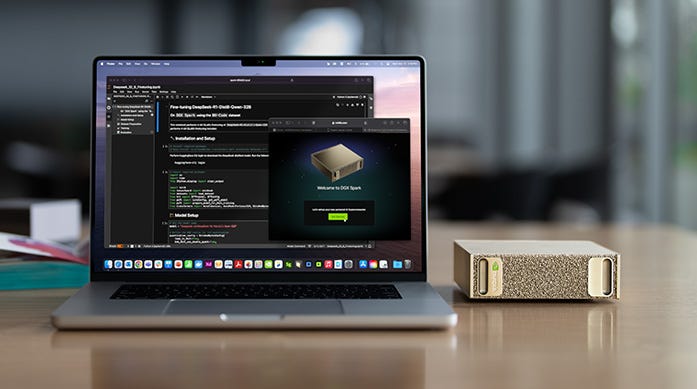
The DGX Spark runs Linux only. No Windows support. This is probably the single biggest complaint I see on forums and review threads. If you need Adobe apps, Windows-only tools, or just want a normal desktop experience alongside your AI work, the Spark cannot be your only computer. You would need a second machine. That effectively adds to the real cost.
Also, an AMD alternative called the Ryzen AI Halo Developer Platform launched in June 2026 at $3,999, and it runs Windows. Same 128GB unified memory, similar bandwidth to the DGX Spark, and it is $700 cheaper. Pre-orders went through Micro Center. The ROCm software stack is not as mature as CUDA, but for inference with Ollama it works fine. If you specifically do not need CUDA, this is a serious option.
Who Should Actually Buy This
TBH, this machine has a narrow target. Here is how I see it:
If you are a researcher or ML engineer whose job involves running models that are too large for a 24GB GPU but you cannot always use cloud credits, or the data is sensitive and cannot leave the building, the DGX Spark makes sense. A hospital in Hyderabad working on medical NLP with patient data cannot send that data to AWS or OpenAI. Running a 70B model locally on a $4,699 machine that fits on a desk is a real option for them.
If you want to fine-tune your own models, even small LoRA fine-tunes on 13B or 70B models, this is one of the cheapest setups that supports that without cloud dependency. Unsloth on the Spark is reportedly 2.5x faster than standard Hugging Face Transformers.
If you are an indie developer who wants to build AI agents and stop paying $50 per month in API costs, the math actually works out reasonably. Local inference has no per-token cost. The machine pays itself back over time if you use it heavily.
But if you want to run LLaMA 3 70B and have a fast chatbot experience? Get a Mac Studio. The token generation bandwidth just does not favor the Spark for that use case.
The Things Nobody Warned You About
A user on the Nvidia forums documented arriving to a completely broken unit when they first received their DGX Spark: WiFi not working, Bluetooth not working, Ethernet showing NO-CARRIER on all ports. They had to do a bunch of troubleshooting before it worked. That post from November 2025 is still on the forum. So out-of-box quality seems to vary.
Simon Willison, who writes a lot about developer tools, got a preview unit and wrote honestly about the experience. He said his Ubuntu skills were rusty and figuring out CUDA drivers, Docker setup, and PyTorch versions was genuinely painful. He ended up using Claude Code basically just to navigate the Linux setup. That tells you something about the audience this is made for. It is not a consumer product.
The DGX OS is Ubuntu 24.04 with Nvidia’s software stack and drivers preinstalled. On the one hand, that means you have a working CUDA environment from day one. On the other hand, OTA updates are not installed by default on first boot (they changed this in a recent update), some early users had monitor detection issues, and the OOBE experience was reportedly rough in the first few months. Things are better now as of June 2026, but launch day and the first couple of months were not smooth.
Also, the memory reporting in nvidia-smi on DGX Spark shows “Memory-Usage: Not Supported” because of the unified memory architecture. The cudaMemGetInfo API does not accurately report available memory on a UMA system. Nvidia documented this as a known issue. Some third-party tools broke because they relied on that API call. Again, this is being fixed, but it is the kind of thing that trips you up when you are trying to run something quickly.
What Is Coming Next
At Computex 2026, Nvidia announced the RTX Spark chip. It is essentially the same architecture as the GB10 but designed for laptops. Microsoft debuted the Surface RTX Spark Dev Box as a reference design. Partners like Dell, HP, Lenovo, and ASUS are all making laptops with this chip. Pricing is not confirmed but expected to be lower than the $4,699 desktop Spark.
So if you are considering buying a DGX Spark right now in June 2026, the honest answer is: maybe wait six months. Laptop versions with similar capabilities at lower prices are coming. LPDDR6 memory with significantly higher bandwidth is expected in late 2026 or early 2027. The 273 GB/s bottleneck that slows down token generation is a solvable problem with next-gen memory. And the AMD Ryzen AI Halo Platform at $3,999 is already here if you need Windows.
If you need something now, and you specifically need CUDA plus 128GB unified memory plus the Nvidia software stack, you do not really have another choice. The DGX Spark is the only thing in that category. But if you are willing to wait, the market is moving fast and what is available in early 2027 will probably be better and cheaper.
My Final Thoughts
Nvidia entering the unified memory space is a genuinely big deal. For a long time, if you wanted large local memory with fast GPU access, Apple was basically your only option. Now there is a real alternative with a different set of tradeoffs. The CUDA ecosystem, fine-tuning support, the professional software stack, and the ability to link two units together, these are things Apple cannot offer.
But Nvidia also overpriced this thing, had a rough launch with software maturity issues, and made it Linux-only which cuts out a huge number of potential buyers. The Mac Studio M4 Max at $3,999 is still a better deal for most people who just want to run big models locally. Or even the Upcoming M5 series
The DGX Spark is a specific tool for a specific type of work. If that work is yours, it is probably the best desktop option right now. If it is not, the Mac Studio or even an AMD Strix Halo mini PC from Framework Desktop at $2,348 will serve you better and cost you less.