So you want to run an AI model on your own machine. No API costs, no cloud subscription, no sending your prompts to some server somewhere. Just your hardware, your model, your data. The idea makes sense. And in 2026, for the first time, it actually works well enough for most people to do this without a PhD in systems engineering.
But here’s where people get stuck — picking the right GPU. And I get it, because the specs look confusing and the pricing right now is kind of a mess. This guide breaks it down by budget and use case. The goal is simple: you leave knowing what to buy, or at least knowing why you can’t afford what you actually need.
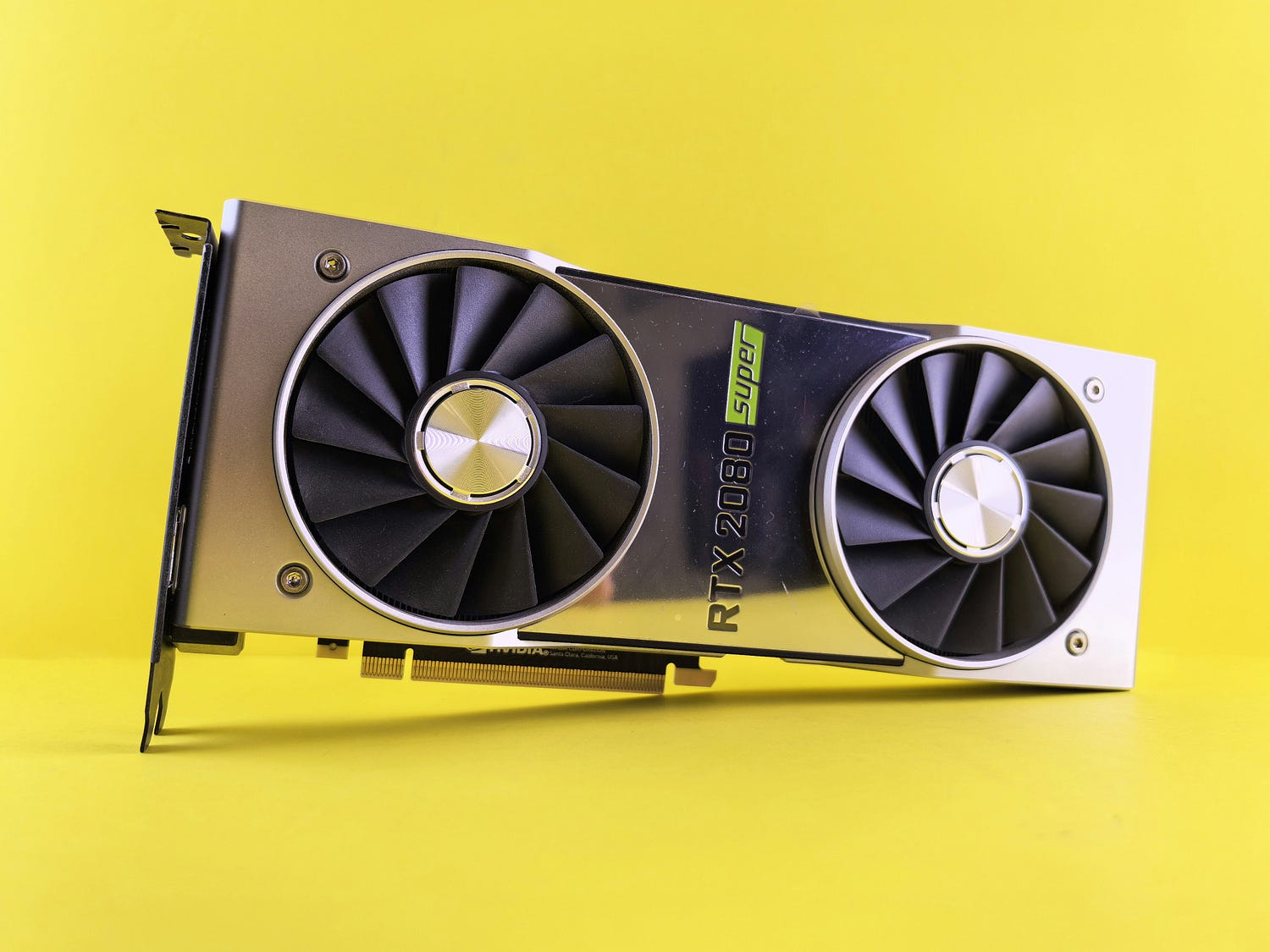
One thing to get out of the way before anything else: VRAM is the only thing that matters at first. Memory bandwidth comes second. Your GPU’s compute performance, the number of CUDA cores, tensor flops — mostly noise for this use case. If a model’s weights don’t fit in video memory, performance drops off a cliff. Not gradually — we’re talking 5 to 20 times slower once the model starts spilling into system RAM. One benchmark from Quantize Lab puts this into numbers: an RTX 5090 running Llama 3.3 70B fully in VRAM hits 45+ tokens per second. Same card, same model, but offloading to RAM? One to two tokens per second. Slower than reading speed.
Why Memory Bandwidth Is the Real Story
Once you have enough VRAM to load a model, speed is almost entirely decided by memory bandwidth — how fast the GPU can move weights from memory into the compute units. LLM token generation is basically a memory-fetching operation. The math is relatively light; the data movement is constant and enormous.
Think about it this way. Every time the model generates one token, it has to read through the entire set of active weights. On a 14 billion parameter model at Q4 quantization, that’s roughly 8 to 9 GB of data being swept through memory. Per token. At 45 tokens per second. The GPU is doing this 45 times a second, which means it’s moving through hundreds of gigabytes of data per second just to keep up. A faster GPU that has less bandwidth than a slower one will often lose in LLM benchmarks.
This is why the RTX 5090 is as fast as it is — not just because it’s a new card, but because its GDDR7 memory runs at 1,792 GB/s, which is 78% more bandwidth than the 4090’s GDDR6X. And this is also why a used RTX 3090 punches way above its age in these tests.
Understanding Quantization Before You Buy Anything
Quantization is how you squeeze models that don’t fit into smaller spaces. The weights get compressed from 16-bit floating point down to 8-bit, 4-bit, sometimes even 3-bit. Quality drops a little, usually less than people expect. A 70B model at 4-bit quantization uses roughly 40 GB of VRAM instead of 140 GB.
The rough math: about 2 GB of VRAM per billion parameters at full FP16 precision. At Q4_K_M (4-bit), it’s closer to 0.5 GB per billion. So a 13B model at Q4 needs around 8 GB — which fits on a lot of cards. A 32B model at Q4 needs about 20 GB. A 70B model at Q4 needs roughly 40 GB.
There’s also context length to account for. As the conversation gets longer, the KV cache grows and starts eating into your available VRAM. A 32B model with a 32,000 token context window might need 27–30 GB total, not just 20 GB for the weights. This trips up a lot of people who think 24 GB should be plenty.
The model landscape in 2026 has also shifted toward MoE (Mixture of Experts) architectures. Meta’s Llama 4, DeepSeek V3.2, Qwen 3.5 — all of these use sparse expert routing. The models have more total parameters but only activate a fraction of them per token. Practically, this means a 30B MoE model often runs faster than a dense 8B model on the same hardware, because the memory access pattern is more efficient. The RTX 5090 benchmarks on Qwen3 30B-A3B MoE show around 234 tokens per second at short context — faster than the 8B dense model at 185 t/s on the same card.
Budget Tier: Under $300
The Intel Arc B580 is the most interesting card in this bracket. 12 GB of GDDR6 for around $249 MSRP — though street prices have crept to $289–$299 as of May 2026. For context, the cheapest NVIDIA card with 12 GB of VRAM is a used RTX 3060, which you’re probably finding for $180–$220 if you’re lucky.
The B580’s memory bandwidth is 456 GB/s, which is actually quite good for the price. It outperforms the RTX 4060 Ti 8GB’s 288 GB/s on that metric. In tests using llama.cpp with the IPEX-LLM library, it hits around 40–62 tokens per second on 8B parameter models, depending on the backend and setup. That’s a range worth noting — the Vulkan backend gets around 40–42 t/s while the oneAPI/SYCL path can reach higher.
But the software situation is the problem. Standard Ollama won’t detect your Arc GPU at all. You need Intel’s patched IPEX-LLM fork, and the setup is different on Windows versus Linux. On Linux, you can get 2x the performance you’d get on Windows. The first time you load a model, there’s a 2–5 minute kernel compilation delay that’s normal but alarming if you don’t know about it. The community debugging resources are thin compared to NVIDIA.
Used RTX 3060 12 GB is the alternative. Around $180–$200 used if you find one in decent condition. Full CUDA support, runs Ollama out of the box with zero setup friction. Inference speed is slightly lower than the B580, but the ecosystem difference is real. If you’ve never set up local AI before, the 3060 is probably the less frustrating path. The B580 is for people who are comfortable with some configuration work and don’t mind occasional broken tutorials.
Mid Range: $400–$800
This is where most people actually end up. The RTX 4060 Ti 16 GB sits around $430–$480 and gives you 16 GB of VRAM with full CUDA support. Honest assessment: 16 GB is not the same as 24 GB. You’re running 7B to 13B models comfortably, and pushing into 30B territory only with aggressive quantization. The bandwidth is 288 GB/s, which is the weakest number in the spec sheet — performance on 13B models is in the 8–15 tokens per second range, which feels slow after you see what 24 GB cards do.
So the RTX 4060 Ti is fine for a personal coding assistant running Qwen 3.5 7B or Llama 3.1 8B. It’s not the card for anyone trying to run anything bigger.
The AMD Radeon RX 7900 XTX changed the story somewhat in 2026. ROCm 7.2, which landed in March 2026, added native Ollama support for RDNA3 and RDNA4 silicon. No more HSA_OVERRIDE_GFX_VERSION environment variable hacks. The 7900 XTX has 24 GB of GDDR6 at around $37–42 per GB of VRAM, which undercuts every NVIDIA option at that capacity. Inference on Llama 3 70B Q4 runs at 14–18 tokens per second. NVIDIA’s equivalent (RTX 4090) does 42 t/s on the same workload — so AMD is still slower by a meaningful margin. But you’re spending roughly half the price for 24 GB, and if Linux is your platform, it mostly just works now.
Still Linux-only for ROCm. Windows support remains experimental. If you’re on Windows, AMD still isn’t the practical choice.
The 24 GB Sweet Spot: RTX 3090 and RTX 4090
The RTX 3090 is six years old and somehow still relevant. 24 GB of GDDR6X, bandwidth of 936 GB/s, and used prices around $800–1,000. That’s $35–42 per GB of VRAM, which is competitive with the AMD option. In 14B model benchmarks it gets 66–88 tokens per second. It handles 32B models at Q4 with enough headroom for moderate context windows. For a used card of this age, this is a little shocking, but it comes down to that VRAM number holding up.
Two of them ($1,600–$2,000 total) give you 48 GB of combined VRAM for far less than a single RTX 5090. Multi-GPU setups for inference are more complicated to run correctly and don’t scale as cleanly as you’d hope — llama.cpp’s tensor splitting works, but latency between cards adds overhead. Still, for people who want to run 70B models and are tight on budget, two 3090s is a legitimate option that some people on r/LocalLLaMA are actually doing.
The RTX 4090 sits at $1,400–$1,600 used. 24 GB of GDDR6X with higher bandwidth than the 3090 at around 1,008 GB/s. It gets roughly 112 tokens per second on 8B models and around 42 t/s on 70B Q4. This is the baseline card that most serious local AI benchmarks compare against, and it’s the card to buy if you want 24 GB and have budget for a newer one. The main limitation is the same as the 3090: 24 GB isn’t enough for 70B at anything above aggressive quantization with long contexts.
The RTX 5090: Actually Good, Stupidly Expensive
The RTX 5090 is the best consumer GPU for local LLMs right now. 32 GB of GDDR7, 1,792 GB/s bandwidth, Blackwell architecture with native FP4 support. Benchmarks from Hardware Corner and InsiderLLM show 185 t/s on Qwen3 8B, 61 t/s on the dense 32B model, and that 234 t/s figure on the 30B MoE. The 8 extra GB over the 4090 might not sound like much, but it’s the difference between running 32B models cleanly and not — and it lets you push longer context windows without hitting the wall.
The problem is the price. MSRP is $1,999. Street prices as of April 2026, per WCCF Tech and the BestValueGPU tracker, ranged from $3,695 on Newegg to $4,500–4,800 for custom AIB models. The DRAM shortage is the explanation — the same manufacturing capacity reallocation toward HBM for data center accelerators that drove up DDR5 prices has hit GDDR7 supply too. Prebuilt workstations with the card start around $5,000–8,000 complete.
So if you can find it at MSRP, it’s a solid buy for what you get. At $3,800–4,500, you’re paying a premium that’s hard to justify unless you’re processing enough tokens daily to offset the cost against API spend. The compute-market.com analysis from June 14, 2026 suggests local setups beat cloud API costs for teams running over 1 million tokens per day, with breakeven around 6–12 months — but that math changes significantly when your hardware cost doubles.
The RTX PRO 6000 Blackwell: The 96 GB Option
NVIDIA’s RTX PRO 6000 Blackwell is a workstation card with 96 GB of GDDR7 at 1.8 TB/s bandwidth. This is the card that puts 70B models in full VRAM with 50+ GB to spare for KV cache and concurrent users. A single PRO 6000 running vLLM can handle 4+ concurrent users at 8K context without the KV cache pressure that hits 24–32 GB cards.
In throughput benchmarks from CloudRift, the PRO 6000 reaches 8,425 tokens per second on Qwen3-Coder-30B through vLLM — 3.7x the RTX 4090 and 1.8x the RTX 5090. It also beats the H100 on cost per token at single-GPU scale.
The price: a complete single-GPU professional workstation runs about $22,000. Dual-GPU around $30,000–33,000. This is not a consumer purchase. It’s for small teams self-hosting inference internally, or organizations that have the compliance requirement to keep model data on-premises and can actually run the ROI calculation to justify it.
AMD Ryzen AI Max 395+ (Strix Halo): The Underdog Worth Watching
This is an APU, not a discrete GPU. The Ryzen AI Max 395+ puts 128 GB of LPDDR5X unified memory in a chip drawing under 120 W. Everything — CPU, GPU, system memory — shares the same pool. A Strix Halo system with 128 GB of RAM can run large 80B MoE models at 40–60 tokens per second via the GPU path.
The appeal is obvious: 128 GB of addressable memory for around $1,500–2,000 in a mini PC form factor, depending on the system. Models that physically don’t fit on any single consumer discrete GPU can live here. The tradeoff is bandwidth — LPDDR5X runs at around 273 GB/s, which is much lower than GDDR7. And the backend story is still a bit messy; Vulkan beats ROCm HIP by a noticeable margin on prompt processing with current builds of llama.cpp.
But for someone who wants to run 70B models on quiet, low-power hardware and doesn’t need maximum speed, the Strix Halo systems are genuinely worth looking at. The value per GB of usable VRAM is hard to beat anywhere.
The EXO Framework: Connecting Multiple Devices
One thing worth knowing about in 2026 that wasn’t really possible before: the EXO framework lets you pool VRAM across devices on a local network. A Mac Studio and an RTX 5090 PC connected over Ethernet can jointly host a model that neither machine can handle alone. This lowers the ceiling significantly for what you need any single piece of hardware to do.
This approach has overhead and latency, so it’s not as fast as a single high-VRAM card doing everything. But for running very large models occasionally, it’s a real option that wasn’t available two years ago.
Picking the Right Card
For most people, the decision comes down to three things: how big a model you want to run, what your actual budget is, and how much setup friction you’re willing to tolerate.
If you’re just starting out and want something under $300 — Intel Arc B580 if you’re comfortable with Linux and some configuration work, or a used RTX 3060 12 GB if you want it to just work.
For the 7B to 13B model range with minimal headaches, the RTX 4060 Ti 16 GB is the cleaner choice over the B580 despite the higher cost.
For 32B models and serious use, 24 GB is the minimum. Used RTX 3090 or 4090 depending on your budget. AMD RX 7900 XTX if you’re on Linux and want VRAM per dollar.
For 70B models on a single card, you’re looking at the RTX 5090 or the Strix Halo APU platform, and you need to decide whether speed or total capacity matters more.
And if you’re running a small team and need multi-user serving, the RTX PRO 6000 or cloud APIs are probably the honest comparison at that point.
The card you buy today will most likely outlast the models you’re running right now. Model architectures are shifting to MoE specifically because it runs faster on the same hardware. The RTX 4090, which is two and a half years old now, is still the benchmark card for a reason.