the AMD units, the NUC kits, the cheap Chinese boxes — basically operates in one world. A world where “mini PC” means a small Windows or Linux machine, where value is measured in specs-per-dollar, and where the brands involved are mostly companies you hadn’t heard of five years ago.
Apple has been doing something completely different in this space. And depending on what you actually need, the Mac mini M4 or the Mac Studio M4 Max might be the most sensible mini PC you can buy right now — or an overpriced box that solves none of your problems. The answer is not “it depends on your preference.” It’s more specific than that.
So here’s what the Mac mini and Mac Studio actually are, how they compare against the AMD and NUC-style units from the first part of this article, where Apple genuinely wins, where it absolutely loses, and why the silence around repairability should bother you more than it probably does.

What Apple Actually Shipped in Late 2024
The Mac mini M4 came out in November 2024. The base model starts at $599 for 16GB unified memory and 256GB storage. There’s also an M4 Pro version that goes up to $1,399 with 24GB or 48GB of memory and significantly better performance numbers.
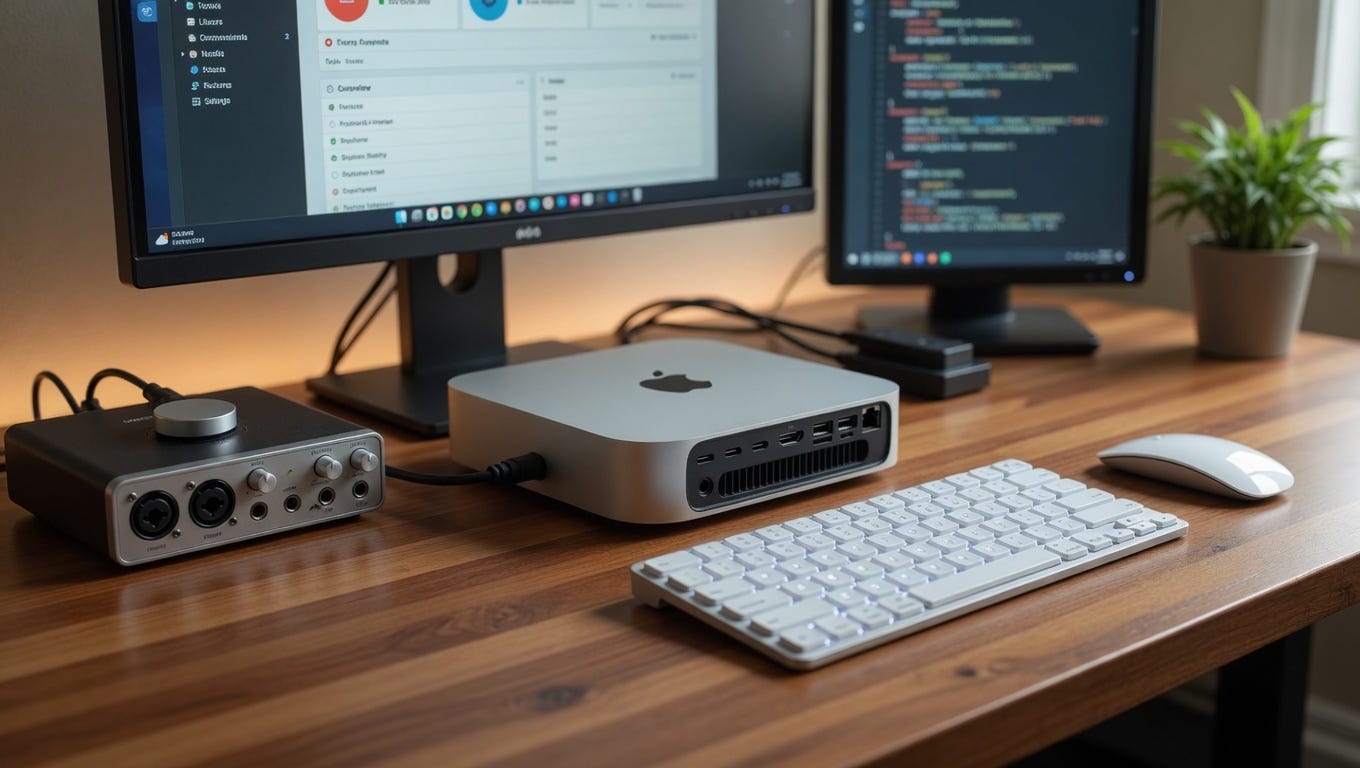
The Mac mini M4 Pro is about the size of five stacked paperback books — a bit bigger than previous Mac minis, not a lot. It’s heavier than you’d expect for something that small. The M4 chip inside it is a 10-core CPU, 10-core GPU design. The M4 Pro version has 14 CPU cores and either 20 or 38 GPU cores depending on config.
The Mac Studio M4 Max, which starts at $1,999, is the one that makes no sense until you actually see what it does. It’s got a 14-core CPU, 32-core GPU, and a 16-core Neural Engine. The memory options go up to 128GB of unified memory — which is a sentence that didn’t make sense even three years ago for a machine this size.
These aren’t budget machines. Nobody’s buying a Mac mini to save money over a full tower. That’s not the comparison. The comparison is: given what you get for the money, against what alternatives exist, does Apple’s pricing make sense?
The Chip Architecture Is Genuinely Different
This is where the Apple story gets interesting, and where the comparison with AMD mini PCs actually matters.
The M4 chip doesn’t work like an Intel Core Ultra or even a Ryzen 7 8845HS. In those chips, there’s a CPU, there’s an integrated GPU, there’s separate memory — and the GPU and CPU are fighting over the same memory bandwidth through a relatively narrow interface. The Apple M series uses unified memory architecture, where the CPU, GPU, and Neural Engine all access the same memory pool over a much wider bus.
In practice, what this means is that the M4’s GPU doesn’t feel like an integrated GPU in the way that Intel or AMD’s integrated graphics do. The Radeon 780M in the Minisforum UM890 Pro is impressive for integrated graphics — but it’s still integrated graphics. The M4’s GPU has 10 cores and access to 16GB or more of high-bandwidth memory that it shares with nothing else by default. The M4 Pro’s 20-core GPU has even more.
Benchmarks from Digital Foundry and GamesBench in early 2025 put the M4 Pro GPU roughly in the territory of a desktop RTX 3060 in some workloads, and behind it in others depending heavily on whether the game has a native ARM build or is running through Rosetta 2. That’s not perfect. But it’s also not integrated graphics in any meaningful sense.
The CPU performance comparison is more straightforward. In single-core performance, the M4 leads almost every x86 chip in the mini PC space. Multi-core is closer — a high-end Ryzen 9 HX chip in the Minisforum HX200G gives the M4 Pro a real fight in some benchmarks and loses in others. But the M4 does this at around 20–25 watts under normal load. A Ryzen 9 HX running flat out hits 45–65 watts. That power difference is reflected in thermals, noise, and the fact that the Mac mini’s fan is genuinely quiet during most tasks.
Gaming: The One Category Apple Just Loses
Let’s get this out of the way because pretending otherwise would be dishonest.
If gaming is your primary reason for buying a mini PC, the Mac mini is not the right machine. Not because of raw GPU performance — the numbers are actually okay — but because the game library is small. Most PC games don’t have native macOS builds. Some work through Crossover or Whisky (a free wrapper). Some run through Apple’s Game Porting Toolkit, which is awkward to set up and gives inconsistent results.
Cyberpunk 2077 has a macOS build now. So does No Man’s Sky. But most of the Steam catalog doesn’t. Red Dead Redemption 2 doesn’t. GTA VI definitely won’t at launch. If you’re looking at a $599 Mac mini and thinking “this is my gaming PC,” you will be disappointed.
The ROG NUC mentioned in the first part of this article — the one with the Radeon RX 7600M XT — runs the full Windows game library without any compatibility layer at all. It costs $1,500–$2,000, but the library situation is completely different. For gaming specifically, a Windows-based mini gaming PC wins. That’s just true.
The AMD mini PCs with Radeon 780M graphics are also better for gaming than the Mac mini in one specific way: they run Windows, so the game library works. The raw GPU performance might be slightly lower, but you can actually play the games. That matters more.
Where Apple Completely Changes the Conversation
Video and audio production. This is not debatable at this point.
Final Cut Pro on an M4 Mac mini handles 4K ProRes footage in a way that nothing in the AMD or NUC mini PC space can match at the same price point. The media engines in the M4 chip — there are two of them, each handling both encode and decode — are hardware-accelerated in a way that makes video work feel almost unfairly fast. Exporting a 10-minute 4K timeline in Final Cut Pro takes about 2–3 minutes on an M4 Mac mini. On a Beelink EQ13 with an Intel Core i5–1335U, the same export in DaVinci Resolve takes 20+ minutes.
That’s not a slight advantage. That’s the difference between working and waiting.
Logic Pro on Apple Silicon is similarly ridiculous. The M4 can run hundreds of software instrument tracks simultaneously without the kind of audio dropouts that haunt DAW users on Windows. The core audio latency is lower. Plugin performance is better. Avid has updated Pro Tools to run natively on Apple Silicon. So has Ableton, as of Live 12 in early 2024.
For anyone doing serious audio or video production in a small space — home studio, apartment setup, small agency — the Mac mini M4 is hard to argue against. The $599 base model handles this work. The $799 model with 16GB and 512GB storage handles it more comfortably.
Development work is the other category. The M4’s developer story is strong. Xcode obviously runs only on macOS, so if you’re doing iOS or macOS development, the conversation ends here. But even for general web development, the Mac mini is a good machine. Docker on Apple Silicon had compatibility issues in 2022 and 2023 but those are largely resolved as of early 2025. The ARM architecture does occasionally cause pain with older toolchains, and some niche development environments still have x86-only packages. This is a real concern, not a dealbreaker for most, but worth knowing.
The Memory Pricing Problem Is Real
Here’s the thing that actually annoys a lot of people about Apple mini PCs, and it should annoy you too.
The base Mac mini M4 comes with 16GB of unified memory. That’s the base. Which sounds fine. The problem is that upgrading to 24GB costs $200 extra. Upgrading to 32GB costs another $200 on top of that. So to get a 32GB Mac mini M4, you’re at $999 base price, plus storage upgrades if you need more than 256GB.
By comparison, a Minisforum UM890 Pro with a Ryzen 7 8845HS comes with 32GB of DDR5 RAM and 1TB storage for around $420. And the RAM is socketed SO-DIMM, meaning you can pull it out and put 64GB in there for another $60 if you want. Apple’s unified memory is physically soldered to the SoC. You cannot change it. You cannot upgrade it. Whatever you buy is what you have for the life of the machine.
This is the biggest practical difference between Apple’s approach and everything else in the mini PC space. Beelink and Minisforum are modifiable. NUC barebones kits are modifiable. The Mac mini is not. You pay a premium for the memory configuration you want upfront, or you live with what you have.
For someone spending $599 on the base model and using it for everyday computing, 16GB of unified memory is genuinely fine — Apple’s memory compression and management means macOS performs well at 16GB in a way that Windows at 16GB doesn’t feel quite the same. But if you’re doing anything heavy and you didn’t buy enough memory at purchase, you’re stuck.
Repairability: Apple’s Worst Score in This Category
iFixit gave the Mac mini M4 a 7 out of 10 for repairability, which is actually better than previous Mac minis. You can replace the SSD in most configurations — which is genuinely surprising and good. The fan is replaceable. The power supply is accessible.
But the memory is not replaceable. The SoC is not replaceable. And the SSD, while technically accessible, uses Apple’s custom T2-linked storage that requires a software authorization step to replace — meaning you can’t just buy a standard M.2 drive and swap it in. You need an Apple-compatible SSD from a third-party like OWC, or you go through Apple’s authorized repair program.
Compare that to the Beelink EQR6 or the Minisforum UM890 Pro, where you can open the machine with a Phillips screwdriver in two minutes, pull out the RAM, swap the SSD with any standard drive, and re-close it. No software pairing, no authorization, no proprietary connectors.
This repairability gap is a real concern for anyone thinking about the five-year lifecycle of a machine. If a Mac mini’s SSD starts failing in year three, you’re looking at either OWC replacement parts (which work but aren’t cheap), Apple service (which is definitely not cheap), or tossing the machine. With a generic AMD mini PC, the SSD replacement costs $40 and ten minutes on YouTube.
The Mac Studio M4 Max: Overkill for Most, Perfect for Some
The Mac Studio M4 Max is $1,999 for the base config. It goes up to $3,999 for the M4 Ultra version (which is essentially two M4 Max dies combined). These are not general-purpose mini PCs.
But in the context of this comparison, the Mac Studio M4 Max does something that no other mini PC in any category can do right now: it runs local LLMs at a usable speed with large context windows.
The 128GB memory option — which costs around $3,999 for the Max version — can run a 70B parameter language model locally at reasonable inference speeds. As of May 2025, the open-source model scene has moved fast, and people running Llama 3 70B or Qwen 2.5 72B locally on Mac Studio units with high memory configurations are getting genuinely useful results for code assistance and long-document processing.
Nothing else in the mini PC space at any price does this. An AMD mini PC with 64GB of RAM can run 7B–13B parameter models okay. Running a 70B model on x86 hardware requires either a dedicated GPU with 48GB+ VRAM (which is a $2,000 GPU by itself), or a Mac Studio. For this specific use case — AI developers, researchers, anyone serious about local inference — the Mac Studio becomes the only game in this size class.
That said: if you’re not doing that kind of work, the Mac Studio is basically a more expensive Mac mini with more ports and better sustained performance under load. For most users, the Mac mini M4 Pro is already more machine than they’ll ever need.
The Software Lock-in Question
This is the conversation that doesn’t get enough honest attention in Apple mini PC discussions.
The Mac mini runs macOS. That’s mostly a pro. macOS is well-maintained, stable, updated for years, and the software quality on Apple’s own apps is genuinely high. But it means you’re locked out of certain things. Windows-only software. Games. Some enterprise tools that only have Windows or Linux clients.
The AMD and NUC-style mini PCs run Windows by default, which gives you access to the widest possible software library. They can also run Linux. Some people run Proxmox or TrueNAS on them. You can dual-boot. You can wipe the whole thing and start fresh with whatever OS you want.
On a Mac mini, you’re running macOS. You can install Windows through Parallels or VMware Fusion at a cost of $100–$120/year (Parallels subscription pricing as of 2025), or you can run Linux in a VM. But native Windows on Apple Silicon is not a thing Apple officially supports. Microsoft doesn’t offer a Windows ARM installer you can just put on a Mac mini. And the games that need native Windows — most of them — don’t care that you have a fast chip if the compatibility layer doesn’t support DirectX 12 Ultimate.
Boot Camp is gone. That ended with Apple Silicon. For anyone who bought a Mac mini expecting Windows Boot Camp, that’s a non-starter.
What the Numbers Actually Show
Let me just put this plainly, because a lot of comparisons dance around it.
For CPU performance per watt, Apple M4 wins outright. No close competition in this size class.
For GPU performance for actual gaming with actual game library access, the ROG NUC with discrete GPU wins. The AMD Radeon 780M units are second. Mac mini is third.
For video production (Final Cut, DaVinci Resolve with Metal), Mac mini M4 wins by a wide margin in export speed over similarly priced AMD units.
For local AI / LLM inference at scale, Mac Studio M4 Max with high memory config has no real competition in the mini PC space.
For repairability and upgradability, AMD mini PCs from Beelink and Minisforum win. Mac mini loses.
For software flexibility and OS choice, AMD and NUC-style units win. Mac mini loses.
For build quality and long-term reliability, Mac mini wins. The Chinese AMD mini PC brands are improving but still inconsistent.
For value on raw specs-per-dollar, AMD units win significantly.
For total cost of ownership over five years including power, noise, and reliability, the gap between Mac mini and AMD narrows considerably because the AMD units use more power, the fans are louder, and the quality control risks are real.
So Who Should Actually Buy the Mac Mini?
If you’re doing video or audio production and you work on a Mac-compatible workflow, the Mac mini M4 is probably the best $599 you can spend on a desktop computer right now. Nothing else in this size class comes close for media work.
If you’re an iOS or macOS developer, the choice isn’t really a choice. You need macOS.
If you’re a knowledge worker — writing, research, analysis, communication — the Mac mini M4 is quiet, fast, stable, and the battery-style power savings mean lower electricity bills over time. That’s a real thing.
If you want to run local AI models at any serious scale, the Mac Studio M4 Max is the only machine in this article that can do it.
But if you’re gaming? Go AMD mini PC or ROG NUC. If you’re building a home server with Linux? Go Raspberry Pi 5 or a used NUC. If you need Windows-specific software? The Mac mini will frustrate you. If you’re on a tight budget and need a solid desktop for office work? A $300 Beelink with a fresh Windows install is genuinely hard to beat.
Apple doesn’t compete on price. They never have. What they compete on is the total package — build quality, software integration, long software support, and chip performance in specific workloads — and in those areas, the Mac mini M4 is actually quite good.
The mini PC market has never been more interesting, or more fragmented. AMD units surprised everyone. Apple’s M series changed what “mini” means for performance. And neither side is going to admit the other is right about anything.
Picking Between the Two Worlds
The honest answer is that most people deciding between an AMD mini PC and a Mac mini are making a values decision as much as a specs decision.
The AMD path says: give me the most hardware for the money, let me upgrade things myself, keep me on Windows, and I’ll accept some quality control risk and slightly more fan noise. That’s a totally rational position. For a lot of users, that’s the right call.
The Apple path says: I want something that works without tinkering, that handles specific creative workflows exceptionally well, that’s quiet, that won’t require me to reinstall drivers or deal with thermal paste out of the box, and I’m okay paying more for that. Also a rational position. And not as expensive as people assume once you factor in five years of use.
What’s not rational is picking the Mac mini because it “looks nice” or picking the AMD unit because “Apple is overpriced” without actually running through what you need it to do. The category you’re in — video production, gaming, development, home server, office work — pretty much decides the answer before you ever look at prices.
Figure that out first. The machine is easy after that.