Every Apple Silicon Mac running macOS Tahoe already has a language model sitting on it, doing nothing most of the time except quietly powering Siri and a handful of Writing Tools prompts. Apple built it, shipped it, and then gave developers exactly one way to reach it: write a full Swift app around the FoundationModels framework. No terminal command. No API endpoint. No curl request. Just an SDK, buried behind Xcode.
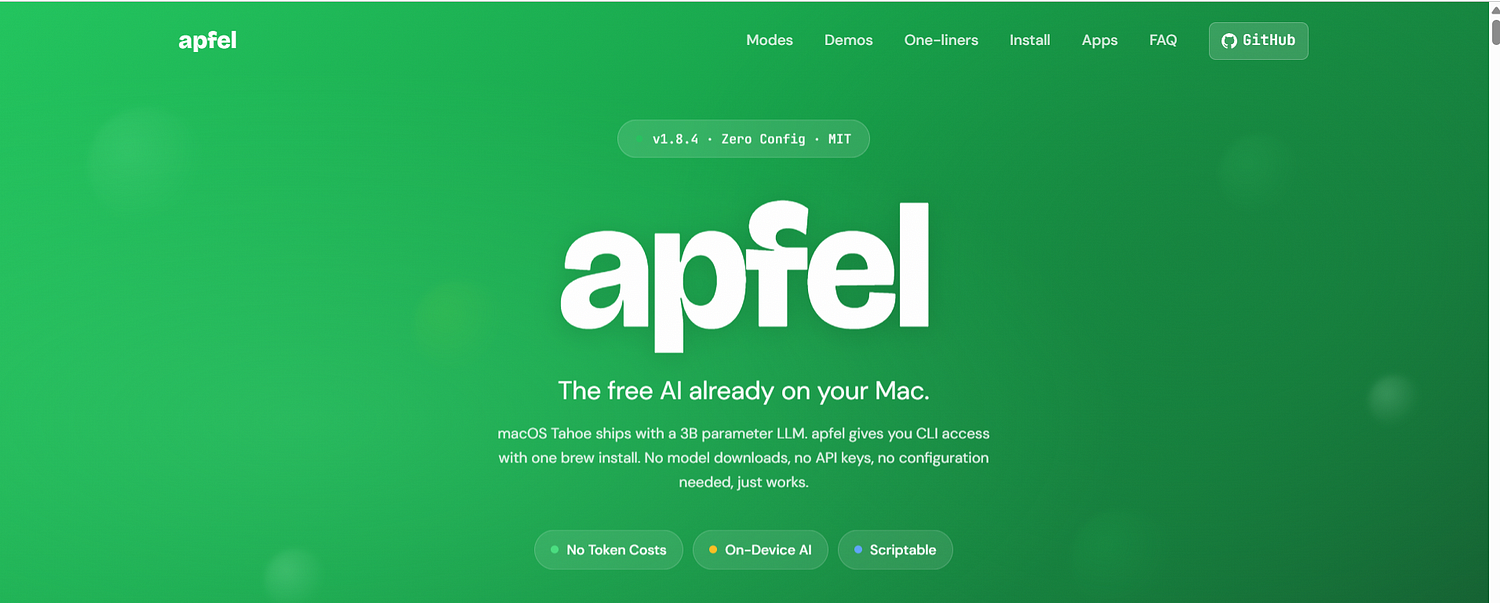
A small open-source project called Apfel exists to fix that gap. It wraps Apple’s on-device model in a command-line tool, a local OpenAI-compatible server, and an interactive chat, all installed with a single brew install. No model download, since the model is already there. No API key, since nothing leaves the machine. It showed up on Hacker News's Show HN section earlier this year and has been climbing steadily since, and it is worth understanding both what it actually does and where it runs into limits.
What Apfel Actually Is
Apfel is not a new AI model. It is a wrapper, a thin Swift binary that talks to SystemLanguageModel, the class Apple exposes through its FoundationModels framework, and exposes that connection three different ways. Run apfel "your prompt" in Terminal and it prints a response straight to stdout, the way you would pipe output through grep or awk. Run apfel --serve and it starts a local server at localhost:11434 that speaks the OpenAI chat completions API, so any tool already built for OpenAI's SDK works against it just by changing the base URL. Run apfel --chat and it opens a REPL for back and forth conversation, with automatic context trimming so the small context window does not just overflow and drop the start of the conversation.
The name is the German word for apple, a fairly obvious wink at the platform it depends on. The project is created by Franz Enzenhofer, and co-maintained, according to the project’s own FAQ, by an AI agent called Arthur Ficial running on Claude Opus, which is either a fun detail or a slightly unsettling one depending on how you feel about AI tools maintained partly by other AI tools. As of late July 2026 the GitHub repository sits at roughly 6,190 stars, up from essentially zero in late March, and the maintainers say people from Apple, Google, VMware, Nvidia, and PlayStation have starred it.
The Model Underneath
The model Apfel connects to is Apple’s own AFM (Apple Foundation Model), roughly 3 billion parameters, shipped as part of Apple Intelligence starting with macOS Tahoe. It runs mixed 2-bit and 4-bit quantization to fit comfortably on a Neural Engine rather than demanding a discrete GPU, and it supports nine languages, English, German, Spanish, French, Italian, Japanese, Korean, Portuguese, and Chinese.
The catch, and it’s a real one, is the context window. Apfel’s model tops out at 4,096 tokens combined, input and output together, which the project’s own FAQ translates to roughly 3,000 words. That is enough for a shell one-liner, a short summary, or a quick grammar fix. It is nowhere close to enough for a long conversation, a full codebase review, or a document longer than a few pages. macOS 27 reportedly doubles that ceiling to 8,192 tokens, read at runtime, so the number is expected to move, but as of this writing 4K is the wall you hit.
Apple also made a deliberate design choice worth calling out: the model prefers to refuse a question rather than hallucinate an answer. That is a genuinely different failure mode than most consumer chatbots, which tend to guess confidently and be wrong. A smaller, more cautious model that says “I don’t know” more often is arguably the more honest tradeoff, even if it is less impressive in a demo.
Setting It Up
Installation is close to the entire pitch. On an Apple Silicon Mac running macOS Tahoe with Apple Intelligence already enabled in System Settings, the whole process is two commands:
brew install apfel
apfel "Hello, Mac"
The project claims a working response in about 12 seconds from a clean install, which is a fair bit faster than downloading even a modest open-weight model through Ollama or LM Studio, both of which typically pull several gigabytes before the first token even generates. Apple Intelligence has to already be turned on, because that toggle is what triggers macOS to download the underlying model files in the first place. Apfel does not ship its own model weights; it just borrows Apple’s.
Where It Gets Genuinely Useful
The project’s documentation leans hard into shell scripting, and that is honestly where it shines. Piping system output through Apfel turns raw command-line noise into a plain-English sentence: ps aux | sort -k 3 -nr | head -5 | apfel "which app is using the most CPU" returns something like "WindowServer is using the most CPU at 42.6%" instead of a wall of process names and percentages someone has to parse by eye.
The clipboard integrations follow the same pattern. pbpaste | apfel "fix grammar" | pbcopy reads whatever is on the clipboard, cleans it up, and puts the corrected version right back, no browser tab or paste-and-copy round trip required. There is a whole small library of these one-liners in the project's docs: summarizing git commit history into a plain-English changelog line, extracting action items from meeting notes, decoding a vm_stat dump into a sentence a non-engineer could read. None of it is new on its own, you could write similar scripts against any cloud API. The difference is that all of it runs with zero network calls and zero per-token cost, which is not something you can say about piping the same commands through a cloud service.
Tool calling deserves a closer look too, since a 3B model with no built-in math or live data access sounds fairly limited until it can call out to something that has both. Point Apfel at a calculator MCP server and ask “what is 15 times 27,” and instead of guessing, the model recognizes it needs a tool, calls a multiply function with the two numbers, gets back 405, and reports that instead of hallucinating an answer. The same pattern extends to weather lookups, database queries, or any other small script wrapped as an MCP server, and it works identically whether Apfel is running as a one-off CLI command, inside the chat REPL, or behind the OpenAI-compatible server. That single feature does a lot to offset the model's weak factual recall, since it means the model does not have to know an answer, it just has to know when to ask something else that does.
Beyond the CLI, the project has spun off a small family of native macOS apps built on the same underlying engine. Apfel-chat is a proper GUI chat client with speech input and output and on-device image analysis through Apple’s Vision framework. Apfel-clip lives in the menu bar and adds AI actions, fix grammar, translate, summarize, to a keyboard shortcut you can trigger on any selected text. Apfel-quick is an instant overlay, press a key combo anywhere on the system and get a floating answer box without switching apps. There is also native support for the Model Context Protocol, so the model can be handed tools, a calculator, a web search function, a file reader, and call them mid-conversation the same way larger commercial models do.
Where It Falls Short
The context window is the headline limitation, but it’s not the only one. Apple’s own FAQ material, which the project quotes directly, admits the model struggles with math, factual recall, long conversations, and complex code generation. It is a 3B parameter model, after all, running on quantized weights designed to sip battery rather than max out a benchmark leaderboard. Anyone expecting GPT-4-class reasoning out of a free local tool is going to be disappointed fairly quickly.
There is also a legal gray area worth being upfront about. Coverage of the project has pointed out that Apfel works by accessing FoundationModels functionality in ways Apple’s own Developer Program License Agreement does not clearly sanction for this kind of general-purpose exposure. Apple has not taken any public action against the project as of this writing, and the maintainers frame it as using a documented Apple framework rather than reverse-engineering anything hidden. Still, it is fair to note that a future macOS update could change how FoundationModels behaves in ways that break Apfel without warning, since Apfel depends entirely on an interface Apple controls and did not design with this exact use case in mind.
Fixed model choice is another real constraint. Apfel gives access to exactly one model, Apple’s, and there is no swapping in Llama, Qwen, or Mistral the way Ollama or LM Studio let you. That’s by design, not an oversight, the entire pitch is “the model already on your Mac,” but it does mean anyone who wants to compare outputs across models or pick one tuned for a specific task needs a different tool entirely.
Apfel vs. Ollama and LM Studio
The project’s own FAQ addresses this comparison directly, and it is worth repeating because it is refreshingly honest for a README: Apfel offers zero download and instant start because the model is already sitting on the machine, while Ollama and LM Studio offer a much wider selection of models and larger context windows, at the cost of needing to download and configure each one separately.
That framing lines up with how the two approaches actually feel day to day. Ollama pulling a fresh 8B model means waiting on a multi-gigabyte download and having enough free unified memory to run it. Apfel skips that wait entirely because the weights are already resident on the system from Apple Intelligence setup, but the tradeoff is a context window roughly a fortieth the size of what a properly configured Ollama setup on a 16GB Mac can comfortably handle. Put simply: Apfel is the fast, zero-friction option for short, disposable tasks, shell helpers, clipboard cleanup, one-line lookups. Ollama and LM Studio are the better choice for anything that needs sustained context, a specific open-weight model, or reasoning depth beyond what a 3B parameter model can offer.
Privacy, Realistically Assessed
The privacy pitch is the strongest part of the whole project, and it holds up under scrutiny better than most “private AI” marketing does. FoundationModels has no access to Contacts, Mail, Photos, or the system-wide Semantic Index, those stay locked to Apple’s own first-party features. Every token generates on the Neural Engine, with no network call involved in generating a response. Apfel itself adds no telemetry, no crash reporting, no background update checks; the only time it phones home at all is when a user explicitly runs apfel --update to check Homebrew for a newer release. For anyone who has been burned by a "local AI" tool that turns out to quietly sync usage data anyway, that level of restraint is worth something.
The Growing Family of Sister Projects
Apfel has not stayed a single tool for long. Around it, the same team has built out what the project site calls “the apfel tree,” a set of native macOS apps and companion utilities that all lean on the same underlying engine. Apfelpad is a formula notepad, the pitch being that you type something like =apfel("summarize this") directly into a markdown document the way you would type =SUM() into a spreadsheet cell, and the AI output streams inline. Apfel-mcp ships four small Model Context Protocol tools, a URL fetcher, a DuckDuckGo search wrapper, a combined search-and-fetch, and a read-only file reader, each trimmed to fit inside that 4,096-token window without blowing the budget on tool output alone. Apfel-run is a lighter utility still, a UNIX wrapper that gives Apfel a persistent registry of MCP servers stored in a plain text config file, so tools can be toggled on and off by name without a GUI or a background daemon running the whole time.
Two sister projects push the same idea into other Apple frameworks entirely. Auge does for Apple’s Vision framework what Apfel does for language, OCR, image classification, barcode reading, and face detection, all from the terminal, no cloud involved. Translate wraps Apple’s on-device Translation framework as both a UNIX filter and a small HTTP server compatible with the shape of DeepL and Google Translate’s v2 API, with what the documentation describes as a hard-enforced NetworkGuard that blocks any actual network call. Taken together, the pattern is consistent: Apple ships several on-device ML frameworks that are locked behind Swift and Xcode, and this project keeps finding the next one and giving it a command-line front door.
Testing and Track Record
For a project barely four months old as of this writing, having started on March 24, 2026, the testing footprint is more thorough than a lot of side projects bother with. The maintainers report 1,417 tests as of the latest release, a mix of unit tests against the core logic and end-to-end integration tests that check OpenAI client compatibility, OpenAPI spec validation, and basic security behavior around the server mode. Server mode itself is off unless explicitly enabled, and when it is on, it supports bearer token authentication and origin checking rather than sitting open on localhost with no gate at all.
The origin story, according to the project’s own FAQ, is almost incidental. The team was originally trying to run a separate coding-agent tool in an aggressive token-saving mode against Apple’s on-device model, and that specific goal did not pan out because of the tight context window. What was left over, a fast, scriptable, zero-config way to reach a private on-device model from the terminal, turned out to be useful enough on its own that it became the actual project. That kind of accidental pivot is common enough in open source, but it is worth knowing the tool was not originally designed to be what it became.
Is It Worth Installing
For a developer who spends real time in Terminal, the honest answer is probably yes, if only for the one-liners. Turning a git log dump into a plain sentence, or getting an instant explanation of a cryptic tar flag without opening a browser tab, saves genuine friction, and it costs nothing beyond the thirty seconds it takes to run brew install apfel. For anyone hoping to replace ChatGPT or a properly configured local Llama setup, it will disappoint fast: the context window is too small, the reasoning too shallow, and the single fixed model too limited for serious work.
What Apfel gets right is framing. It does not pretend to be a frontier AI product. It is a small, honest utility that exposes something Apple already built and then, oddly, made almost impossible to reach without writing a full Swift app. Whether Apple eventually opens that door itself, or ships a first-party CLI that makes Apfel redundant, is an open question. Until then, it is one of the more useful thirty-second installs a Mac owner who lives in the terminal can make.