Want to buy a Mac Mini? but you keep seeing articles about the M5 coming out soon. Do you buy the M4 now or just wait a few months?
I’ve been tracking this question since late 2025 and honestly, the answer is not as clean as most buying guides will tell you. It depends a lot on what you are using it for. If you are a developer doing regular coding work, the M4 is probably fine right now and you should just buy it.
If you are into running local AI models, Ollama, DeepSeek, Qwen, wait if you can. The M5 chip brings something meaningfully different for those workloads.
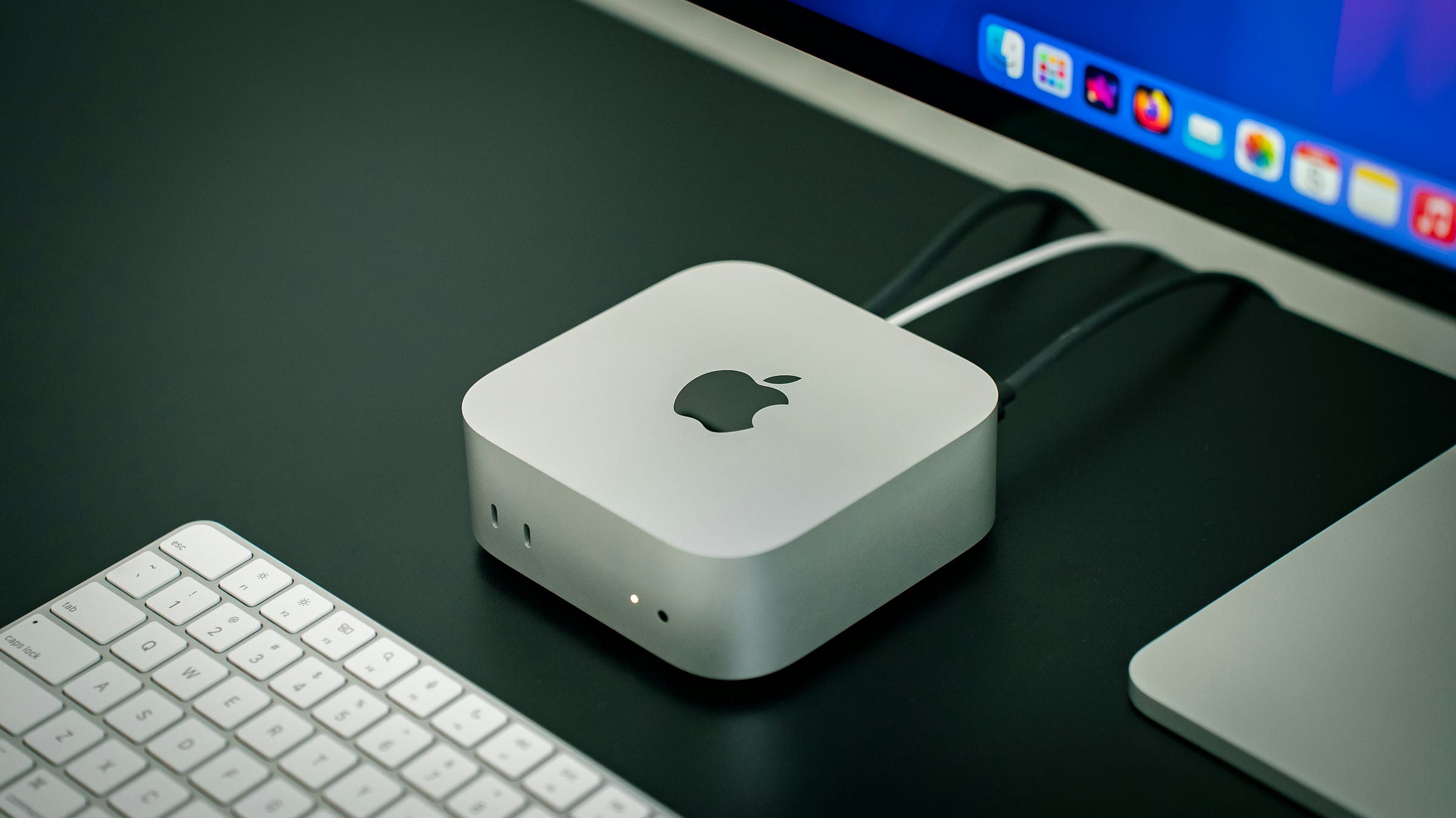
Let me walk through everything I know so you can make a decision that actually fits your situation.
Mac Mini M5 vs M4: Quick Comparison
Before getting into the details, here is a side-by-side look at what we know and what is expected.
+-----------------------+---------------------------------+----------------------------+
|        Feature        |           Mac Mini M4           |   Mac Mini M5 (Expected)   |
+-----------------------+---------------------------------+----------------------------+
| CPU                   | 10-core M4                      | 10-core M5                 |
| CPU Performance       | Baseline                        | 10–20% faster              |
| GPU                   | 10-core GPU                     | Next-gen GPU               |
| GPU Performance       | Baseline                        | 20–40% faster              |
| Neural Engine         | 38 TOPS                         | 50+ TOPS                   |
| AI Performance        | Good                            | Significantly Improved     |
| Unified Memory        | 16GB / 24GB / 32GB              | 16GB / 24GB / 32GB         |
| Memory Bandwidth      | 120 GB/s                        | 140–160 GB/s               |
| Storage               | 256GB / 512GB+                  | 512GB+ expected            |
| Wireless              | Wi-Fi 6E                        | Wi-Fi 7 expected           |
| Bluetooth             | 5.3                             | 6.0 expected               |
| Apple Intelligence    | Supported                       | Enhanced Support Expected  |
| Local LLM Performance | Good                            | Better for larger models   |
| Docker Development    | Excellent                       | Excellent+                 |
| Xcode Build Speed     | Excellent                       | Faster Expected            |
| Power Efficiency      | Excellent                       | Improved                   |
| Release Date          | October 2024                    | Late 2026 (rumored)        |
| Starting Price        | $799                            | $699–$799 expected         |
| Availability          | Available Now                   | Not Released               |
| Best For              | Developers, Students, Home Labs | AI, LLMs, Long-Term Buyers |
+-----------------------+---------------------------------+----------------------------+
Keep in mind that the M5 specs above are based on what Apple has shipped in the MacBook Pro M5 and iPad Pro M5, then mapped to what the Mac Mini would likely get. Apple has not officially announced anything for the Mini yet.
Mac Mini M5 Release Date: When Is It Expected?
This is where things get frustrating. The M5 chip debuted in October 2025 and the M5 Pro arrived in the MacBook Pro lineup in March 2026, but the Mac Mini has yet to receive an update. Apple missed both the March 2026 event and WWDC in June 2026 without announcing it.
Bloomberg’s Mark Gurman previously reported that Apple is developing Mac Mini models powered by M5 and M5 Pro chips, but his original expectation of a launch in the first half of 2026 has since shifted to later in the year.
Why the delay? Reports have pointed to ongoing supply-chain challenges, including component shortages and fluctuating availability of existing models. And it is not just the Mac Mini. As of May 2026, delivery estimates for some Mac Studio configurations stretch as long as 10 weeks, meaning orders placed in May may not arrive until July 2026. An M5 refresh now appears increasingly likely for October 2026.
So realistically, if you are waiting for the M5 Mac Mini, you are probably waiting until Q4 2026. Maybe October, maybe later. Nobody actually knows and anyone claiming a specific date is guessing.
The Mac Mini actually skipped the M3 entirely, going straight from M2 to M4. So it does not follow the same cycle as the MacBook Pro. You cannot map laptop release dates onto desktop release dates. They are separate product lines.
Expected Mac Mini M5 Specs
Since Apple has not announced the Mac Mini M5 yet, I am going to be clear about what is confirmed silicon data versus what is just expected based on patterns.
What we actually know about the M5 chip: Apple has shipped the M5 in the iPad Pro and MacBook Air (M5), and the M5 Pro in the 14-inch and 16-inch MacBook Pro from March 2026. So the chip itself is real and its performance is documented.
What is just expected for the Mac Mini specifically: form factor, pricing, RAM tiers, storage configs.
CPU Improvements
Multi-core performance on M5 is reportedly about 15% faster than M4, which sounds small but adds up across long build times or parallel tasks. Single-core is also expected to get a modest bump, probably in the same range.
GPU Improvements
This is where the M5 is more interesting. The M5 chip delivers up to 45% faster graphics processing than its predecessor. It introduces a new GPU design that incorporates dedicated hardware for AI tasks, called Neural Accelerators. For gaming or video work this is good, but for local AI inference this is actually a bigger deal than the headline number suggests.
Neural Engine
The Neural Engine on M5 is faster, but here is something most articles get wrong: current LLM inference frameworks like Ollama, llama.cpp, and MLX primarily use Metal GPU compute, not the Neural Engine. The Neural Engine excels at specific Core ML model types like image classification and NLP tasks optimized for ANE, but transformer-based LLM inference does not benefit from it much in practice.
So the Neural Engine upgrade matters for Apple Intelligence features in macOS. For running Qwen or DeepSeek through Ollama, what actually matters is GPU bandwidth and memory bandwidth, not the Neural Engine TOPS number.
Memory
Apple has been steadily increasing base memory across the Mac lineup. The M5 Mac Mini is expected to start with at least 16GB of unified memory. The M5 Pro variant is expected to go up to 64GB, which is meaningful for AI work.
On the memory front, the M5 chip is expected to support configurations of 16GB, 24GB, and 32GB of RAM, while the M5 Pro variant could offer 24GB, 48GB, and 64GB options.
Mac Mini M5 vs M4 Performance Expectations
Based on what we have seen from M5 chips in the MacBook Pro, here is what the Mac Mini M5 will probably deliver.
Single-Core and Multi-Core Performance
Single-core gains are likely modest, somewhere around 10–15%. For everyday tasks this is not noticeable. For Xcode builds or long compile jobs it adds up over a day. Multi-core is the same story, better, but not dramatically so if you are coming from an M4.
If you are on an M1 or M2 Mac Mini, the jump to M5 would feel significant. Coming from M4, it will feel more like a maintenance upgrade unless you are specifically chasing AI or GPU workloads.
GPU Performance
Real-world LLM inference testing on M5 Pro vs M4 Pro shows 2–3x improvement, primarily due to memory bandwidth gains and architectural refinements. That is not just a number. Going from 7 tokens per second to maybe 15–20 on the same model is the difference between “usable” and “actually fast enough to work with.”
Memory Bandwidth
This is the stat that matters most for AI work and nobody talks about it enough. The M4 has 120GB/s memory bandwidth, while the M4 Pro has 273GB/s. That bandwidth gap is the reason the M4 Pro feels so different once you move beyond small models.
The M5 base chip is expected to push into the 140–160 GB/s range, and the M5 Pro will likely jump to 300+ GB/s.
Thermals and Efficiency
The Mac Mini M4 is already very quiet. The M5 chip uses the same 3nm architecture so efficiency gains will be incremental. Do not expect any dramatic difference in thermals or fan noise.
Mac Mini M5 vs M4 for Developers
If you are a software developer and your main tools are VS Code, Xcode, Docker, and maybe a few servers running locally, my honest take is: the M4 is probably good enough right now. You do not need to wait.
The M4 Mac Mini is already fast for development work. Xcode builds compile quickly, Docker containers run without drama, and you can have six or seven things open at once without the machine slowing down. I ran into this exact situation when I was trying to decide myself, and I kept asking, “what specific thing would be better on M5?” For standard development, I couldn’t come up with a convincing answer.
That said, if you are doing Kubernetes work and spinning up multiple virtual machines simultaneously, more memory is always better. The M4 Pro 48GB is probably the right config regardless of which generation you go with, and the M5 Pro 64GB will eventually offer more headroom.
For Xcode specifically: the 15% multi-core improvement might shave a minute or two off large builds, but most developers are not sitting there waiting for the compiler. The bottleneck is usually your own typing speed.
For Docker and Kubernetes: both run fine on M4 right now. Apple Silicon support is solid across the ecosystem as of 2026. Arm64 compatibility issues were mostly sorted out by late 2024.
For running local development servers: no real difference between M4 and M5 for this.
So should developers wait? If you need a machine now, buy the M4. If you can comfortably wait until Q4 2026, then sure, hold out. But waiting six months for a 15% CPU improvement is probably not worth it unless you are planning to keep this machine for five-plus years.
Mac Mini M5 vs M4 for Local AI and LLMs
This is the section where the M5 actually makes a bigger difference. If running Ollama, Qwen, DeepSeek, or Gemma locally is a priority for you, this matters.
How Memory Bandwidth Affects LLM Speed
First, a bit of context that most buying guides skip. LLM inference is memory-bandwidth bound, not compute bound. The model weights live in unified memory, and each token generated requires reading a substantial portion of those weights. More bandwidth translates almost directly to more tokens per second.
This is why the M4 Pro (273 GB/s) is so much faster at LLMs than the base M4 (120 GB/s). It is not the CPU cores. It is the bandwidth.
Running Ollama on M4 Right Now
The M4 Mac Mini with 16GB runs 7B models at around 33 tokens per second. That is fast enough for interactive chat, code completion, and basic summarization. The limitation is memory: you are restricted to 7B models at Q4 quantization, with little headroom for context windows.
If you go up to the M4 Pro 48GB, the picture changes. Community testing has put Qwen 3 coder 30B at around 75 to 80 tokens per second at empty context and about 40 tok/s in real chat use. That is actually usable for daily work.
What Models Can Actually Run?
Roughly speaking, this is what you can expect in 2026:
Mac Mini M4 16GB: 7B–8B models comfortably. Qwen 3.5 9B, Llama 3.2 8B. Fine for quick experiments. Not great for daily use with bigger models.
Mac Mini M4 24GB: 14B models are comfortable. Some 22B–27B models work at Q4 quantization.
Mac Mini M4 Pro 48GB: This is the sweet spot right now. Qwen 3.6 35B, Gemma 4 31B, Mistral Small 3.2 24B all run at decent speeds. The Mac Mini M4 Pro 48GB at $1,799 remains the best-value setup in 2026 for this tier.
Mac Mini M5 Pro 64GB (expected): Would likely run 70B models at usable speeds and handle 32B+ models much faster than the M4 Pro. Worth waiting for if you are serious about running bigger models.
Qwen, DeepSeek, and Gemma in 2026
The model landscape has moved fast. The 2026 model generation including Qwen 3.6, Gemma 4 26B-A4B, and DeepSeek V4 is explicitly built for MoE configs with more memory headroom. These models are smarter and more efficient than what was available even a year ago.
Qwen 3.6–35B-A3B is probably the model that makes Mac local AI most worthwhile in 2026 right now. The MoE design means only 3 billion active parameters per token, so token speed stays high even as the 20GB file sits in memory. It is strong on code, strong on reasoning, and it fits in the M4 Pro 48GB with room to spare.
One thing that tripped me up for a while: there is an Ollama bug with Qwen 3.5 MoE models (mmproj issue, filed March 9, 2026 and closed as a duplicate). If you hit weird behavior with multimodal Qwen, this is probably why. The fix is using the latest Ollama version or switching to MLX.
16GB vs 24GB vs 32GB RAM for Local AI
16GB: You can run local AI, but you are stuck with small models. Fine for learning or light use. Not for production.
24GB: Gets you into the 14B–22B range. Reasonable for personal use if you are not doing intensive context work.
32GB: Comfortable for 27B–30B class models. A good general-purpose choice if AI is part of your workflow but not your main focus.
48GB (M4 Pro): This is where local AI stops being a toy and starts being a real tool. Most 35B MoE models fit easily here.
64GB (expected M5 Pro only): Needed if you want to run 70B at acceptable speeds, or run two models simultaneously.
Honestly, the RAM tier matters more than which chip generation you are on. An M4 Pro 48GB will outperform an M5 base 16GB on every real LLM workload. Buy more RAM before you wait for a chip upgrade. Which will cost you hefty in current market conditions
MLX vs Ollama
MLX is 5–10% faster for raw token throughput. Ollama is more convenient and only loses minor performance. Choose based on workflow, not raw speed difference. Ollama in its May 2026 version also uses the MLX backend automatically on Apple Silicon, so the gap has narrowed.
Mac Mini M5 Price Predictions, Might be a lot than you think due to RamAppocolypse
The M4 Mac Mini started at $599 for the base model, but Apple quietly discontinued that in May 2026. The base M4 Mini now starts at $799 with 16GB.

For the M5, most estimates land in the $699–$799 range for the base, assuming Apple doubles base storage to 512GB. Some reports suggest the price could stay at $599 depending on final decisions around storage and tariffs. Apple moved part of Mac Mini production to a Foxconn plant in Texas in February 2026, which could help manage tariff costs.
The M5 Pro variant is anticipated to start around $1,399, consistent with current models.
So the M5 is unlikely to be dramatically cheaper than buying the M4 today, especially since M4 prices are unlikely to drop much while supply is constrained. Do not count on a big discount.
Should You Wait for the Mac Mini M5?
Here is my actual opinion, not a hedged “it depends.”
Wait for M5 if:
You are specifically planning to run local LLMs as a real part of your workflow, not just experimentation, but daily use with 32B+ models. The M5 Pro 64GB is a meaningfully better machine for this than anything available today. The memory bandwidth jump and the GPU changes in M5 make a real difference for Ollama and MLX workloads.
You do not need the machine for six or more months. If you are buying this as a long-term setup and can genuinely wait until Q4 2026, you will get more longevity from the M5.
You are on M1 or older. Either generation is a big jump. In that case, waiting for M5 just gets you even more.
Buy the M4 now if:
You need a machine in the next two to three months and cannot wait. The M5 is not coming until at least Q4 2026 and Apple has given no specific date.
Your work is primarily software development, VS Code, Xcode, or standard web dev. The M4 handles all of this well and the M5 CPU improvement is minor for these tasks.
You have been waiting for months already and it is affecting your work. At some point waiting has a real cost, and “a better chip is always six months away” is a trap developers fall into.
Mac Mini M5 Pro vs M4 Pro
The Pro variants are actually the more interesting comparison for serious users.
The M4 Pro Mac Mini is a solid machine. The M4 Pro has 273GB/s memory bandwidth, which is the reason it feels so different from the standard M4 once you move beyond small AI models. For developers who want to run mid-size LLMs alongside a full development stack, the M4 Pro 48GB is genuinely the best value machine available right now.
The M5 Pro will likely bring the Mac Mini into Thunderbolt 5 territory, which means faster external storage. Thunderbolt 4 will continue on the standard M5 model, while the M5 Pro may get Thunderbolt 5 for faster data transfers and better external display support.
For pure AI inference, the M5 Pro offers approximately 30% multithreaded improvement over M4 Pro, and real-world LLM inference testing shows 2–3x improvement due to memory bandwidth gains. That second number is the one that matters for Ollama users.
So if you are comparing M4 Pro 48GB at around $1,799 now versus waiting for an M5 Pro 48GB or 64GB that might land somewhere in the $1,599–$1,999 range, the M5 Pro at 64GB becomes worth it specifically if local AI is your main use case.
Frequently Asked Questions
Is Mac Mini M5 released? No. As of June 2026, there is no Mac Mini M5. Apple announced it was skipping an M5 Mac Mini in 2025, and the machine was not announced at WWDC in June 2026 either. A release in the second half of 2026 is the current expectation.
When will Mac Mini M5 launch? Despite the uncertainty surrounding its release date, a Mac Mini refresh featuring M5 and M5 Pro chips still appears likely before the end of 2026. The most commonly cited window is Q4 2026, possibly October. There is no official date.
Should I wait for Mac Mini M5? Depends on what you are doing. Developers who need a machine now should buy the M4. People who specifically want to run large local AI models should wait for the M5 Pro if they can.
Is Mac Mini M5 better for AI workloads? Yes, meaningfully so. The new GPU architecture with Neural Accelerators and higher memory bandwidth will make a real difference for Ollama and MLX-based inference, especially on larger models like Qwen 3.6 35B and Llama 3.3 70B.
Will Mac Mini M5 support more RAM? The base M5 will probably offer the same tiers as M4 (16/24/32GB). The M5 Pro is expected to go up to 64GB, compared to the M4 Pro’s current 64GB maximum. Apple may also make 32GB the new base for the standard M5.
How much faster will M5 be than M4? For general CPU work, maybe 15% faster. For GPU-intensive tasks and AI inference, the gains are bigger — potentially 30–45% depending on the workload. Memory bandwidth is where the real improvement lands for LLM users.
Is Mac Mini M4 still worth buying? Yes, absolutely. It is a fast, quiet, affordable machine. M4 Apple Silicon still leads its price class on performance per watt, and macOS gives you a native Unix stack — Xcode, Homebrew, Docker, and SSH without WSL or driver headaches, ideal for development work.
Which Mac Mini is best for local LLMs right now? The best Mac Mini for local LLMs right now is the M4 Pro with 48GB of unified memory. The best value option is the M4 with 32GB.
Is Mac Mini good for AI development? Apple Silicon changed the calculus for local AI. Unified memory means a $999 Mac Mini with 24GB of RAM can run models that would require a $500 discrete GPU on a PC. No driver headaches. No CUDA compatibility issues. You install Ollama, pull a model, and it works.
Is Mac Mini M5 worth upgrading to from M4? If you bought the M4 recently, probably not. The gains are real but not dramatic enough to justify replacing a machine you bought less than two years ago. If you are on M2 or older, yes, the M5 is worth waiting for.
My Take or Opinion:
The Mac Mini M4 is a good machine. It is not holding anyone back for standard work. If you need something today, buy it.
But if local AI is genuinely important to you, running Qwen 3.6, testing DeepSeek, or using Ollama as part of your actual workflow and not just a weekend experiment, the M5 Pro’s expected memory bandwidth improvements and GPU changes are real. It is worth waiting for if you can manage a few months.
And whatever you do, get more RAM than you think you need, which will cost more money than you think. The memory tier matters more than the chip generation for almost every workload we looked at. An M4 Pro 48GB will beat a base M5 16GB for LLM work every single time.