There’s a weird thing happening in 2026. Developers are buying a small silver box about the size of a thick sandwich and using it to run AI models that would have needed a full server rack two years ago. Not cloud AI. Local AI. On their desk. While it barely makes a sound.
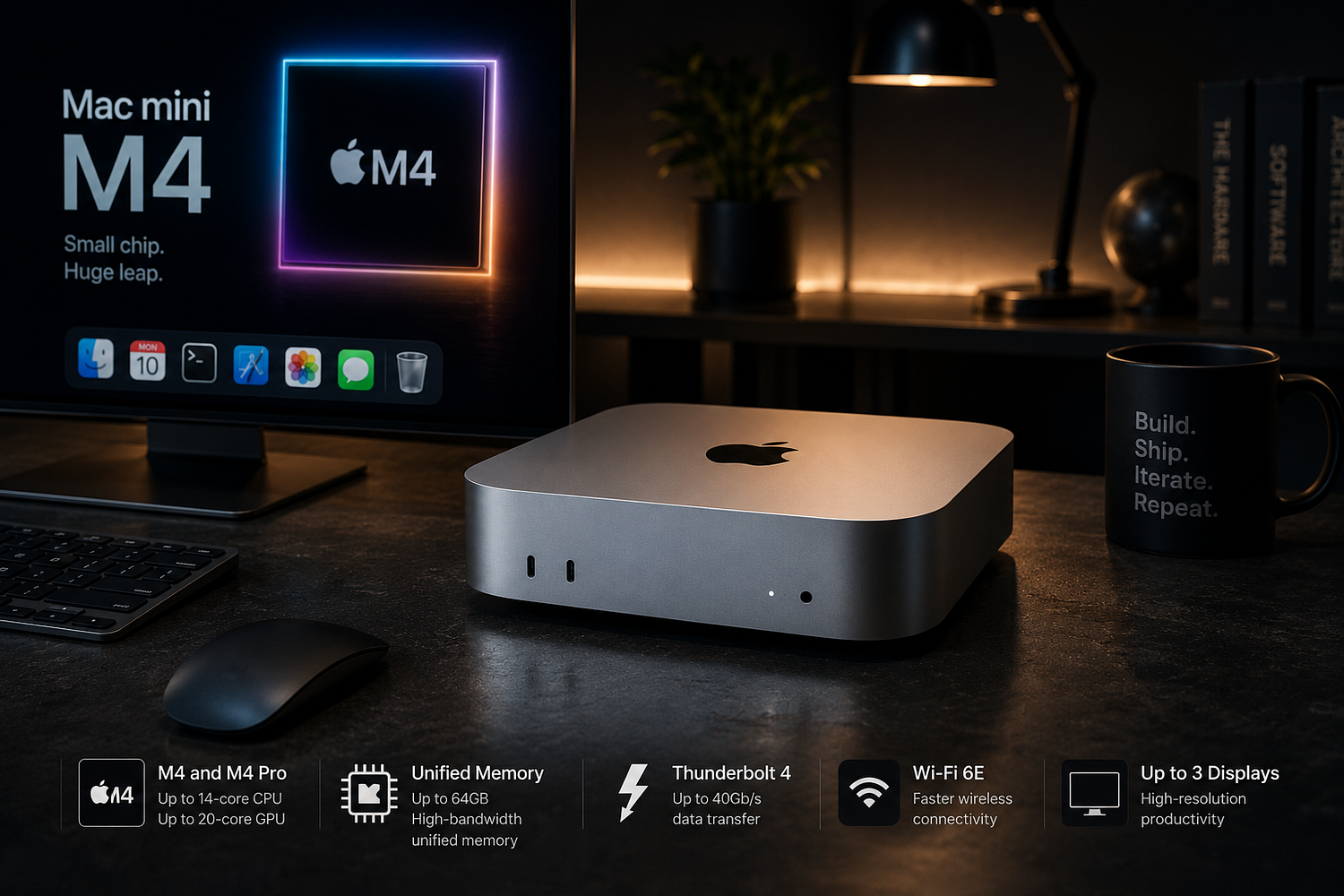
That box is the Mac mini M4. And if you’re someone who follows the AI hardware space, you’ve probably already seen the Reddit threads and YouTube breakdowns. If you haven’t, this article is going to explain why so many people who actually work with AI are picking this over much more expensive Windows workstations — and also where it genuinely falls short.
I want to be clear this isn’t a sponsored thing. The Mac mini has real limitations and I’ll get to those. But the case for it as an everyday AI machine is stronger than most people realize, and it mostly comes down to one architecture decision Apple made years ago.
The Problem With Traditional Desktops and AI
So if you’ve tried running a large language model locally on a Windows PC, you probably know the first wall you hit: VRAM. Your GPU has its own separate memory — say, 24GB on an RTX 4090 — and the model has to fully fit inside it before inference can start. A 13B parameter model at FP16 precision is about 26GB. That’s already too big for the 4090. You either go with a smaller model or start messing with quantization to squeeze it down.
This is not a small annoyance. This memory ceiling shapes what you can actually run on most consumer hardware.
On Apple Silicon, that ceiling basically doesn’t exist in the same way. The CPU, GPU, and Neural Engine all share a single pool of high-bandwidth memory. A Mac with 32GB unified memory can load a 28GB model and use the GPU for inference without any data copying between memory pools. There’s no PCIe bus transfer, no VRAM ceiling, no splitting things across cards.
A 24GB Mac mini M4 Pro can feed an entire 24GB model to the GPU cores without any data transfer. The M4 Pro’s memory subsystem delivers up to 273 GB/s of bandwidth accessible by all compute units simultaneously.
That’s the real story here. Not the chip benchmarks, not the neural engine TOPS number Apple puts in the marketing. It’s just this one architectural fact about how memory works.
What $599 Actually Gets You in 2026
The base Mac mini M4 starts at $599 with 16GB of unified memory. The M4 chip delivers up to 1.8x faster CPU performance and 2.2x faster GPU performance over the M1 model.
For pure AI workloads, 16GB is workable but honestly not great. You can run 7B models fine, but 7B models are kind of limited for anything beyond basic chat experiments. Where it gets interesting is the 32GB upgrade — that’s where you can comfortably run 14B to 20B models, which are actually useful for coding help, document processing, writing assistance, proper multi-step reasoning.
A quick rule of thumb: model size in GB roughly equals RAM needed. A 14B parameter model at Q4 quantization needs about 8GB. A 70B model at Q4 needs around 40GB.
So the M4 Pro with 48GB, which runs around $2,000, is where things get serious. You can run 70B models at Q4 quantization. No consumer NVIDIA GPU currently offers 64GB of VRAM — that configuration simply doesn’t exist in the retail market. A Mac mini M4 Pro at $1,399 is a complete, ready-to-use system. An equivalent RTX 4090 build requires a GPU ($1,599–$1,999), CPU, motherboard, RAM, PSU, case, cooler, and storage — totaling $2,800–$3,500.
That total cost comparison tends to surprise people. And this is before you factor in that the Mac mini is a complete, usable computer for everything else too — browsing, writing, video calls, coding. The Windows build is a GPU tower. It’s not your daily driver unless you really want it to be.
There’s also a used market angle worth knowing. A used M2 Pro with 32GB goes for around $850 right now and gets you surprisingly far for local AI. If someone just wants to experiment before spending serious money, that’s actually a decent starting point. I know a few people who went that route before upgrading. It’s not as fast as the M4 Pro but for running 14B models daily it’s perfectly fine.
The Power and Noise Argument (Which Is Actually Important)
This part doesn’t get enough attention. Jeff Geerling’s tests showed idle power consumption of 3–4 watts for a 32GB Mac mini M4 configuration. Under load, even with sustained AI inference, the machine draws 40–45 watts at maximum.
Compare that to a Windows workstation running an RTX 4090. A Windows workstation with a high-end GPU draws 50–150W idle and can exceed 600W during heavy AI workloads. Over a year of 24/7 operation at $0.16/kWh, electricity costs approximately $15–25 for the Mac mini M4 Pro, versus potentially hundreds of dollars for an RTX rig.
If you’re running AI models all day every day — as a coding assistant, for document processing, as a home server — that electricity cost difference adds up faster than you’d expect. And honestly, after living with a noisy workstation for a while, the silence matters. The Mac mini M4 under heavy LLM inference is essentially inaudible. Most AMD mini PCs under full CPU and GPU load sound like a small hair dryer.
That might sound like a minor thing. It isn’t, if the machine is on your desk eight hours a day.
Apple Intelligence and the OS-Level AI Story
Beyond running local models, Apple has been building AI directly into macOS itself. Apple Intelligence shipped on Mac in 2024 and grew up in macOS Tahoe in 2025. In 2026 it covers Writing Tools, Smart Reply, Live Translation, Genmoji, smarter Siri, and Shortcuts that can call Apple’s models.
So you’ve got two separate things happening on the same machine. The OS-level AI handles the everyday stuff — rewriting text in any app, summarizing documents, generating quick images, a Siri that can actually do multi-step tasks. And then separately, you can run your own local models via Ollama or LM Studio for things Apple’s built-in tools don’t cover.
For most readers, the easiest way in is Ollama. The macOS guide is simple, Apple M-series support is clearly documented, and the install path is about as painless as local AI gets.
I tried getting a comparable setup working on a Linux machine with an AMD iGPU last year and spent most of a weekend on dependency issues. The Mac mini equivalent took maybe 20 minutes. That gap in setup experience is real, and it matters for people who want to use AI tools rather than configure them.
There’s also something called MLX — Apple’s own open source framework for machine learning on Apple Silicon. Ollama wins on convenience. MLX wins when you want to lean harder into the Mac itself as a machine learning platform. A lot of people end up using both — Ollama for everyday use, MLX when they want to do something more custom.
One thing that took me a while to understand is that Apple Intelligence and locally run open-weight models are solving slightly different problems. Apple Intelligence is more like having a smart assistant baked into the OS — it knows what app you’re in, it can see your screen context, it handles the polish and the integration. Ollama with something like Llama 3 70B is more like having a capable, private AI that you control completely and can push into any workflow you want. Both are useful. They don’t really replace each other. Most people who use the Mac mini seriously for AI end up running both at the same time, and the machine handles it fine.
Where the Mac Mini Actually Loses
Okay, this is where I have to be honest, because the Mac mini is not the right answer for everyone.
An RTX 4090 has roughly 1,008 GB/s of memory bandwidth. The M4 Max tops out at 546 GB/s. Since LLM inference is memory-bandwidth bound, this bandwidth gap directly translates to faster tokens per second when the model fits in GPU VRAM. So if you have a model that fits in 24GB and you’re running it constantly at high volume — like a busy local API serving multiple users — a Windows machine with a top-end NVIDIA GPU is faster per token.
Memory is also soldered and non-upgradeable. Apple Silicon uses unified memory soldered directly to the chip package. The memory configuration you buy is permanent. For AI, err on the side of more memory — 24GB is the minimum; 48GB is the sweet spot.
So if you buy the base 16GB model today thinking you’ll upgrade later, you can’t. You’re stuck with 16GB forever. That’s a purchase decision you want to get right the first time.
And there’s still the software ecosystem gap. Windows benefits from a larger GPU computing community. Forums, Stack Overflow threads, and documentation assume CUDA availability. Apple Silicon AI communities through Ollama, Hugging Face forums, and MLX are growing rapidly but remain smaller. If you need a CUDA-specific library or a training workflow that’s deeply tied to NVIDIA tooling, the Mac mini is just not the right tool.
Who Should Actually Buy This
So after all that, here’s how I’d break it down.
If you’re a developer who wants an always-on coding assistant running locally, who doesn’t want to pay $30–$100 a month in API costs forever, and whose primary machine is already a Mac or who is open to switching — the Mac mini M4 Pro with 24GB or 48GB is a very clean choice. Setup is fast, the software is mature, and the thing runs cool and quiet on your desk indefinitely.
If you’re someone doing creative work — video editing, music production, graphic design — and you want AI tools integrated into that workflow without paying cloud subscriptions, Apple Intelligence on the Mac mini makes a lot of sense because it works inside the apps you’re already using. Final Cut, Logic, the writing tools, Siri shortcuts. The integration is there in a way it isn’t on Windows yet.
If you’re a researcher or someone who needs to run very large models at high throughput — 70B and above, serving multiple users, fast token generation as the priority — you probably want dedicated NVIDIA hardware or at minimum the Minisforum MS-S1 Max with 128GB of LPDDR5x. The Mac mini runs those models but not at the speed you’d want for a production API.
And if you’re completely new to local AI and just want to try it out without spending much, honestly even an older M1 Mac mini with 16GB — which you can find for around $400 used — is a workable entry point for 7B model experiments. It’s slower and the model selection is limited but it works, and it lets you figure out what you actually need before spending more.
The thing I keep coming back to is that the Mac mini removed most of the friction. You don’t need to manage drivers. You don’t need a separate GPU. You don’t need to debug why your CUDA install broke after a Windows update. You just install Ollama, pull a model, and it runs. That sounds small. For anyone who has spent time wrangling a local AI setup on Linux or Windows, it’s actually a big deal.
The Emerging Desktop AI Trend and Where Mac Mini Fits
The broader shift happening right now is that AI is moving from the cloud back to local hardware. Not entirely — cloud APIs are still better for complex reasoning tasks. Local models have gotten dramatically better in 2025–2026, but cloud models still have an edge for complex multi-step reasoning.
But for privacy-sensitive work, for tasks that need low latency, for people who don’t want to pay API costs forever — local AI on your own machine is becoming practical in a way it wasn’t two years ago.
The Mac mini M4 happens to be very well positioned for this shift. The $599 Mac mini is now the AI workhorse a lot of developers are going for. Clawdbot, an open-source AI agent that launched in late 2025, already has 9,000+ GitHub stars — and the Mac mini has become one of its go-to machines because of how well local AI runs on it.
Apple’s M5 chip debuted in October 2025, prioritizing graphics performance and on-device AI, with a “Neural Accelerator” in each GPU core that Apple claims provides up to 3.5x the AI performance compared to iPad Pro with M4. So a Mac mini M5 is probably coming — and whenever it does, the local AI capabilities will be noticeably better again.
For now, the M4 Mac mini is already a machine that a lot of serious AI users are choosing as their daily driver. Not because it wins every benchmark. But because it’s the best combination of price, power, silence, memory capacity, and software maturity available at its price point. That matters more than raw numbers, for most real-world use cases.
If you’re thinking about getting into local AI in 2026 — running your own models, building small AI tools, using Apple Intelligence features across your daily workflow — the Mac mini M4 is probably the most sensible starting point you can buy. Just make sure you configure enough RAM upfront. The 16GB base model will frustrate you faster than you think.