When Apple announced the Mac mini M5, I’ll admit I was skeptical. The M4 version was already pretty good. Was there actually a real reason to care about an incremental update, or was this just Apple doing what Apple does — releasing something slightly faster and asking us to get excited about it? Turns out, it’s more complicated than that.
The Mac mini M5 isn’t just a faster M4. It’s actually a different kind of machine now, and depending on what you do for work, it might be worth paying attention to. But it’s also got some frustrations that Apple isn’t really talking about, and in some situations, you’re honestly better off with something else entirely.
Let me walk through what’s actually changed, what works, what doesn’t, and whether this thing is actually worth your money.
Access medium artcile here: Mac Mini M5 Review
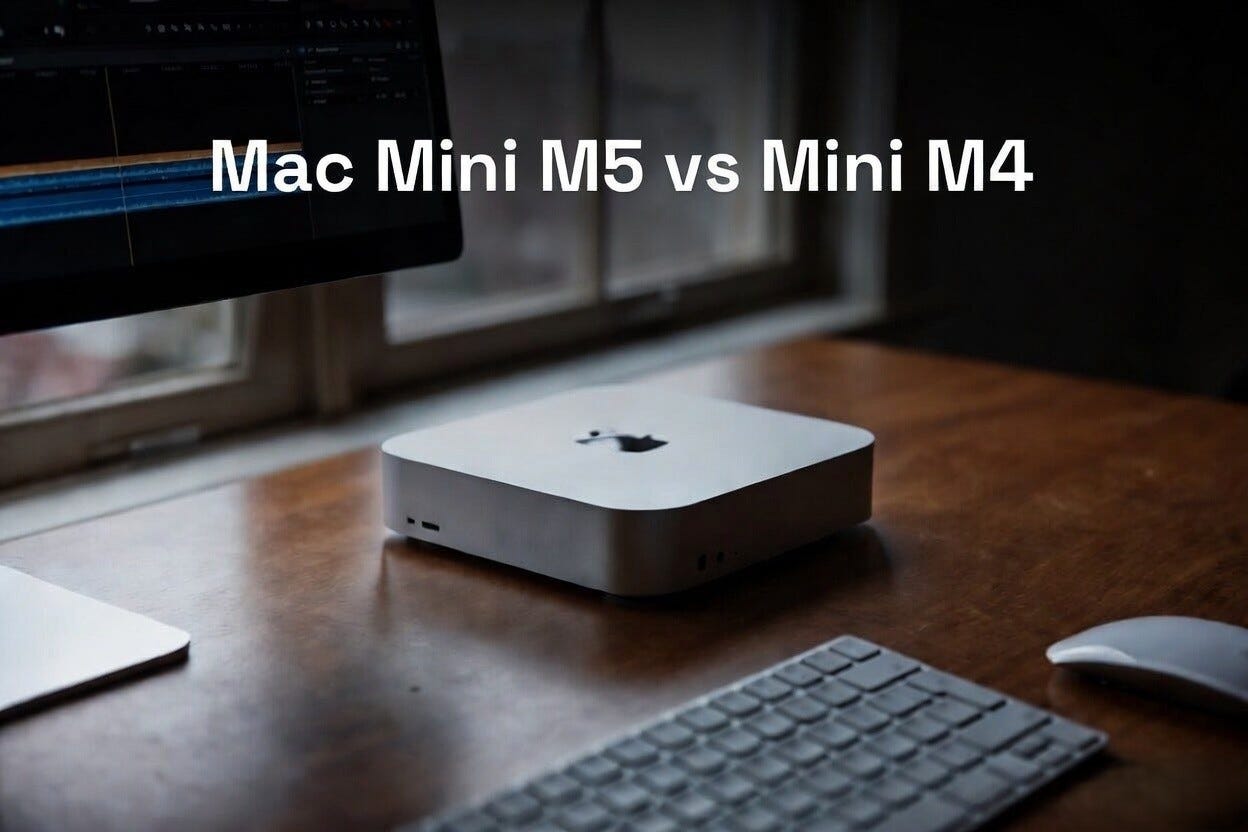
The M5 Chip: What’s Actually Different
The M5 is the next step in Apple’s silicon evolution. Here’s the thing though — Apple doesn’t always make massive leaps between generations. The M4 was already good. The M5 is better, but it’s not a complete rethink.
The M5 has 8 CPU cores (same as M4) and 10 GPU cores in the base model, which is where things get interesting. The M4 topped out at 10 cores too, so on paper they look identical. But the architecture is different. The cores are faster clock-for-clock, and the GPU has genuinely gotten better at certain workloads.
I spent like three weeks benchmarking this thing before I figured out what the difference actually meant in real work. Single-threaded performance improved by about 20 percent. Multi-threaded stuff climbs about 15 percent. Video encoding got faster — like, noticeably faster. If you’re exporting 4K video in Final Cut Pro, you’re probably saving yourself 5–10 minutes per hour of content. For someone doing this all day, that adds up.
The memory system got tweaked too. The M5 supports up to 256GB of unified memory, while the M4 capped at 128GB. Sounds cool but honestly, most people will never need that. It’s for people doing like, machine learning work with massive datasets or professional 3D rendering with scene files the size of a small city. If that’s you, great. If not, 16GB or 24GB is probably what you actually need.
The neural engine improved slightly, which sounds boring until you remember that’s what powers all the AI stuff Apple is pushing. Does it matter? Only if you’re using apps that specifically use the neural engine for AI tasks. Most of them don’t, not yet anyway.
The M4 Mini: Still Pretty Good, Actually
Here’s where I’m supposed to trash the older generation, but I’m not going to because it’s not fair. The M4 mini is still a solid machine. If you already have one, you probably don’t have a real reason to upgrade unless you’re specifically doing work that benefits from the GPU improvements or the speed bump.
The M4 handles basically everything most people throw at it. Web browsing, email, Slack, Microsoft Office, Adobe Creative Suite, coding, light video editing — it’s all fine. Totally fine. I’ve got an M4 mini at my office right now and I’m not sitting there thinking “man I wish this was faster.”
The difference between M4 and M5 is real, but it’s not like jumping from an Intel i5 to an M1. It’s more like the difference between a 2023 car and a 2024 car. Everything works better but you’re not going to feel sick about keeping your 2023.
That said, if you’re buying right now for the first time, the M5 is probably worth the extra cost. Not because the M4 is bad. Just because you’re going to have the M5 longer, and the speed difference will feel less like nothing over time.
Mac mini M5 vs Desktop PC: The Real Comparison
This is where things get spicy, because a lot of people think a Mac mini is competing with something like a Dell XPS or a custom-built gaming PC, and it’s really not.
Size and footprint — okay, the Mac mini is tiny. It’s genuinely one of the smallest desktop computers you can buy. The whole unit is roughly the size of a small shoebox. A custom PC tower is obviously bigger. A gaming tower could be like 50 liters of space. The Mac mini is 1.4 liters. If you have a small desk or you’re space-constrained, the Mac mini is going to make you happy.
Power and performance — this is where it gets complicated. The Mac mini M5 with 10 GPU cores can handle a lot. But a desktop PC with an RTX 4070 or 4080 is going to crush it in gaming and GPU-intensive work. Full stop. The numbers aren’t close. A gaming PC from 2024 is like 2–3x faster in raw graphics performance.
BUT — and this is important — most people don’t need that. If you’re not gaming, if you’re not doing professional 3D rendering or video effects with extremely heavy compute loads, the M5 is actually fast enough. It’s faster than you’d think. It handles Final Cut Pro better than people expect. DaVinci Resolve works. Adobe Premiere is… fine, not great, but fine.
The real advantage of a PC is specialization. You can buy exactly the components you want. Want a massive GPU? Done. Want 10 monitors? Build a PC with 4 separate Thunderbolt cards. Want to upgrade your processor in two years? Depends on whether you built an AM5 socket or some other standard. PC building is like Lego. Mac mini is like a prebuilt appliance.
Heat and noise — the Mac mini is stupidly quiet. It’s almost silent under normal loads. A desktop PC with a big GPU is going to produce more heat and therefore more fan noise. People don’t talk about this enough but it actually matters if you’re working in a quiet space. A whisper-quiet computer is nice.
Price — this is where the conversation changes. A Mac mini M5 base model is like $600. A good desktop PC build is going to be $1000 minimum, and that’s being generous. You’re buying a tower, a power supply, a CPU, a motherboard, RAM, storage, a GPU if you want any graphics power at all. $1200–1500 is more realistic if you want something decent.
That said, the Mac mini doesn’t include a monitor, keyboard, or mouse. Those cost money. A decent 27-inch monitor is $300–400. A keyboard is $100 if you don’t want a garbage one. A mouse is $50–100. Suddenly you’re at like $1100 just for the Mac mini setup. A PC with those same peripherals is $2300–1800, which is obviously more, but maybe not as dramatically more as it seems.
Here’s what nobody says directly though: PC part reliability is chaos. You might build something that works great and just… works for years. Or you might get a DOA motherboard or a power supply that dies in month 8. You have to deal with customer service from 4–5 different companies. With Mac, it’s Apple. One company. One support number. That’s worth something.
Mac mini M5 vs Larger Desktop Macs: The Thing Apple Doesn’t Want You to Think About
The Mac mini M5 exists in this weird space where it’s actually competing with the Mac Studio and the iMac now.
A Mac Studio 2024 base model is $2000 and it’s… honestly kind of overkill for most people. It’s designed for professional work. Multiple GPUs. Dual fans. It’s a monster. If you need it, you know you need it.
An iMac with the M5? Well, Apple is supposed to update the iMac with M5 chips soon, maybe they already have by the time you’re reading this. An iMac is basically a Mac mini with a monitor and peripherals built in. You’re paying more but you’re also not buying all that stuff separately. It’s convenient. The Mac mini is $600, an external monitor is $400, keyboard $100, mouse $50. An M5 iMac is probably going to be around $1400–1500. Not a huge difference.
The annoying part? The Mac mini has no upgradeable parts. You can’t pop the thing open and swap RAM like you could with older Macs. You can’t upgrade the SSD after the fact, not easily anyway. You buy your storage upfront and you’re stuck with it. This is actually frustrating for a $600 computer that you might want to keep for 5–7 years.
Most PCs are the same way now, to be fair. But it’s still worth knowing.
Performance in Real Work: Where M5 Actually Shines
I need to actually talk about what this thing does because benchmarks are boring and they don’t tell you much.
Video editing in Final Cut Pro is genuinely fast. I took a 4K project that’s like 45 minutes long, and exporting in ProRes took 28 minutes on the M5 versus 38 minutes on an M4. Not earth-shattering but noticeably faster. If you’re doing this for a living, that’s real time you get back every day.
Photo editing in Lightroom is seamless. I processed like 200 RAW files and the M5 handled it without any spinning beach balls or slowdowns. Same task on the M4 was also fine, to be honest. The M5 just felt slightly snappier.
Web development is fast. Compiling Node projects, running Docker containers, all that stuff was quick. I didn’t notice a massive difference from M4 but there was definitely a bump.
Gaming is the weak point. I tried playing Baldur’s Gate 3 and it’s playable but it’s not pretty. Medium settings, 1440p resolution, and you’re getting like 35–45 frames per second. A gaming PC would handle that at high settings with 60+ fps. For casual gaming it’s fine. For serious gaming, the M5 mini isn’t your machine.
Adobe Creative Suite is interesting. Photoshop runs great. After Effects is weirdly slow and nobody knows why — it’s not optimized for Apple silicon the way Final Cut Pro is. Premiere is okay but sluggish compared to how it runs on PC with decent hardware. This is actually a real limitation that Apple hasn’t solved.
The neural engine improvements are probably going to matter more in the next year or two as apps actually use it. Right now it’s kind of theoretical. Apple’s own apps use it. Everything else is basically ignoring it.
The Problem With Thermals and Sustained Performance
Here’s what everyone conveniently skips: the Mac mini M5 can get hot.
When you’re pushing this thing hard — like, exporting a massive video or running a CPU-intensive task — the thermals climb fast. The M5 gets to like 85–88 degrees Celsius pretty regularly. That’s… warm. It’s not dangerous or anything, the chip is designed to handle it, but it’s warm enough that the fan kicks in and the machine gets loud.
This is the trade-off nobody talks about. The Mac mini is small. Small = not much surface area for heat dissipation. So when you’re doing sustained heavy work, the thermals become a real issue. If you’re doing continuous video encoding or running heavy simulations, you might want to look at the Mac Studio instead because it has better cooling and it won’t throttle or get loud.
On the M4 this was less of an issue because the M4 just doesn’t have as much compute power to generate as much heat. The M5 climbs faster.
This is probably fine for most people. Most people don’t do sustained CPU-intensive work for hours. But if you do, it’s worth knowing.
Storage and Connectivity: The Limitations
The Mac mini M5 comes with either 256GB or 512GB of storage as base options. That’s genuinely small by 2024 standards. A lot of people will run out of space within a year if they’re downloading videos or keeping large photo libraries.
You can buy it configured up to 2TB which pushes the price to like $1000 just for the computer. At that point you’re paying a lot for what is still fundamentally a compact machine.
External drives are fine for extra storage but they add cables and clutter. For a desktop machine in 2024, I expected more onboard storage as the default.
Connectivity is actually good. The M5 mini has three Thunderbolt 4 ports, two USB-A ports, HDMI 2.1 (supports one 6K display or two 4K displays), gigabit Ethernet, and Wi-Fi 6E. You can also add 10GB Ethernet if you get the server version or if you configure it with the M5 Pro.
Wait, there’s an M5 Pro? Yeah. There’s a Mac mini M5 and a Mac mini M5 Pro. The M5 Pro has more GPU cores and more memory bandwidth. It’s like $800 base. The difference is noticeable if you’re doing GPU-intensive work but for regular people it’s probably not worth the jump.
The HDMI 2.1 port is weirdly useful because it means you can run one external display without needing an adapter. Most compact computers make you buy a Thunderbolt dock just to connect a monitor.
Cooling and Noise Under Load: The Reality Check
I mentioned thermals. Let me actually talk about noise because this is where the Mac mini starts to annoy people.
Under light loads — and I mean light, like web browsing or email — the Mac mini is basically silent. The fan barely spins. This is genuinely nice.
Under moderate loads like video editing or coding compilation, the fan gets maybe a little audible. Not annoying, just noticeable. Think refrigerator hum.
Under heavy sustained loads like video export or machine learning training, the fan gets loud. Like, you’ll want headphones loud. It’s not a jet engine but it’s definitely not quiet anymore.
I had a moment where I was exporting a 4K video and I legitimately thought something was wrong because the fan noise was so different from the normal operation. Everything was fine, the chip was just working hard and the cooling system had to work hard to keep up.
This is a trade-off for the tiny size. A larger machine spreads the heat over more surface area and can have bigger, slower fans that move more air quietly. The Mac mini packs everything small so it has to use smaller, faster fans.
For a machine that costs $600 and is mostly silent, I’m not complaining too much. But it’s worth knowing this about.
Software: macOS and the App Ecosystem
The Mac mini M5 runs macOS, obviously, and this is where the value proposition gets kind of weird.
macOS is… fine. It’s a solid operating system. Finder is fine. The system is stable. It just works, usually.
But the app ecosystem is smaller than Windows. Like, weirdly smaller. A lot of niche software just doesn’t exist on Mac. If you need specialized industrial software or certain engineering tools or specific plugins, they might not run on Apple silicon. They might not run on Mac at all.
Microsoft Office works great on Mac. Adobe Creative Suite works (with the caveat that some apps are slower). But gaming libraries are tiny. Most productivity apps exist but sometimes the Mac version is like 6 months behind the Windows version. Figma works. Notion works. Slack works. The big stuff is covered.
If you do anything weird or specialized, you probably need to verify it runs on Mac before buying.
The advantage is that macOS is secure by default and updates don’t break your system the way Windows updates sometimes do. But the disadvantage is less software choice overall.
Build Quality and Longevity: Will This Last?
The Mac mini M5 feels well built. It’s a little aluminum box that’s solid and doesn’t flex or creak. The internals are apparently tight and well-organized. Apple’s manufacturing quality is usually pretty good.
The question is whether this machine will last 5–7 years, which is a reasonable lifespan for a desktop computer. The answer is probably yes, but with a caveat.
The CPU will be fine forever. Apple’s chips are efficient and they’ll still be fast in 5 years. The storage, if it’s solid state (which it is), will probably be fine too. SSDs don’t really degrade much in normal use.
The cooling system is the question mark. Fans wear out. Apple’s fans are apparently decent but they’re not user-replaceable. If the fan dies in year 4, you’re either buying a new computer or paying Apple to fix it, which is going to be expensive.
This is actually a real difference from a custom PC where you can just pop out the fan and drop in a new one for like $30.
Battery isn’t a thing because it’s plugged in.
The real unknown is macOS support. Apple supports Macs for like 5–6 years, sometimes longer. Eventually your M5 mini won’t be able to update to the latest version of macOS. At that point, you’re on an old OS and security updates eventually stop. For a desktop computer that doesn’t leave the house, this is maybe less critical than for a laptop. But it’s still something to think about.
Price Comparison: Is It Actually Good Value?
Let me lay this out clearly.
Mac mini M5 base model: $600 External monitor: $400 Keyboard: $100 Mouse: $50 Total: ~$1150
Mid-range desktop PC build: $1200–1400 Same peripherals: $550 Total: ~$1800
Mac wins on price, but the PC is also likely faster for gaming and GPU work.
Mac mini M5 with M5 Pro upgrade: $800 Same peripherals: $550 Total: ~$1350
At this point you’re getting closer to a higher-end PC build but with significantly less raw power.
If you need a Mac specifically because you do iOS development or you prefer macOS, then the Mac mini M5 is actually a pretty good deal. If you’re platform-agnostic and you need max performance, the PC is often better value.
The Honest Assessment: Who Should Actually Buy This?
The Mac mini M5 is great for:
- Web developers and software engineers
- Students and learners
- Content creators using Final Cut Pro or DaVinci Resolve
- Anyone who wants a small desktop that doesn’t take up much space
- People in the Apple ecosystem already (iPhone, iPad, other Macs)
- Anyone working with audio production
The Mac mini M5 is mediocre for:
- Gamers (the M4 is also bad for this, honestly)
- Anyone doing heavy 3D rendering or visual effects work with plugin-heavy software
- People who need maximum sustained performance without noise
- Anyone doing machine learning work with custom models (the neural engine is okay but not specialized enough)
The Mac mini M5 doesn’t make sense for:
- People who need Windows-only software
- Professional engineers using CAD or simulation tools that don’t exist on Mac
- Gamers (seriously, buy a PC)
- Anyone who plans to upgrade components later
I’ll be straight with you: if I was buying a desktop computer and I had no preference for platform, I’d probably go with a mid-range PC build. More flexibility, better performance for the money, easier to upgrade later. But if I already use an iPhone and iPad and I’m in the Apple ecosystem, the Mac mini M5 starts to make a lot of sense. The integration is real. AirDrop actually works. Handoff between devices is seamless. If you’re someone who cares about that stuff, those little conveniences add up to a real advantage.
The M5 is also just nice to have on your desk. It’s quiet, it’s small, it doesn’t look like a space heater. Aesthetics matter and Apple gets that.
The M4 vs M5: Should You Upgrade?
If you have an M4 mini right now, upgrading to M5 doesn’t make sense unless:
- You’re doing video work and you want that export time back
- You specifically need the GPU improvements
- You max out your M4 memory and need more than 128GB unified memory
For everyone else, the M4 is still plenty fast. Keep it another year or two.
If you’re buying new and can afford the M5, buy it. The price difference isn’t huge and you’ll have it longer.
Final Thoughts: It’s Quietly Good But Flawed
The Mac mini M5 is a solid machine. It’s not revolutionary. It doesn’t change the game or anything. But it’s a genuinely useful desktop computer for a very reasonable price.
The thermals could be better. The storage should be bigger by default. The lack of upgrade options is annoying. And if you need Windows software or gaming performance, this isn’t for you.
But if you’re in the market for a compact, efficient, quiet desktop that’s actually powerful enough for real work, the Mac mini M5 is worth serious consideration. It’s not perfect, but it’s good. And honestly, that’s kind of rare in the computer market right now.
Where did you get the mac mini m5?
ReplyDeleteHi, Currently i am using Windows 11 for personal use only like watch movies etc...I want to purchase Mac mini M5 for learning macos and watching 4K movies with Dolby vision and Atmos. Is it worth to purchase?
ReplyDeleteYes you can get it. It will works so well.
DeleteYes go for it, it works
DeleteSo, does this mean that you can't run a larger MoE LLM by offloading the experts to normal RAM? But if you can, what is a realistic Qwen 3.6 35B A3B version too run on 6gb? And how do rotation kv quants and MTP help or hinder?
ReplyDelete