Late at night the blog post finally feels right. The story flows, the screenshots sit neatly in the Google Doc, the heading hierarchy makes sense. The work should be over. Yet there is still the quiet dread of logging into WordPress, copying everything over, fixing broken spacing, re uploading every image, and battling raw HTML that never quite behaves.

This invisible tax on publishing does not show up on any content calendar. It shows up in frayed attention, missed deadlines, and writers who secretly postpone hitting publish because the last mile feels heavier than the writing itself. For many teams that last mile is where quality quietly slips. Links are broken, images lose alt text, spacing looks off on mobile, and nobody feels proud of the thing that just went live.
A word shows up more and more in those conversations. Wordable. People whisper that it moves content from Google Docs to WordPress in one click, keeps formatting intact, and hands back whole afternoons of time. This wordable review is really a story about what happens when the boring parts of publishing finally stop winning.
The Hidden Cost Of Manual Publishing
Think about a single long form article. The draft is finished inside Google Docs. Comments are resolved. Images sit in the right places with thoughtful captions. From here a manual workflow can look like this.
- Open WordPress/Blogger and create a new post.
- Copy sections of the Google Doc and paste them into the editor.
- Fix headings that lost their level.
- Re build bullet lists that turned into plain text.
- Download each image, compress it, upload it, and place it again.
- Add alt text, titles, and featured image settings.
- Clean strange spacing and stray tags that crept in.
For one post this can easily eat fifteen to thirty minutes of focused work. Which they can spend on content instead of this settings. For image heavy or technical content it can stretch close to an hour. Content teams that publish at scale report saving from several hours up to entire days each week once those steps are automated. That time does not just vanish. It returns as extra editing passes, better research, and energy for ideas that did not fit when everyone was stuck cleaning markup.
What Wordable Actually Does
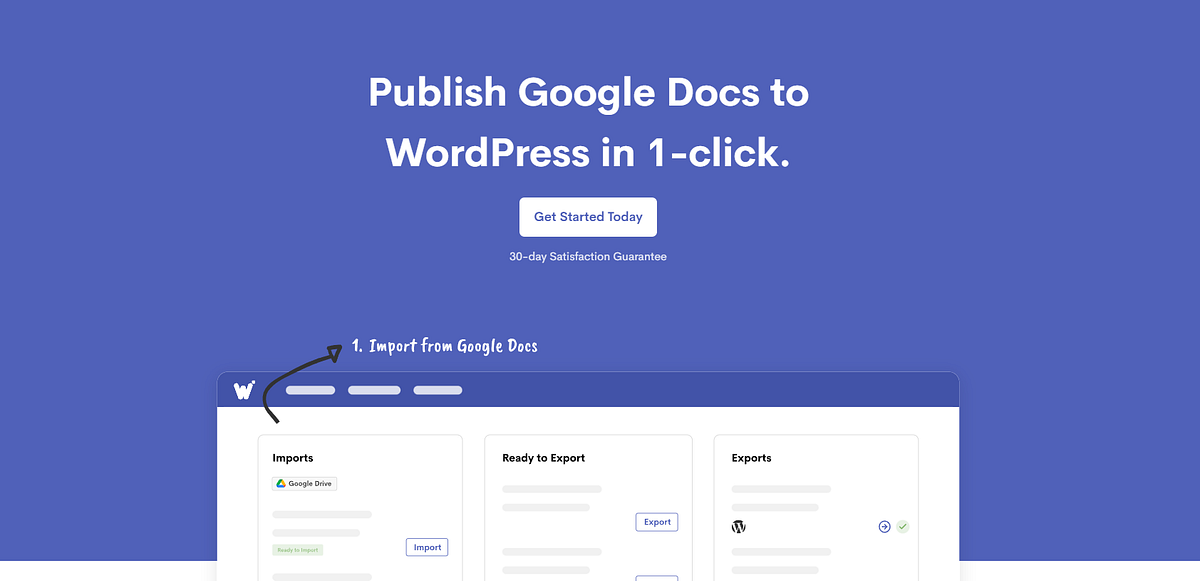
Wordable sits between Google Docs and WordPress like a quiet conveyor belt. You write where collaboration feels natural. Then you tell Wordable which document to export. Behind that simple action it makes a series of small choices that matter.
It keeps the structure of the document. Headings in the doc become proper heading tags inside WordPress. Lists stay as lists. Tables stay as tables instead of breaking into strange grids. Line breaks and paragraphs remain faithful to what the writer saw while drafting.
Images travel with the writing. Instead of saving every file by hand and uploading them one by one, Wordable pulls them from the Google Doc, uploads them into the WordPress media library, and drops them into the post in the exact same positions. When alt text is set inside the document, that information carries over too.
It also handles the tiny but important choices that shape how content performs. Links can be set to open in a new tab or marked as nofollow by default. A table of contents can be generated automatically from headings. Featured images, categories, and post types can follow rules instead of spur of the moment guesses. Over time that consistency becomes a quiet moat around your content quality.
A Day In The Life With And Without Wordable
Picture a managing editor responsible for three blogs and a handful of freelance writers. Without Wordable the day starts inside inboxes and ends inside WordPress. Drafts arrive as Google Docs. The editor reviews, comments, and approves. Then comes the grind.
Tabs stack up. Each approved draft becomes a small publishing project. The editor copy pastes, uploads, cleans, previews, and repeats. By afternoon there is still a backlog of half formatted posts and a creeping feeling that something important will slip through. Analytics dashboards and strategic thinking wait for a quieter day that never arrives.
With Wordable the same editor still lives inside Google Docs for reviews. The difference shows up when a document is ready. Instead of copy paste marathons, the editor selects a batch of finished docs inside Wordable, applies a saved export template, and sends them to the right sites as drafts. Images move automatically. Links follow established rules. A quick skim inside WordPress confirms that everything looks as expected.
The mental shift is subtle but powerful. Publishing stops feeling like a separate job. It becomes a natural extension of writing and editing. That regained headspace is often the real product Wordable sells.
The Parts That Still Hurt A Little
No tool deserves blind praise, and Wordable is no exception. It is a paid service. Pricing is built for people who publish regularly and for teams that manage multiple sites. For someone shipping a single post every month the subscription can feel like paying for a full time assistant who mostly sits in the corner. It shines when a blog or agency already treats content as a system instead of a side project.
There are also moments when automation shows seams. User reviews describe the occasional export that hiccups on a complex table, an image that fails to upload on the first try, or a need to tweak formatting inside WordPress after the fact. Those issues are rare for most people, yet they are worth acknowledging. Trust in a workflow tool grows only when it behaves well on normal days and does not completely fail on weird ones.
Privacy and access are another real concern. Wordable needs permission to see Google Drive documents and connect to WordPress sites. For solo creators this feels simple. For companies with approval processes and compliance rules it can trigger a longer conversation. The upside is clear time savings. The tradeoff is another connection that must be understood and monitored.
Who Wordable Really Serves
Wordable makes the biggest difference for people who live at the intersection of writing and operations. That might be a solo blogger who publishes multiple posts every week. It might be an agency that manages content for many clients and jumps between WordPress installs all day. It might be an in house content team that works entirely in Google Docs but ships to several brand sites.
In those settings the small promises add up. One click export transforms into fewer missed publishing dates. Automatic image handling turns into faster page loads and better accessibility. Consistent link rules remove one more chance for human error in a sea of moving parts.
If writing happens inside tools like Google Docs and publishing happens primarily on WordPress, and if that loop spins more than a few times each month, Wordable starts to feel less like a luxury and more like infrastructure.
Future Proofing A Content Workflow
The wider trend behind this wordable review matters more than any single feature. Content creation keeps accelerating. Remote teams, guest contributors, and cross functional projects all feed drafts into shared documents. At the same time platforms like WordPress remain the backbone of the open web.
That gap between where writing happens and where publishing happens will not close on its own. Manual copy paste routines will only feel more brittle as volumes rise and formats become richer. Tools that specialize in closing that gap, automating the unglamorous middle of the pipeline, are set to matter more over time.
Wordable is one answer to that problem. Tomorrow it might connect not just to WordPress but to other content systems, analytics tools, and even review workflows. The exact feature list will change. The core promise will not. Protect your creative energy by refusing to waste it on steps a machine can quietly handle in the background.
Choosing Whether To Let Wordable In
The decision is surprisingly simple. Look at the next month of publishing. Count how many posts will start life in Google Docs and end up on WordPress. Multiply that by the minutes usually spent on formatting, image work, and cleanup. If the number feels heavy, that feeling is real.
Running a small experiment is often enough. Use Wordable on a handful of posts. Watch how it handles headings, links, images, and tables. Notice what it feels like to approve a draft and see it appear in WordPress almost exactly as imagined. Pay attention to the ideas that surface when attention is no longer trapped inside menus and media libraries.
In the end this is less about one plugin and more about a quiet standard for a creative life. Writing deserves the freshest hours. Publishing should feel like a satisfying click, not a slow erosion of patience.
When that becomes true, the work that actually moves readers finally has room to grow.