Every smartphone user knows the moment. A notification arrives — quiet, bureaucratic, final. Your device will no longer receive security updates. The manufacturer has moved on. You are left holding a piece of hardware that still runs, still charges, still fits your hand perfectly, but has been officially declared obsolete by the company that sold it to you.
Most people buy a new phone. A small, deeply principled community asked a different question: what if the hardware was never actually the problem?
PostmarketOS is that question turned into a working operating system. It is a genuine Linux distribution built for smartphones, rooted in the belief that the phone sitting in your drawer still has years of useful life left in it. Not a patched Android fork. Not a corporate privacy product dressed in open-source clothing. A real OS that treats your phone the way Linux has always treated computers — as something you own, control, and deserve to understand completely.
What Is PostmarketOS and Why Does It Exist
PostmarketOS, abbreviated as pmOS, is a Linux operating system based on Alpine Linux that runs on smartphones, tablets, and other mobile hardware. Oliver Smith started developing it in 2016 and released the first public version on May 26, 2017. Unlike every Android custom ROM ever made, postmarketOS does not use the Android build system, the Android hardware abstraction layer, or the Android userspace. When your phone runs postmarketOS, Android is simply not there.
The project exists because of a structural problem with how Android phones are built and sold. Every manufacturer forks Android separately, writes their own custom kernel for each device, bundles proprietary drivers that only work with that specific vendor’s software stack, and then abandons the entire construction two or three years after launch. The hardware remains functional. The chips have years of capability left. But because the software was never designed to be maintained cleanly beyond the manufacturer’s interest, the phone effectively dies by corporate decision.
Smith’s founding argument, published before he wrote a single line of code, was that minimal Linux distributions run perfectly well on decade-old desktop hardware. A 2007 laptop running Alpine or Debian in 2017 could still browse the web, manage email, and handle development work without breaking a sweat. The hardware had not expired. Why should phones be treated differently?
The answer was architectural, not technical. PostmarketOS was built to fix the architecture.
How PostmarketOS Actually Works Under the Hood
The choice to base postmarketOS on Alpine Linux reveals everything about the project’s priorities. Alpine is one of the leanest, most security-conscious Linux distributions available anywhere. Excluding the kernel, a full Alpine base installation occupies approximately 6 megabytes. Not gigabytes — six megabytes. It uses musl libc instead of the heavier GNU C library, and BusyBox to handle core system utilities. The result is an operating system that is small by design, not by compromise.
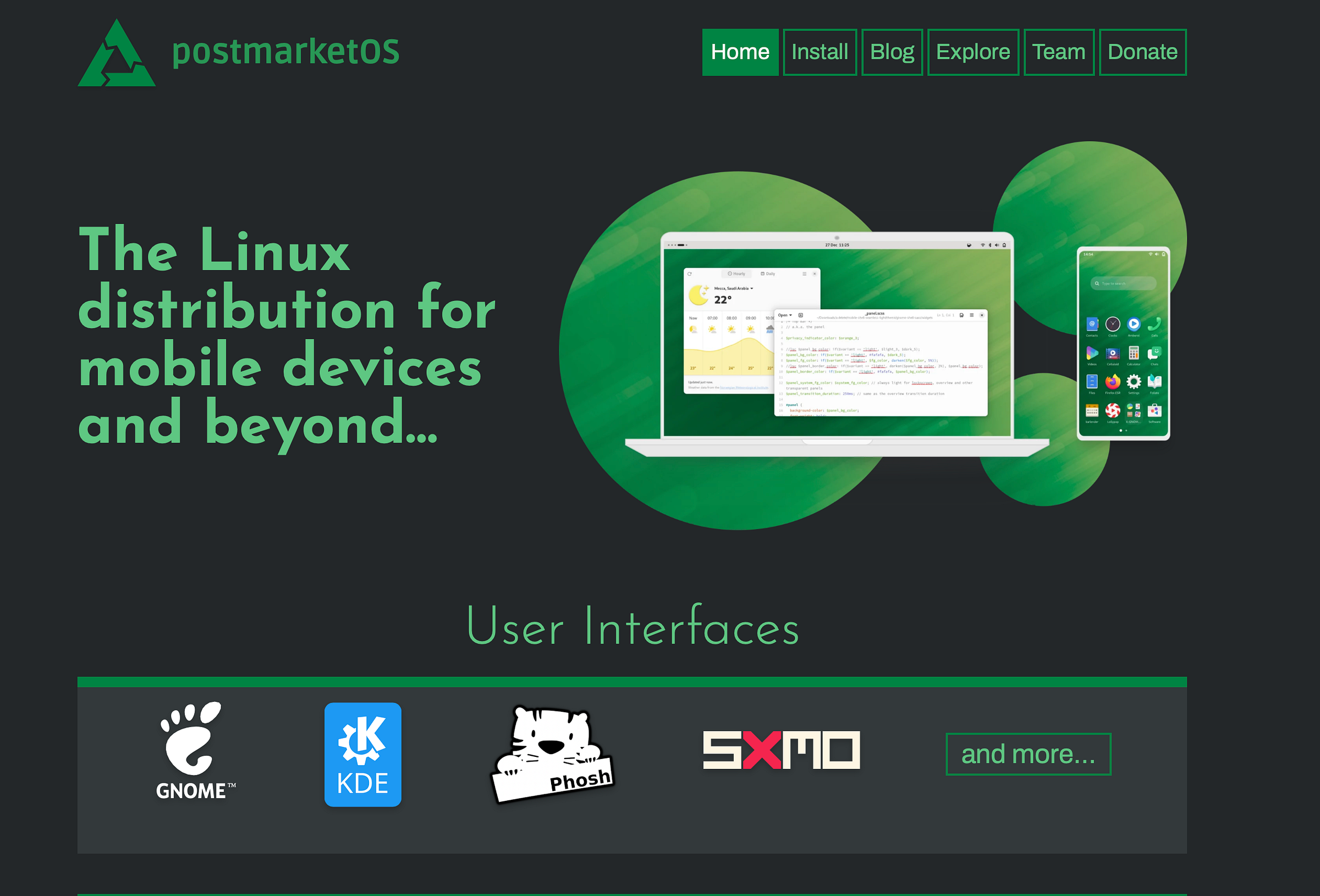
More importantly, Alpine uses a single package manager called APK across all hardware. This architectural decision is what separates postmarketOS fundamentally from Android. Instead of building a completely separate system image for every phone model, postmarketOS uses one shared core system and adds a single device-specific package per phone. That package, built using a Python tool called pmbootstrap, contains only what makes that particular device unique — bootloader behavior, display configuration, hardware-specific quirks.
The practical implication is significant. When Alpine Linux releases a security patch, every postmarketOS device receives it immediately. There is no manufacturer middleman. No waiting for a vendor to rebase their fork. No hoping the company still cares. The update flows directly from Alpine to your phone, exactly as it would to a server running the same distribution.
PostmarketOS also supports running Docker on devices where the device-specific kernel has cgroups and the necessary configuration enabled. This makes it genuinely useful for developers who want a real Linux environment in their pocket, not just a phone that happens to run Linux.
Mainline Kernel vs Downstream Kernel — Why This Distinction Matters
One of the most important concepts in the postmarketOS ecosystem is the difference between mainline and downstream kernel support. Understanding this distinction explains why some devices work brilliantly and others have significant gaps in functionality.
The mainline kernel is the official Linux kernel, maintained continuously by thousands of contributors worldwide.It receives security updates, new driver support, and bug fixes in an ongoing stream. Running a device on the mainline kernel means it benefits from all of that work in real time.
A downstream kernel is a vendor-modified fork. When a manufacturer builds a phone, they take the Linux kernel, add proprietary drivers for their specific hardware, modify it extensively, and publish the result. That forked kernel may never be updated again after the phone’s market life ends. Many smartphone components — camera systems, proprietary modems, fingerprint sensors — were written specifically for these downstream kernels and have no mainline equivalents.
PostmarketOS works on both types, but the experience differs substantially. Devices running closer to the mainline kernel have better long-term prospects, better Waydroid compatibility for running Android apps, and more reliable security updates. The postmarketOS 25.06 release in 2025 reorganized device categories to make this distinction visible, separating mainline-based ports from downstream-dependent ones so users know exactly what they are getting before they install anything.
PostmarketOS Supported Devices — What the Tier System Means in Practice
As of February 2026, postmarketOS supports an estimated 723 device models. That number has grown every year since 2017, when only a handful of phones could display a working screen. By 2020, devices including the Nokia N900, BQ Aquaris X5, Motorola Moto G4 Play, Wileyfox Swift, and several Samsung Galaxy models reached a point where calls, SMS, and mobile data worked reliably.
Not all 723 supported devices are equal, and the tier system communicates that honestly. The highest-tier devices offer reliable calling, SMS, mobile data, Wi-Fi, and Bluetooth — phones genuinely usable as everyday communication tools. Below that sit devices where most functions work but certain hardware components remain incomplete or inconsistent.
Camera support deserves specific mention because it is the most common point of disappointment. The camera subsystem on Android phones typically depends on vendor-specific drivers written for downstream kernels. Porting those drivers to mainline Linux requires enormous engineering effort and, in many cases, cooperation from hardware vendors who have no incentive to provide it. Camera support exists on select devices but is not something to assume.
The PinePhone holds a special position in this ecosystem. Pine64 designed it specifically for Linux mobile operating systems, building in open-source driver support from the start rather than bolting it on afterward. It launched in 2020 with postmarketOS Community Edition as a first-party operating system, and it remains one of the most functional postmarketOS devices available. Notable devices with strong support also include the Google Pixel 3a, OnePlus 6T, Fairphone 4, and PinePhone Pro. The full compatibility list lives at wiki.postmarketos.org/wiki/Devices.
Choosing Your Interface — Phosh, Plasma Mobile, Sxmo, and GNOME Mobile
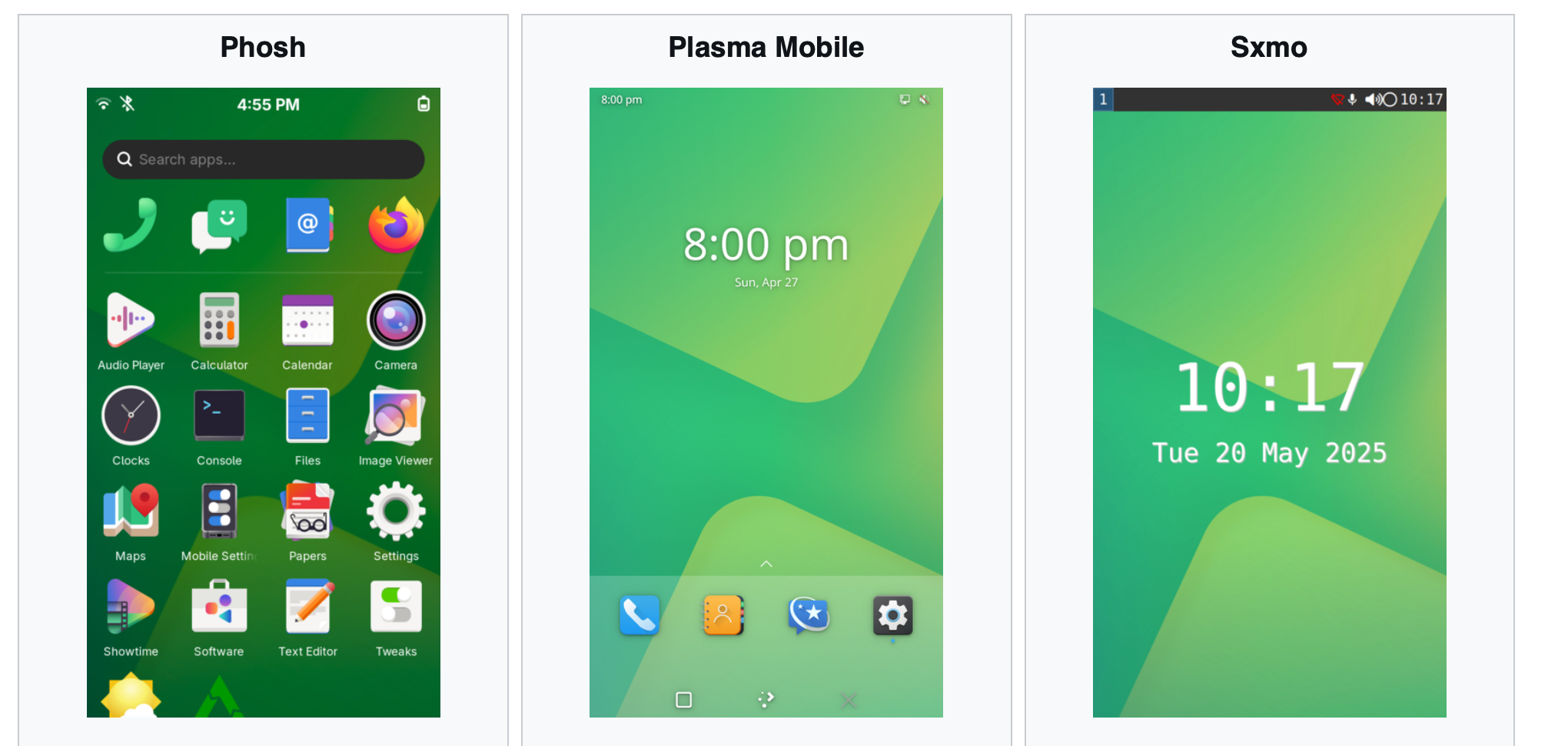
PostmarketOS does not force a single interface on every user. Multiple desktop environments have been adapted for touchscreen use, each representing a genuinely different philosophy about what a Linux phone should feel like.
Phosh
Phosh is the most widely used interface in the postmarketOS ecosystem, developed by Purism for their Librem 5 phone and built on GNOME technologies. Swiping up reveals the application drawer. Swiping down exposes notifications and quick settings. The visual language is minimal and functional. For users who want something that feels like a coherent smartphone operating system rather than a desktop environment crammed onto a small screen, Phosh is the most polished available option and the one most new postmarketOS users should start with.
KDE Plasma Mobile
Plasma Mobile received a significant update to version 6.5.3 in 2025 and brings the depth of the KDE application ecosystem to phones. The tile-based visual approach feels more like a traditional smartphone home screen than Phosh does, and users already comfortable with KDE Plasma on the desktop will find familiar patterns throughout.
Sxmo
Sxmo stands apart because it does not attempt to imitate any conventional smartphone interface. It is keyboard and gesture-driven, built for users comfortable in a terminal who want maximum control over their device. The Sxmo 1.18.1 release in 2025 added support for the i3 and river window managers, expanding the options available to power users further still.
GNOME Mobile
GNOME Mobile is a newer initiative to bring the GNOME desktop environment to touchscreens in a genuinely native way. GNOME joined the postmarketOS Advisory Board in 2025, signaling a growing organizational commitment to mobile Linux from one of the most historically significant desktop projects in the open-source world.
Running Android Apps on PostmarketOS With Waydroid
For years, the honest limitation of postmarketOS was the application gap. Signal, banking apps, navigation tools, and most daily-use applications are Android software. They do not install natively on a Linux system.
Waydroid changed that meaningfully. Waydroid runs a full Android container inside the Linux environment using LXC (Linux containers). Android applications run inside this container and interact with the system through a compatibility layer. On supported hardware, Waydroid uses hardware-accelerated rendering and delivers reasonable performance for everyday applications.
The caveat is real and worth stating clearly. Waydroid requires kernel support for specific container features, and those features are not present in every device-specific kernel used by postmarketOS. Devices running closer to the mainline Linux kernel tend to have better Waydroid compatibility. On the right hardware, though, Waydroid genuinely bridges the gap. You can run Android applications on a phone that is otherwise running a clean, de-Googled Linux system with no Google services in the base operating system whatsoever.
Applications that depend on Google Play Services — and many banking and payment apps do — often require additional configuration even within Waydroid. This is not a failure of Waydroid specifically but a consequence of how deeply some Android applications are entangled with Google’s proprietary service layer.
PostmarketOS vs Android Alternatives — A Clear-Eyed Comparison
People frequently ask how postmarketOS compares to GrapheneOS, CalyxOS, Mobian, Ubuntu Touch, and LineageOS. These are genuinely different projects solving different problems, and understanding those differences prevents disappointment.
GrapheneOS is a hardened Android distribution focused on security and privacy. It keeps the Android foundation entirely but removes Google’s proprietary services and adds serious security hardening at the kernel and userspace level. Android applications run natively. The supported device list is limited to Google Pixel phones because Pixel hardware includes the secure boot features GrapheneOS depends on. If you need a working camera, reliable app support, and robust privacy on a modern device, GrapheneOS on a supported Pixel is the most practical choice available today.
CalyxOS takes a similar approach but includes microG, an open-source implementation of Google Play Servicesthat allows more Android applications to function without a full Google account. Like GrapheneOS, it remains an Android-based system throughout.
LineageOS is a community-maintained Android fork that extends device life by providing updates after manufacturers stop. It preserves the entire Android structure and relies on vendor kernels. It supports an enormous number of devices and is the most accessible Android alternative for users who want familiar software with longer official support.
Mobian is the closest conceptual relative to postmarketOS. It is a Debian-based mobile Linux distribution using Phosh as its primary interface, following a rolling release model. Mobian focuses on a smaller set of devices — primarily the PinePhone and Librem 5 — and benefits from the depth of Debian’s package repository. The tradeoff is fewer supported devices compared to postmarketOS and a more constrained hardware compatibility list.
Ubuntu Touch, maintained by the UBports community, aims at convergence — the phone functioning as a full desktop when connected to a monitor and keyboard. The interface is polished by mobile Linux standards, but community data from 2025 suggests Ubuntu Touch is not growing at the same pace as postmarketOS, which now has over 700 contributors and a device list that dwarfs every other mobile Linux project.
PostmarketOS occupies a unique position across all of these. It is the only project supporting over 700 device models, using a genuine Linux base with no Android heritage, and treating device longevity as a first-class design goal. The honest tradeoff is that it requires more technical comfort than any Android-based alternative and delivers a less consistent out-of-the-box experience on many devices.
How to Install PostmarketOS — What the Process Actually Looks Like
Installation centers around pmbootstrap, a Python-based command-line tool that handles cross-compilation, package management, and flashing the OS image to your device.
Do you need to unlock the bootloader?
Yes, on almost all Android phones. Bootloader unlocking is required to flash a custom operating system, and on most devices this process wipes the internal storage entirely. Back up everything before you begin — this is a technical certainty on the vast majority of supported hardware, not cautious advice.
Will you lose your data?
On most devices, yes. The bootloader unlock wipe is unavoidable on devices that implement it, which is most of them. Plan your installation around a fresh start and transfer everything critical beforehand.
How difficult is this for a beginner?
The process is approachable for someone comfortable working in a Linux terminal. It is not a point-and-click experience. If you have never used a command line before, postmarketOS will be a steep learning curve. If you install Linux on laptops occasionally and know basic command-line tools, the process is manageable with patience and the project’s documentation.
The actual steps in plain terms
Start by checking wiki.postmarketos.org to confirm your specific device model is on the supported list. Read the device-specific page carefully — it will tell you which features work and which do not. This research step is not optional. The difference between a device with reliable call support and one where the modem is completely non-functional can be the difference between a usable phone and an interesting experiment that lives in a drawer.
Install pmbootstrap on your Linux computer. Run the initialization wizard, which asks you to select your target device from a list, choose a user interface such as Phosh or Plasma Mobile, and configure options including full-disk encryption. PostmarketOS supports full-disk encryption through osk-sdl, a virtual on-screen keyboard that activates during boot to decrypt the device before the main OS loads. Enabling encryption is strongly recommended.
Once configured, pmbootstrap builds or downloads the necessary packages and creates a flashable image. You then boot your phone into fastboot or recovery mode — the method varies by device — and flash the image. The process from start to a working system typically takes thirty minutes to a few hours depending on your device and connection speed.
Who Should Use PostmarketOS Right Now
This question matters more than any technical specification, because postmarketOS is excellent software for specific people and genuinely not ready for others.
PostmarketOS is the right choice right now if you are a developer who wants a real Linux environment on phone-sized hardware. Running full Alpine Linux in your pocket, SSH-ing into it from your workstation, experimenting with mobile Linux interfaces, and running Docker containers where kernel support allows — no other project gives you this on 700-plus devices.
It suits privacy-focused users who understand the technical landscape and can accept some feature gaps in exchange for a completely de-Googled, open-source mobile OS. There are no Google Play Services in postmarketOS. No telemetry phoning home to a manufacturer. The entire software stack from the package manager to the window manager is open source and auditable. For journalists, security researchers, and activists who need to trust their device at the operating system level, this architecture matters in ways that no Android privacy ROM can fully replicate.
It is also the right tool for people who want to contribute to open-source software with genuine technical depth. The community is active, the codebase is accessible, and the project’s GitLab is welcoming to new contributors at every experience level.
PostmarketOS is not the right daily driver right now if you need a reliable camera on a phone you already own. It is not the right choice if specific Android applications are non-negotiable and they do not cooperate with Waydroid. It is not the right choice if your phone is your only communication device and you cannot afford time troubleshooting unexpected issues. These are honest limitations of the project at this stage of its development, not reasons to dismiss it.
Privacy Is the Architecture, Not a Settings Menu
Most operating systems treat privacy as a feature you enable in settings. PostmarketOS treats it as a consequence of what the system simply does not include.
Because there is no Android base, there are no Google Play Services running background processes. There is no advertising identifier baked into the system. There is no manufacturer analytics framework collecting device telemetry. The operating system contains no services that exist to benefit anyone other than you, because no corporation paid for their inclusion.
The entire software stack is open source from the bootloader through the user interface. Every component can be audited, modified, or replaced. For users who want to understand exactly what their phone is doing at 3am, postmarketOS is one of the few mobile operating systems where that question has a complete, verifiable answer.
The de-Googled mobile OS space has grown significantly since 2017, and postmarketOS occupies the most structurally radical position within it. GrapheneOS and CalyxOS remove Google services from an Android foundation. PostmarketOS removes Android itself.
How to Contribute to PostmarketOS
PostmarketOS development is funded through OpenCollective donations and grants from the Next Generation Internet initiative. Clayton Craft works full time on the project supported by community funding. Every other developer is a volunteer.
Contributing does not require writing code. Porting a new device — even reaching the point of a working display — is a documented, supported process that many people complete as their first open-source contribution. Writing documentation, testing packages, triaging bug reports, and translating the interface are all meaningful contributions that affect real users daily.
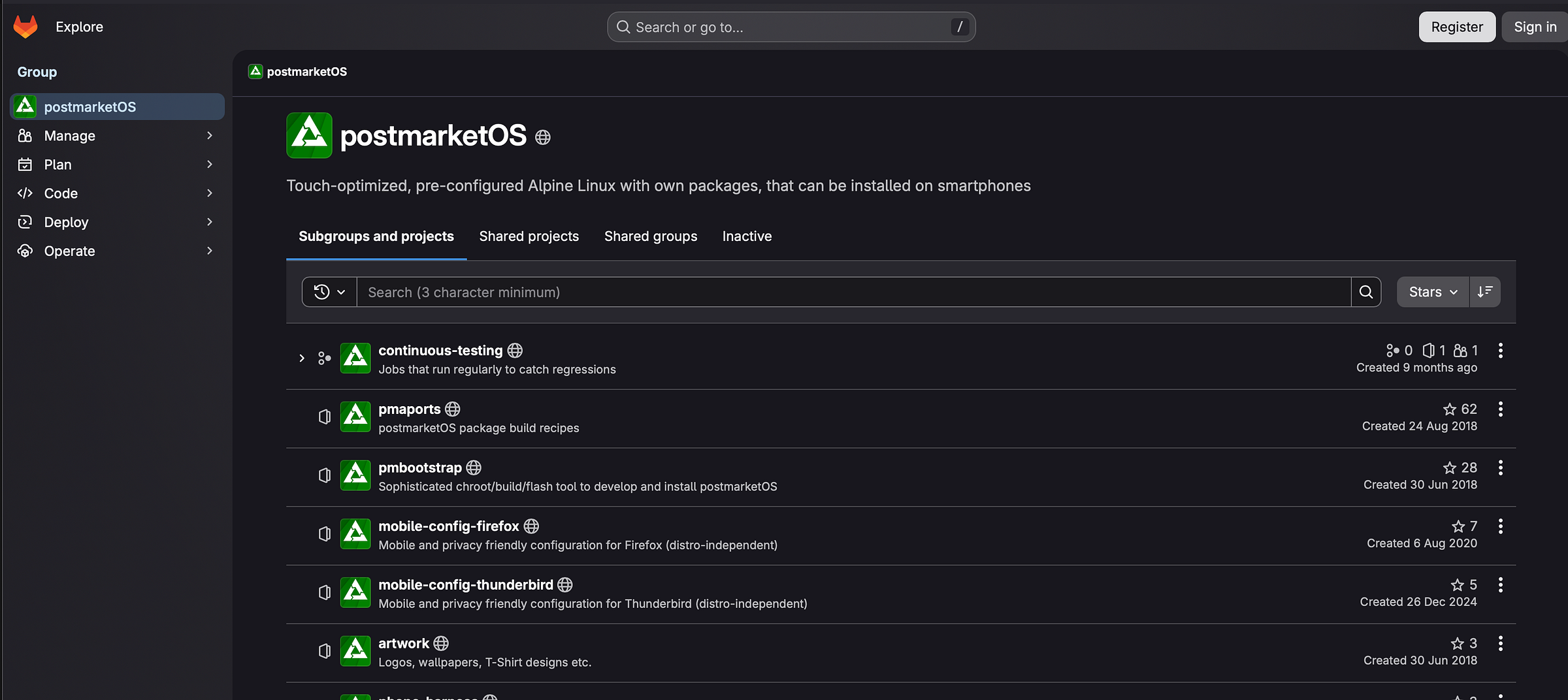
For developers, the GitLab repository at gitlab.com/postmarketOS is the starting point. The community communicates through Matrix and IRC. Financial contributions through OpenCollective directly support the paid maintainer position and fund the build servers and continuous integration infrastructure that keeps the project running.
The Future of PostmarketOS
Immutable OS installations are under exploration. In an immutable system, the core operating system is read-only, and updates are applied atomically — either the entire update succeeds or the system rolls back. This approach, used by Fedora Silverblue and NixOS on the desktop, would make postmarketOS substantially more robust against the kind of partial-update failures that can occasionally render a device unbootable.
Fairphone 6 support is in progress. Fairphone designs phones specifically for repairability and longevity — a hardware philosophy that aligns almost exactly with postmarketOS’s software mission. A well-supported Fairphone running postmarketOS would be one of the most genuinely sustainable smartphones you could own.
GNOME’s 2025 decision to join the Advisory Board brought organizational weight to the mobile Linux cause from a project with deep institutional roots in the Linux world. The project is also discussing a possible rename as its scope now includes tablets, single-board computers, and other consumer electronics beyond phones.
Frequently Asked Questions About PostmarketOS
What phones are compatible with postmarketOS?
As of February 2026, postmarketOS supports approximately 723 device models. Notable supported phones include the PinePhone, PinePhone Pro, Google Pixel 3a, OnePlus 6T, Fairphone 4, and Nokia N900. The full list with per-feature compatibility notes lives at wiki.postmarketos.org/wiki/Devices.
Can I make phone calls on postmarketOS?
Yes, on supported devices. Calling and SMS work reliably on the highest-tier device ports. The specific functionality available varies by phone model, so checking the wiki page for your specific device before installing is essential.
Does postmarketOS support 5G?
Most currently well-supported postmarketOS devices are older hardware that predates 5G entirely. 5G support depends on modem driver availability in the mainline Linux kernel. As newer devices are ported and mainline kernel support for modern modems improves, 5G support will grow. It is not a broadly available feature today.
Can I use WhatsApp or Signal on postmarketOS?
Signal has a native Linux application that runs on postmarketOS on supported hardware. WhatsApp does not have a native Linux client, so it requires running through Waydroid. Other messaging applications with native Linux clients, including Telegram and Element for Matrix, work more reliably without needing the Android container.
Is postmarketOS better than GrapheneOS for privacy?
They solve different problems. GrapheneOS delivers stronger security hardening on supported hardware with full Android app compatibility and a reliable camera. PostmarketOS removes the Android layer entirely for a fundamentally different system architecture. If software transparency and full Linux ownership matter more than app compatibility, postmarketOS is the more structurally radical choice. If you need a reliable daily smartphone with strong privacy, GrapheneOS on a supported Pixel is currently more practical for most people.
How do I go back to Android after installing postmarketOS?
Restoring Android requires flashing the original factory firmware using the manufacturer’s tools or a community-maintained factory image. The process varies by device. Keeping a backup of your original firmware before installing postmarketOS is strongly recommended, and the postmarketOS wiki includes device-specific restoration notes where available.
Does postmarketOS support banking apps?
Banking applications that depend on Google Play Services or device attestation typically do not work out of the box, even through Waydroid. Some banking apps work through Waydroid with microG installed in the container. This varies significantly by bank and country. It is one of the most honest limitations of postmarketOS as a daily driver in 2026.
Does postmarketOS drain battery faster than Android?
Battery performance depends heavily on how well suspend and wake cycles are implemented in the device-specific kernel. On well-supported devices, power management is reasonable. On less mature ports, the phone may fail to enter deep sleep correctly, which drains the battery significantly faster than Android would. The device wiki page typically notes power management status for each supported phone.
What PostmarketOS Actually Represents
The phone in your drawer might still be worth something. Not in resale value — that ship has sailed. But in raw computing capability, in the years of service it could still provide, it represents hardware that a manufacturer decided to discard before the hardware itself agreed to.
PostmarketOS is, at its foundation, an argument about ownership. An argument that the device you bought should remain useful as long as the hardware is capable, that security updates should not require corporate goodwill to continue, that an open-source operating system has no reason to stop working just because a product line has been discontinued.
Eight years after Oliver Smith wrote his founding blog post, postmarketOS supports 723 devices, has attracted organizational support from GNOME, continues to push the Linux kernel toward better smartphone hardware support with every new device port, and proves its own mission each time the Nokia N900 — well past ten years old — receives another update.
The mission became bigger than the number. And the software is still being written.