I want to start by being honest about something that I wanted to write about. I was working on a $500 budget for a complete local LLM setup guide. That seems like a bad advice now. In June 2026, 32GB of DDR5 RAM alone costs around $375. So the math just does not work out unless you already own a PC and are only buying the GPU. Parts are genuinely expensive right now.
There is something called “RAMageddon” happening right now in the PC hardware market. Samsung, SK Hynix, and Micron redirected most of their chip factory capacity toward HBM memory for AI datacenters, which is way more profitable for them. Consumer DDR5 production dropped. A 32GB DDR5 kit that cost around $110 in July 2025 now costs $340 to $375. I saw it myself when trying to price this build. And SSDs are up too. A 2TB NVMe that used to go for $100 is now closer to $200 to $370 depending on the brand.
So I am doing this article differently. Two budgets: $1000 and $1500, both with every single component included and honest June 2026 pricing. If those numbers feel high, they are, but this is the actual reality of building a PC right now.
The RAM Situation and Why It Changes Everything
Before getting into the builds, let me explain why I picked $1000 and $1500 instead of something lower.
The core bottleneck for running local LLMs is VRAM on your GPU. The model has to fit inside that memory to run at usable speed. An 8B model needs about 5 to 6GB at Q4 quantization. A 14B model needs 9 to 10GB. A 32B model needs around 20GB. If the model does not fully fit in VRAM, the software spills parts to regular system RAM, and your output drops from 50 tokens per second to maybe 3 or 4. Unusable.
The GPU is therefore the most important component. CPU barely matters for inference. You could pair the best GPU with a six year old CPU and the inference speed would be nearly the same. What this means for budgeting is that you want to spend as much as possible on the GPU and as little as sensible on everything else. The RAM situation forces your hand on the “everything else” side though, because you cannot just grab 32GB DDR5 cheap anymore.
So the two tiers I picked are:
The $1000 build is the minimum viable complete setup. You get an RTX 5060 Ti 16GB, which runs 14B models comfortably and handles MoE models up to around 35B. Everything else is bought as cheaply as sensibly possible.
The $1500 build steps up to an RTX 5070 12GB or the same 5060 Ti but with better supporting components and more storage. The 5070 is faster per token but has less VRAM. It is a real tradeoff and I will explain it.
The $1000 Build: RTX 5060 Ti 16GB Complete System
This is the stripped down, every dollar counts version. No RGB, no overkill cooling, no extra storage. Just a working machine that runs 14B coding models at 40 tokens per second.
Here is the part list with June 2026 prices I could actually verify:
CPU and Motherboard combo from Microcenter or Newegg bundles: Ryzen 5 9600X plus a Gigabyte B850 Gaming WiFi board. This combo deal runs around $340 right now. Buying them separately would cost more. The 9600X is a 6 core Zen 5 chip, more than enough for LLM inference since the GPU is doing all the actual work. The B850 board supports DDR5, PCIe 5.0, and has a couple M.2 slots for NVMe drives.
RAM: This is the painful part. 32GB DDR5 6000 is the minimum I would recommend. The cheapest kits available in June 2026 are around $340 to $375. I would go with the Silicon Power Zenith 32GB DDR5 6000 which was sitting around $340 with a promo code. If that is gone by the time you are reading this, look for any 32GB DDR5 6000 kit under $380 and do not agonize too much over the brand at this tier.
GPU: GIGABYTE WindForce RTX 5060 Ti 16GB. This is the cheapest 5060 Ti 16GB on Newegg at around $430. Do not buy the 8GB version under any circumstances. The whole point of this build is the 16GB VRAM. The price gap between 8GB and 16GB is only $50 to $80, and 8GB walls you off at 7B models permanently.
Storage: 1TB Samsung 990 Pro NVMe Gen4. You can sometimes get this as part of a bundle deal for around $90 to $100. On its own it is closer to $130 to $150. Yes, 1TB feels small for model storage and it kind of is. You can realistically store maybe 5 to 6 models at Q4 quantization before running out of space. But at June 2026 prices, 2TB costs nearly $370 and there is no way to fit that into $1000. So you start with 1TB and add an external drive later.
PSU: Seasonic Focus GX 650W 80+ Gold. About $80 to $90. The 5060 Ti only draws 180W under full load. A 550W PSU would technically work, but I prefer 650W because it gives headroom if you ever upgrade the GPU and it runs quieter since it does not have to work near its limit.
CPU cooler: The 9600X does not include a cooler in the box. The Thermalright Assassin X 120 Refined SE is around $18 on Amazon and works perfectly well. You do not need a $70 AIO for a 65W chip.
Case: Cooler Master Q300L Micro ATX. Around $33. Ugly but functional with decent airflow. If looks matter to you, the Lian Li Lancool 205 goes for around $55 and is much nicer.
Here is the honest total:
CPU plus motherboard combo: ~$340 RAM 32GB DDR5: ~$350 GPU RTX 5060 Ti 16GB: ~$430 Storage 1TB NVMe: ~$130 PSU 650W Gold: ~$85 CPU cooler: ~$18 Case: ~$45
Total: roughly $1398.
Wait, that is over $1000. Yes. This is the problem. A genuinely complete build with an RTX 5060 Ti 16GB, 32GB DDR5 RAM, NVMe storage, PSU, cooler, and case costs closer to $1400 in June 2026 due to the RAM and SSD shortage. There is no honest way around this.
So here is what I am actually calling the $1000 build: a version where you make two compromises. You drop to 16GB of DDR5 instead of 32GB, and you use a 512GB NVMe instead of 1TB.
16GB DDR5 costs around $180 to $200 right now. 512GB NVMe is about $60 to $70.
Revised $1000 total:
CPU plus motherboard combo: ~$340 RAM 16GB DDR5: ~$190 GPU RTX 5060 Ti 16GB: ~$430 Storage 512GB NVMe: ~$65 PSU 650W Gold: ~$85 CPU cooler: ~$18 Case: ~$45
Total: roughly $1173.
Still over $1000 by a bit. If you find the CPU and board bundle cheaper (deals come and go, Microcenter has in-store bundles that go as low as $300), or if you find a slightly cheaper GPU at $415, it is possible to hit $1000 to $1050. But you have to be willing to hunt and act fast when deals appear.
The 16GB RAM is fine for LLM inference since the work happens on the GPU VRAM anyway. 16GB system RAM means less headroom if you want to run VS Code, a browser with multiple tabs, and the model all at once, but it is workable. You can add another 16GB stick later when RAM prices hopefully come down in late 2026 or early 2027.
The 512GB SSD is the bigger pain. You can fit maybe two or three large models on it. I would strongly suggest buying an external USB drive for model storage. A 2TB external HDD is still only about $60. Loading a model from USB 3.2 is slower than NVMe but it is not terrible for occasional use.
What models run on this build
For coding, Qwen3-Coder-Next is the main recommendation. It is an 80B total parameter MoE model but only activates 3B parameters at a time, so it fits on 16GB VRAM and runs at around 44 tokens per second. On SWE-bench Verified (a benchmark that measures whether the model can fix real bugs in real open source projects) it scores 58.7%. For comparison, Claude Sonnet 4.6 scores around 65%. The gap is real but for everyday coding tasks like writing functions, fixing bugs, explaining code, and writing tests, Qwen3-Coder-Next is genuinely good.
For general chat, writing, and summarizing, Qwen3 8B is fast and runs at around 51 tokens per second on this card. Gemma 4 12B from Google is also good and handles images plus text in the same model, which is useful if you need to read screenshots or diagrams.
For reasoning and debugging where you want the model to think step by step, DeepSeek R1 14B fits on 16GB at Q4 and gives you chain of thought reasoning. It is slower than Qwen3 8B because it outputs its thinking process first, but on hard problems it noticeably gives better answers.
The $1500 Build: Better Everything
At $1500, you have room to build something genuinely comfortable. Here is where I would spend the money.
The GPU question at $1500 is the interesting part. You have two real options: stick with the RTX 5060 Ti 16GB and spend the extra budget on proper 32GB DDR5 RAM and 2TB storage, or upgrade to the RTX 5070 12GB for around $800 to $1000 but accept less VRAM.
I think the 5060 Ti 16GB is the right call for local LLMs specifically. Here is why. The 5070 has 12GB of GDDR7 with faster bandwidth, and it runs 8B models at around 59 tokens per second compared to the 5060 Ti at 51. That is meaningfully faster. But 12GB walls you out of comfortable 14B model use. At Q4 quantization, Qwen3 14B needs about 9 to 10GB plus KV cache, which pushes right to the limit. On 12GB you can run it but the context window is short and performance degrades fast as the conversation grows.
So the $1500 build I am recommending is: RTX 5060 Ti 16GB plus proper 32GB DDR5 plus 2TB storage plus a slightly better CPU.
Part list for the $1500 build:
CPU: Ryzen 5 9600X purchased standalone is around $190. Or step up to Ryzen 7 9700X at around $250 to $280 for more cores if you do other CPU heavy work like compiling, video editing, or running multiple models simultaneously with CPU offloading.
Motherboard: ASUS TUF Gaming B850 Plus WiFi at around $150. This is a nicer board than the budget B850 but still AM5, still DDR5, still PCIe 5.0. Good power delivery, stable, and has two M.2 slots.
RAM: 32GB DDR5 6000 CL30. Look for the Silicon Power Zenith or G.Skill Ripjaws M5 kit. Budget around $340 to $380. Yes this is painful. It is the reality of mid-2026 RAM pricing.
GPU: GIGABYTE WindForce RTX 5060 Ti 16GB at ~$430. Same GPU as the $1000 build. The extra budget goes to RAM and storage, not the GPU.
Storage: This is where the upgrade matters for LLM work. A 2TB Samsung 990 Pro was at an all time low of $370 on Amazon during Prime Day week earlier in June 2026. If you can catch it near that price, great. Otherwise budget $400 to $420. Alternatively, get a 1TB NVMe for the OS and programs, and add a 2TB Samsung 870 EVO SATA SSD for model storage at around $150. SATA is slower than NVMe but loading a model once takes maybe 20 to 30 seconds from SATA versus 8 to 10 from NVMe. Not ideal but acceptable if you are not constantly switching models.
PSU: Seasonic Focus GX 750W 80+ Gold at around $110. Slightly more headroom than the $1000 build.
CPU cooler: Thermalright Peerless Assassin 120 SE at around $25. Better than the budget cooler, still not expensive.
Case: Lian Li Lancool 205 at around $55 or the Fractal Design Pop Air at around $65. Both have good airflow and look decent.
Total for the $1500 build:
CPU Ryzen 5 9600X: ~$190 Motherboard ASUS TUF B850 Plus: ~$150 RAM 32GB DDR5: ~$360 GPU RTX 5060 Ti 16GB: ~$430 Storage 2TB (option A: Samsung 990 Pro NVMe): ~$380 PSU 750W Gold: ~$110 CPU cooler: ~$25 Case: ~$60
Total: roughly $1705.
Again over the stated budget. This is the honest reality. If you want 2TB of fast NVMe storage plus 32GB DDR5 plus a 5060 Ti 16GB, you are spending around $1700 in June 2026. The alternative 2TB option (1TB NVMe plus 2TB SATA SSD for model storage) brings it down to roughly $1530, which is just about $1500.
The way to actually hit $1500 is to use the 1TB NVMe plus external storage approach again but with 32GB RAM this time. That version looks like:
CPU: ~$190 Motherboard: ~$150 RAM 32GB DDR5: ~$360 GPU RTX 5060 Ti 16GB: ~$430 Storage 1TB NVMe: ~$130 PSU 750W Gold: ~$110 CPU cooler: ~$25 Case: ~$60 External 2TB USB drive for models: ~$60
Total: around $1515.
That is a real $1500 build. The external drive is not glamorous but a 2TB external connects via USB 3.2 and loads models slower than NVMe, which again, is maybe 30 seconds once per session.
What models run on the $1500 build
With 32GB system RAM, your options open up a bit for larger models that need CPU offloading. Qwen3.5 27B at Q4 quantization is around 18GB and fits in the 16GB VRAM with maybe 2 to 3 layers offloaded to RAM. With fast 32GB DDR5 this is smoother than it sounds. You get around 25 to 30 tokens per second, which is usable for chat but a bit slow for coding completions.
The coding stack stays the same: Qwen3-Coder-Next as the main model, DevStral Small 24B if you do a lot of multi-file agent work with tool calling, and DeepSeek R1 14B for reasoning. At this tier you have enough storage to keep all of these loaded on disk and switch between them without deleting anything.
Gemma 4 26B A4B is worth trying at this tier too. It is a MoE model from Google with really good benchmark numbers and runs at around 85 tokens per second on consumer hardware because most of the parameters are inactive. With 16GB VRAM it fits and it handles images plus text in one model.
Software: What to Actually Install
Ollama is all you need to start. Install it, then:
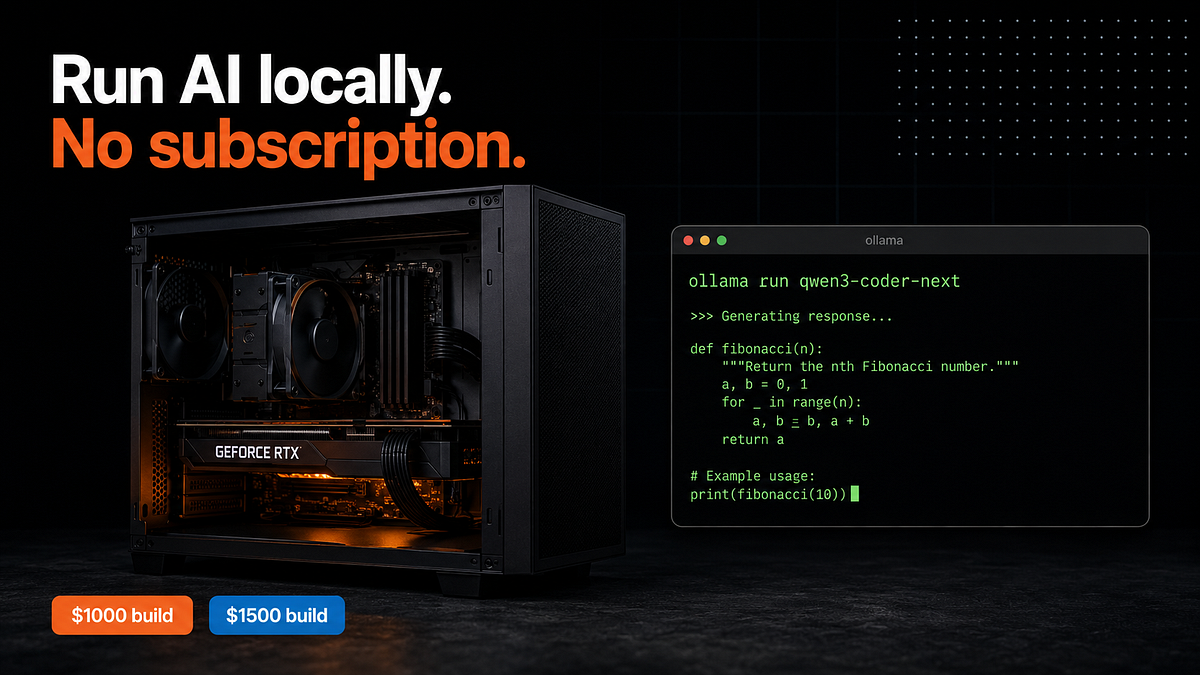
ollama run qwen3-coder-next
ollama run qwen3:8b
ollama run deepseek-r1:14b
ollama run gemma4:12b
That is genuinely it. Ollama detects the GPU automatically, downloads the right quantized model, and handles everything else. I spent two weeks trying to understand llama.cpp manually before someone told me to just use Ollama. Do not make my mistake.
For IDE integration, Continue.dev is the VS Code and JetBrains plugin that connects to your local Ollama instance. It gives you a chat sidebar and inline completions using local models. The latest version (0.9 as of June 2026) supports multiple model configurations so you can use Codestral for fast autocomplete and Qwen3-Coder-Next for the chat interface simultaneously.
One optimization worth knowing: set OLLAMA_MAX_LOADED_MODELS=2 in your environment variables. By default Ollama unloads a model from VRAM when you switch to another one, which means waiting 10 to 30 seconds each time you switch. This setting keeps two models resident at once. On 16GB VRAM you can comfortably do this with two 7B to 8B models.
The RAM Shortage and Your Timing
I want to say something honest about timing. Analysts including Gartner and IDC project that DRAM prices will stay elevated until at least late 2027, possibly 2028. The underlying cause (AI datacenter demand for HBM eating up fab capacity) is not going away soon. Samsung and Micron’s new factories will not reach full production until 2027 at the earliest.
So waiting for RAM prices to drop is not a good strategy for 2026. What you can do is watch for bundle deals. Newegg and Microcenter regularly do CPU plus motherboard plus RAM combos that are significantly cheaper than buying separately. The Ryzen 5 9600X plus B850 plus 16GB DDR5 combo at $490 from April 2026 is a good example. These come and go fast. Set up a price alert on camelcamelcamel for Amazon and check Newegg’s combo deals weekly.
A note on the GPU side: the 5060 Ti 16GB has occasionally gone out of stock due to GDDR7 shortages. At $430 it is at or near MSRP. If you see it at $430, buy it. If you are seeing $550 or $600, wait a week. GPU pricing has been volatile but not as insane as RAM.
What This Setup Actually Handles
I want to be clear about what is realistic. Local LLMs in mid 2026 are good at:
Everyday coding work. Writing functions, explaining what code does, writing tests, fixing individual bugs, suggesting refactors. Qwen3-Coder-Next handles probably 75% of what I used to use paid subscriptions for.
Document work. Summarizing PDFs, rewriting text, answering questions about documents you feed it.
Private data processing. This is actually the killer use case for local setups. Anything involving client data, internal code you cannot send to an API, or personal documents you do not want living on someone else’s servers.
What it is bad at:
Very recent APIs and frameworks. Qwen3-Coder-Next has a training cutoff around Q3 2024. If you are working with Next.js 15, Python 3.14, or anything that came out after that, it either does not know or gives you outdated information.
Very long code contexts. Local models technically support long context windows but VRAM fills up quickly in practice. Anything over 32K tokens in a single conversation starts degrading noticeably on 16GB.
Multi-file architectural refactors on a big codebase. This is still better done with cloud models that can handle 100K plus token contexts cleanly.
For those use cases I still keep a cloud subscription. But for the daily stuff, the local setup earns its keep pretty fast.